How is the Run/Debug Configurations "Application:" dropdown populated?
Answered

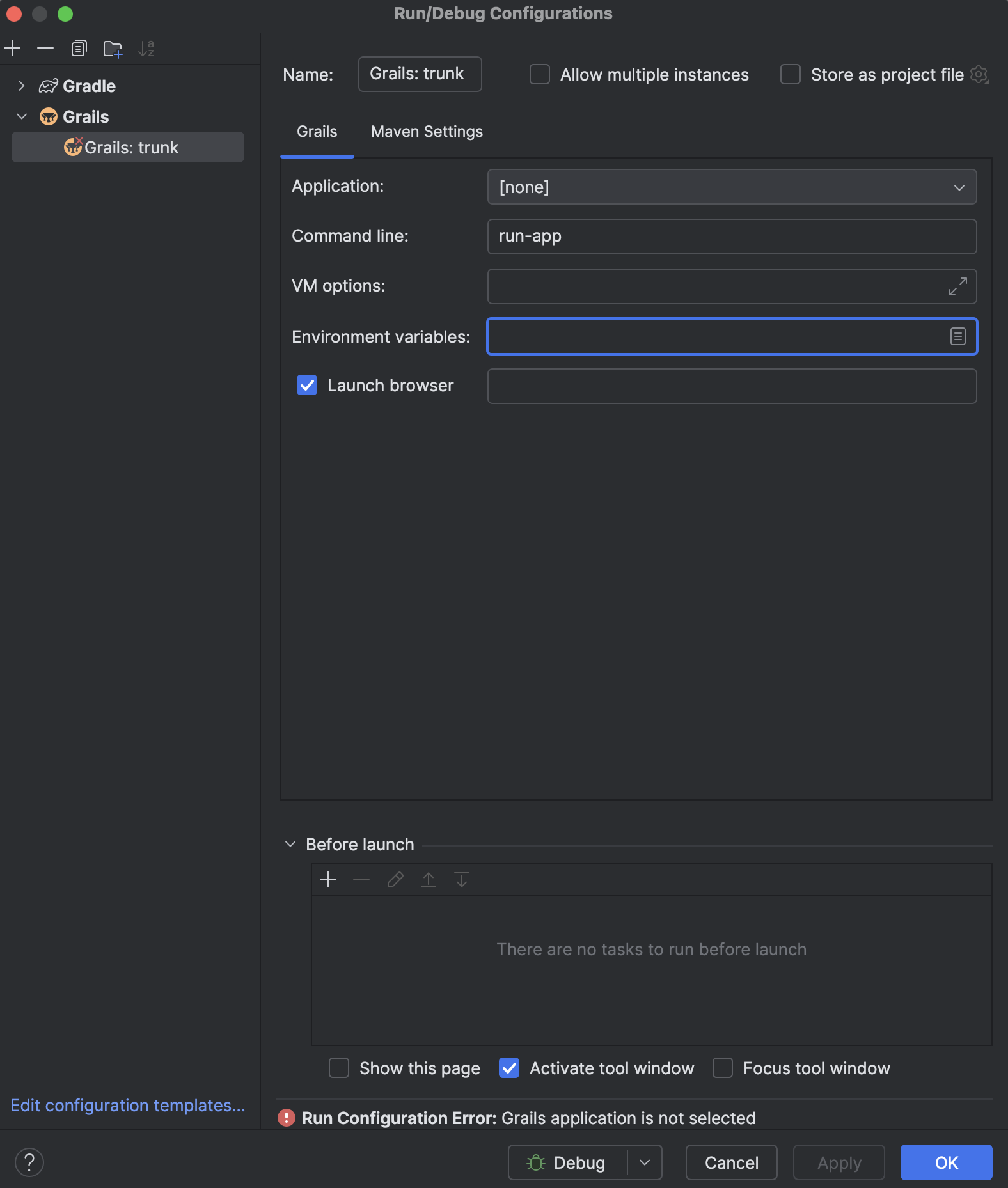
The dropdown for the Application field in the Run/Debug configuration for my new Grails 7 project contains only the value [none], so I am unable to choose a valid Application, which causes this error:
Run Configuration Error: Grails application is not selected
This has happened in the past; clicking the Sync All Gradle Projects button usually resolved it, but does not this time.
How is that dropdown populated normally? What can I do to populate it manually?
Please sign in to leave a comment.
You can't add an entry to the Application list by hand. The Grails plugin fills it with the Grails applications it detects in the project.
grails-appdirectory in the project.grails-appmust be a linked Gradle project, or a module of one.org.apache.grails.gradle.grails-*Gradle plugin (for exampleorg.apache.grails.gradle.grails-web). The plugin must also be able to resolveorg.apache.grails:grails-shell-cliusing thegrailsVersionproperty.If step 3 fails, the Build tool window shows the warning "Grails import errors: Unable to build Grails project configuration", and the list stays at
[none]. A sync reruns step 3, which is why Sync All Gradle Projects fixed this for you before. In the JetBrains builds of the plugin (261.x and older), the list also stays empty after the project opens until the next Gradle sync. Apache Grails 262.0.0 and later recompute the list when the Gradle project data finishes loading.Please check these:
grails-appis the Gradle project shown in the Gradle tool window, or one of its modules.To run the app in the meantime, use the Gradle task instead of the Grails run configuration. In the Gradle tool window, expand your project and double-click Tasks | application | bootRun. Grails 7 runs on Spring Boot, so
bootRunstarts the same application.If the list stays empty on the current plugin version, report it on the plugin tracker: https://github.com/apache/grails-intellij-plugin/issues. JetBrains transferred the plugin to the Apache Software Foundation, see IDEA-379825.