PHPStorm XAMPP XCODE shows code instead output

Hi, I have tried to connect PHPStorm with XAMPP and XCODE. Firstly it seems to work: If I test the Web server URL in
Settings -> Build,Execution,Deployment -> Deployment -> Web server URL
the browser shows "hello world" output from the script I placed in htdocs.
All fine! But if I use the little Browser Icons on the top right of the editor, 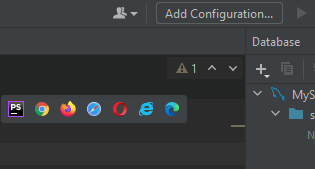
to show the script, the browser shows the source code instead of the output. The address in the URL field of the browser shows not localhost but it shows the path of the file on the disk.

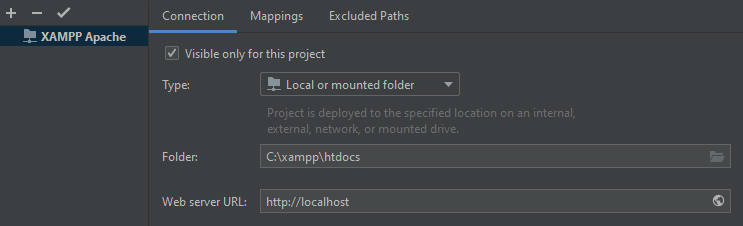
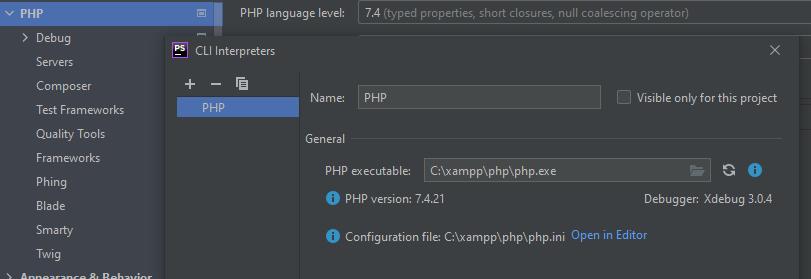
I've gone through the instructions on the page https://confluence.jetbrains.com/pages/viewpage.action?pageId=51950780 several times, but I can't find a bug. I have to miss something. I hope you know the remedy, I am desperate
Please sign in to leave a comment.
Hi there,
1) Show your deployment entry in full (both Connection and Mappings tabs). There still can be a warning on the mappings tab.
2) Double check/make sure that this entry is marked as Default for this project.
3) Just in case: where the project is locate (the path to the project root folder)?
A better link (a part of the official Help pages): https://www.jetbrains.com/help/phpstorm/installing-an-amp-package.html#integrating-xampp
P.S. No idea why you mention XCODE here.