Unwelcomed upgrade to 2021.2 from 2021.1.3 has removed by keymap
Answered

Restarted IntelliJ 2021.1.3.
Restart the application from Jetbrains Toolbox - I note that icon is slightly different. Indeed the software has upgraded to 2021.2 My theme is removed, and the program is unable to find my keymap.

Inside my linux user folder ~/.config/JetBrains/IntelliJIdea2021.2/keymaps/ the keymap xml file exists, but as above it can not be found. Why has this happened? Why can't it find the keymap? How do I fix this.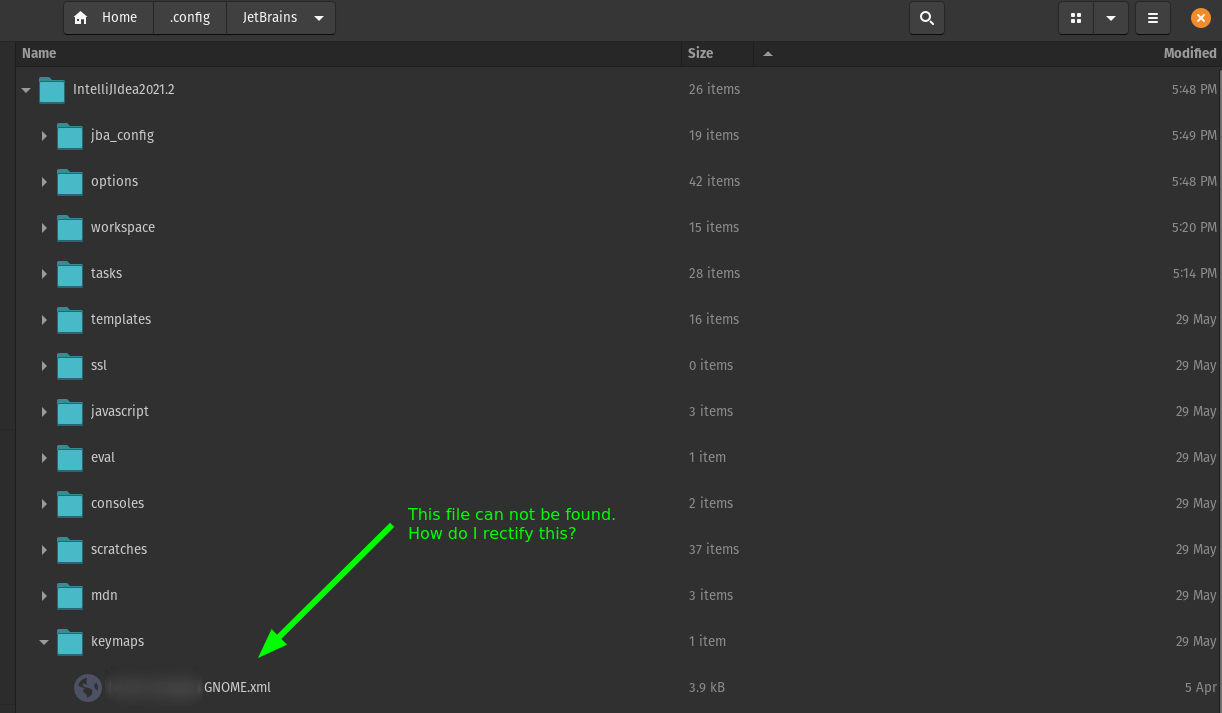
Please sign in to leave a comment.
This has happened to me as well.
Hi,
It seems your issue is related to https://youtrack.jetbrains.com/issue/IDEA-264419.
Could you please share us with the
Simon Douglas GNOME.xmlfile in IDEA 2021.2's configuration?Does it help if you copy this file from 2021.1 to 2021.2 folder to overwrite this file and restart the IDEA?
Hi Konstantin
Keymap:
The keymap is identical in both versions - I have restarted IDEA, and restarted my machine.
Hi, I see you created another support ticket about the same issue too. I have replied to you on that ticket. Please check it.
We could just use one channel (here or that support ticket) to help your so you and me don't need to reply twice in a different place.
The IDE store the cloud version settings in `jba_config` folder when the Sync Settings is enabled.
I can see the Sync settings feature is still enabled in this IDE. You could click the right-bottom cloud icon in IDE's status bar to check if you have enabled this feature.
You could also try below to see if it helps.
1. Backup the `~/.config/JetBrains/IntelliJIdea2021.2/` firstly.
2. Then copy the correct keymap file into `~/.config/JetBrains/IntelliJIdea2021.2/keymaps/` if there is no keymap file. Same with `~/.config/JetBrains/IntelliJIdea2021.2/options/macros.xml`.
3. Select the `File | Manage IDE Settings | Sync Settings to JetBrains Account` to enable it, choose the "Keep and Sync Local Settings" option to use your current IDE log to overwrite the cloud one.
If you have already created that keymap, you could use this step for macros.