Can't run JUnit test from IDEA on adopt-openj9-16.0.1
Answered

Steps to reproduce
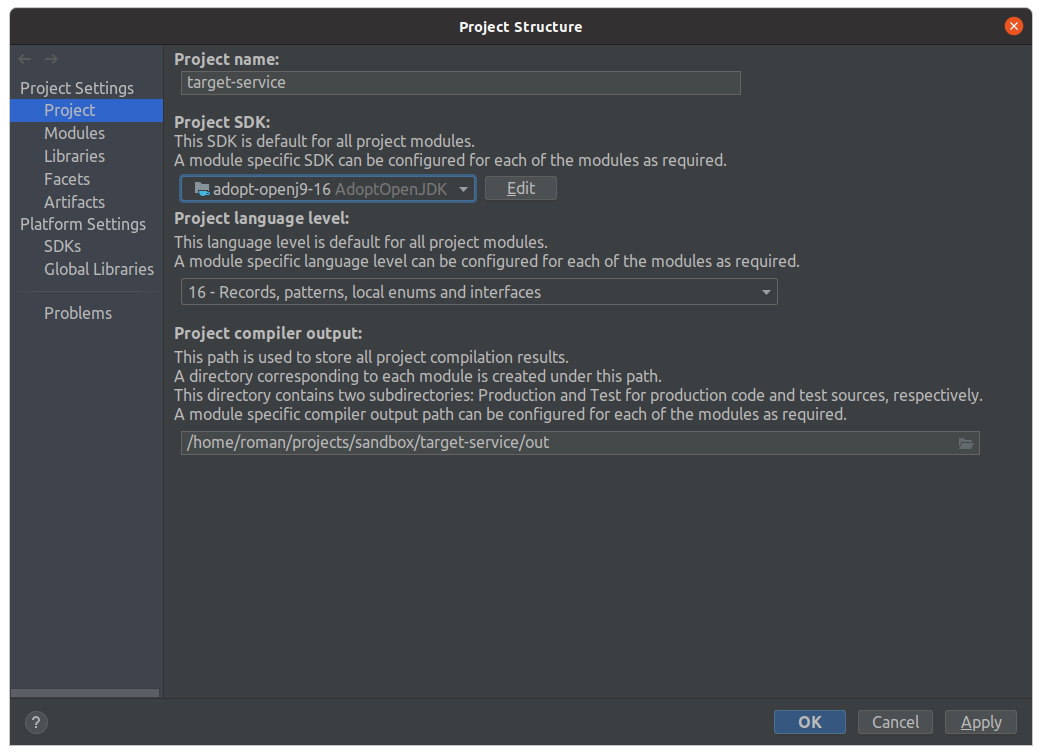
- Set adopt-openj9-16.0.1 JDK as Project SDK
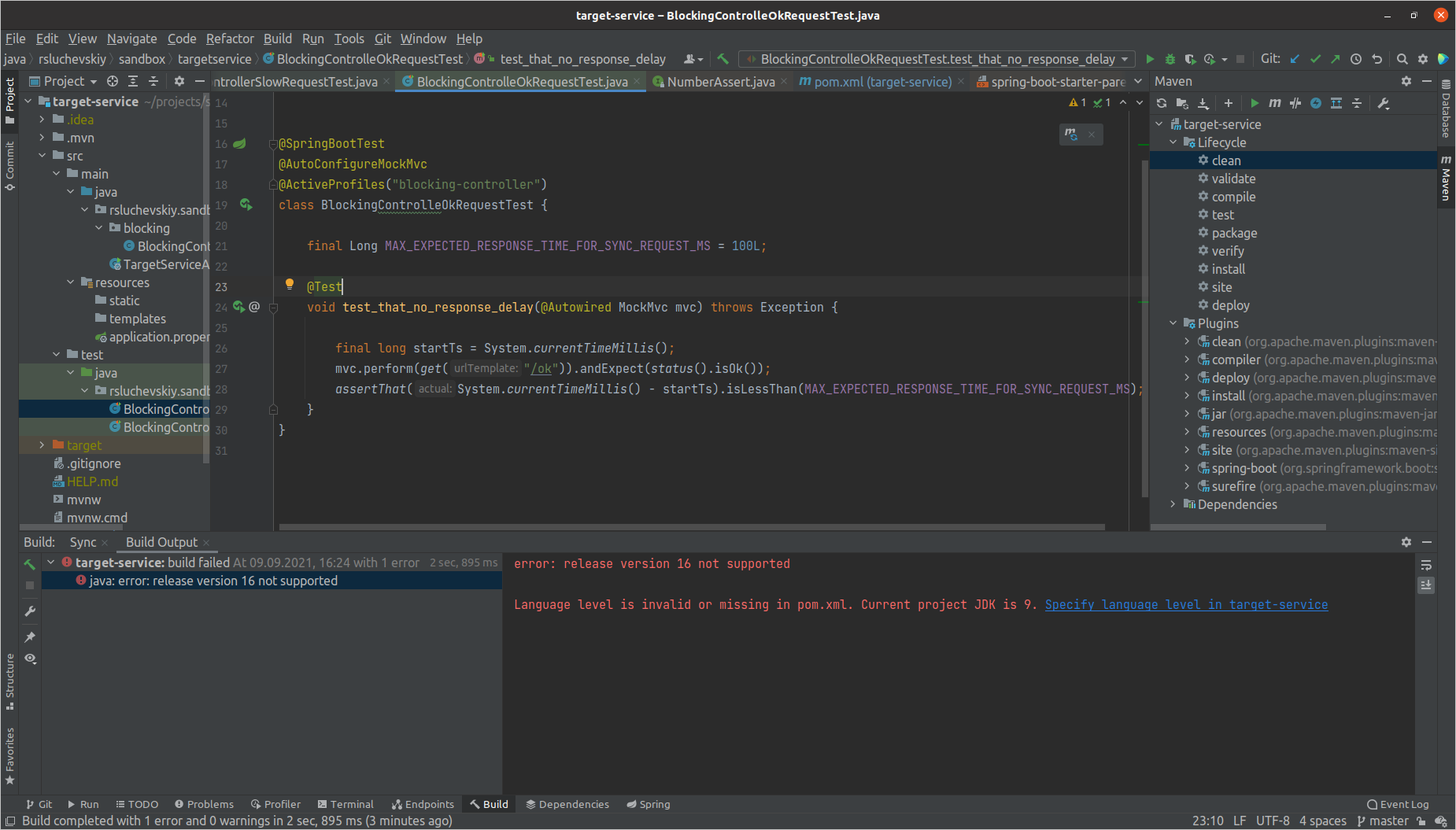
- Run any test from IDEA. In console output get an error that project JDK is 9
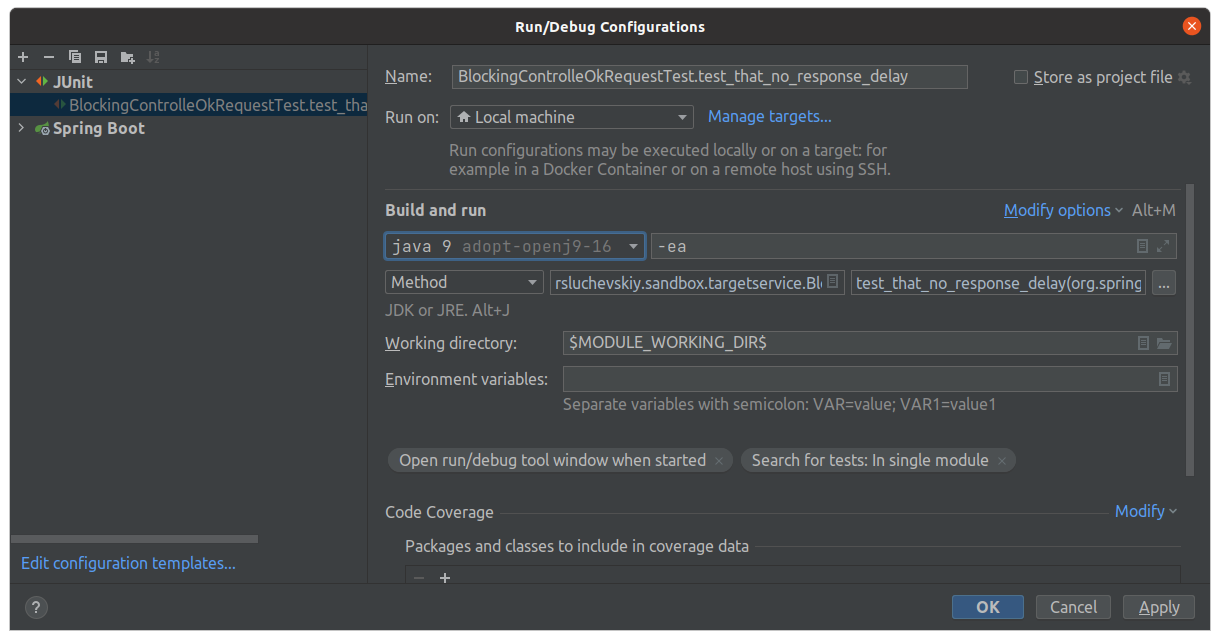
- Open Run Configuration for that JUnit test. You see that JDK set is obviously 16 but for somewhat reason it is prefixed with a java 9 label and is treated as java 9 language level during compilation. May be due to a "j9" in JDK's name
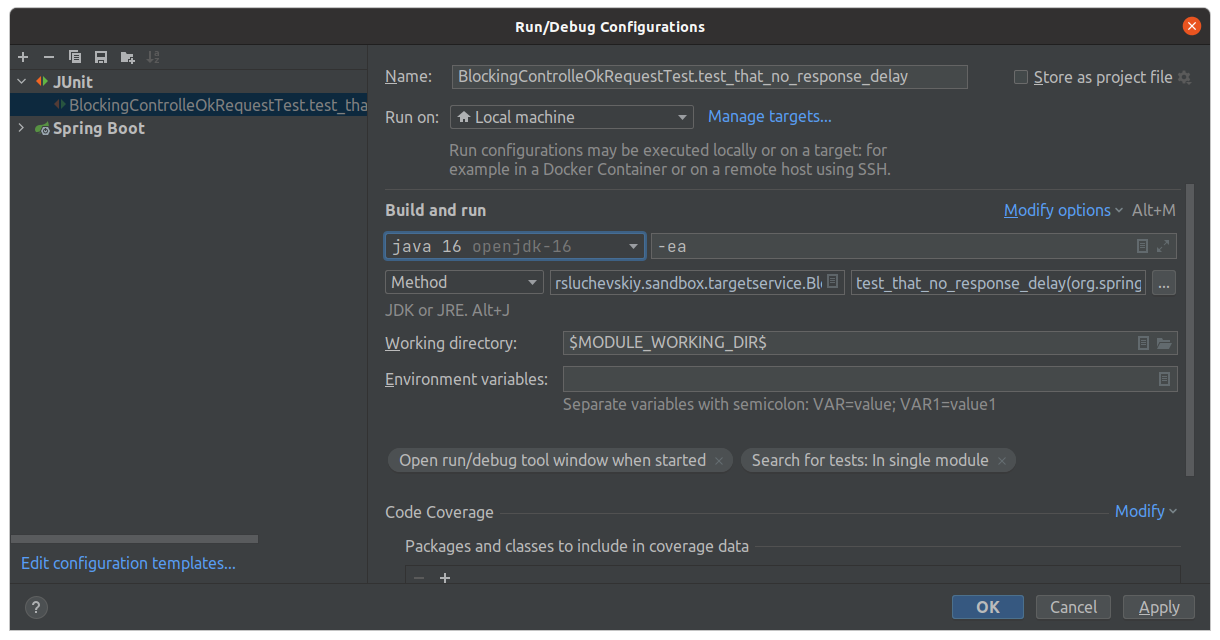
Problem is not reproduced if you change adopt jdk to oracle-openjdk-16. As you see, in this case selected JDK is prefixed with java 16 label
IntelliJ IDEA 2021.2.1 (Ultimate Edition)
Build #IU-212.5080.55, built on August 24, 2021
Licensed to Роман Случевский
Subscription is active until November 27, 2021.
Runtime version: 11.0.11+9-b1504.16 amd64
VM: OpenJDK 64-Bit Server VM by JetBrains s.r.o.
Linux 5.11.0-27-generic
GC: G1 Young Generation, G1 Old Generation
Memory: 4096M
Cores: 8
Non-Bundled Plugins: org.jetbrains.kotlin (212-1.5.30-release-409-IJ4638.7)
Kotlin: 212-1.5.30-release-409-IJ4638.7
Current Desktop: ubuntu:GNOME
Please sign in to leave a comment.
It's a known issue: https://youtrack.jetbrains.com/issue/IDEA-272430.
The fix is available in https://confluence.jetbrains.com/display/IDEADEV/IDEA+2021.2+latest+builds.