Jupiter cells debug not available Mr Fedot Created September 15, 2021 06:27 <alt-shift-enter> - debugging dont start "right click"? Where? No one opening context menu does not contain run debug cell option

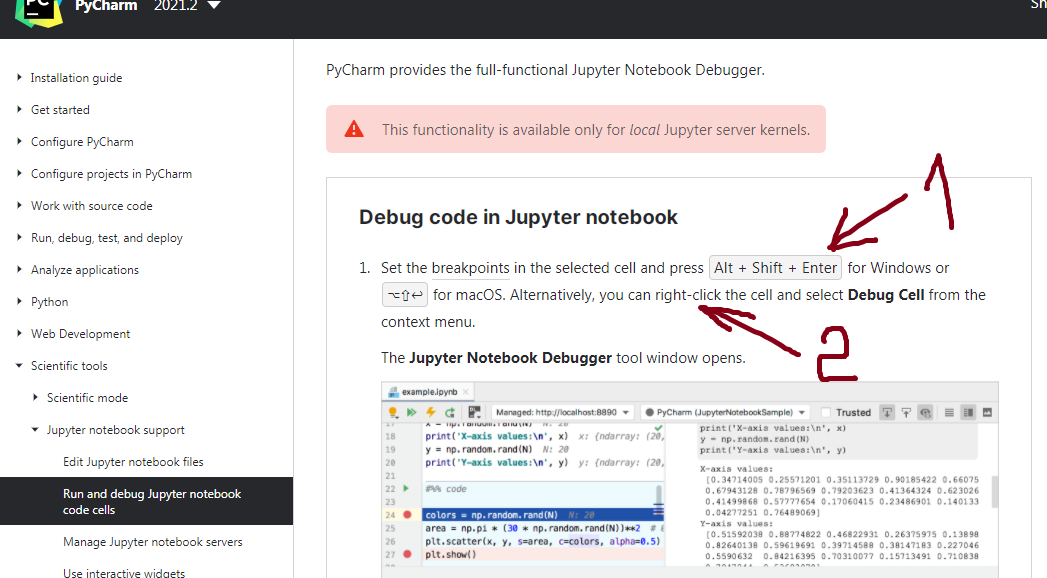
Hi, I think the documentation is a bit incorrect on this one. Try clicking on the gutter arrow instead:
I saw this button. Left click - cell run, right click - nothing happens.
Please upload your logs folder zipped from ***Help | Collect logs and Diagnostic Data*** to the FTP
https://uploads.jetbrains.com/ and please let me know the filename.
Upload id: 2021_09_17_8yTEyCcSLbPBiRxH (file: pycharm-logs-20210917-123053.zip)
Here is the reason:
2021-09-10 11:52:05,275 [ 491] INFO - #com.intellij.idea.Main - OS: Windows 7 (6.1, amd64)
It is not supported for the latest version, please see the system requirements https://www.jetbrains.com/help/pycharm/installation-guide.html#requirements
PyCharm 2019.3 is the latest version that supports Windows 7 (note that it doesn't support 32-bit OS).
You can download older versions from https://www.jetbrains.com/pycharm/download/other.html
What not supported? Jupyter debuging in Windows 7? I run latest pycharm version.
PyCharm 2021.2.2 is not supported on Windows 7.
PyCharm 2019.3 is the latest version that supports Windows 7 (note that it doesn't support 32-bit OS).