File -> Open not working on Windows 10
Answered

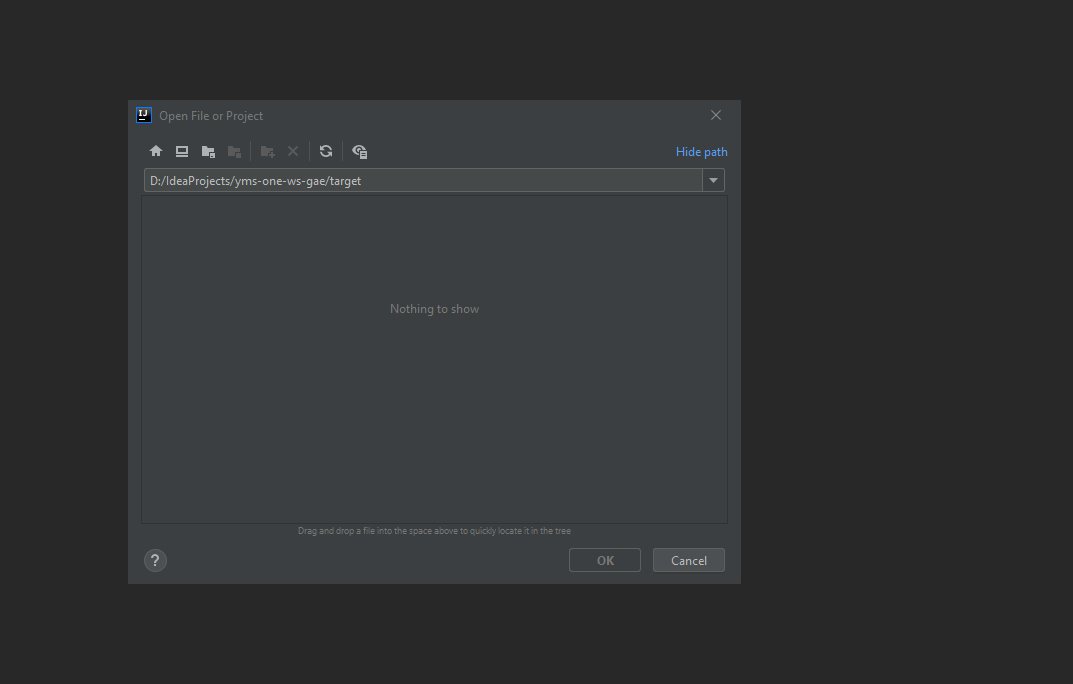
After last update cant open any files, window is empty, cant change path,
Any one have any ideas, I have invalidated caches, restarted, everything ...
IntelliJ IDEA 2021.1.3 (Ultimate Edition)
Build #IU-211.7628.21, built on June 30, 2021
Runtime version: 11.0.11+9-b1341.60 amd64
VM: OpenJDK 64-Bit Server VM by JetBrains s.r.o.
Windows 10 10.0
GC: ParNew, ConcurrentMarkSweep
Memory: 1981M
Cores: 8
Registry: analyze.exceptions.on.the.fly=true
Non-Bundled Plugins: com.github.setial (4.0.2), Jetbrains TeamCity Plugin (2021.2.99542), org.jetbrains.kotlin (211-1.6.0-release-798-IJ7442.40), com.google.gct.core (21.11.1), com.intellij.plugins.html.instantEditing (211.6693.111)
Kotlin: 211-1.6.0-release-798-IJ7442.40
Please sign in to leave a comment.
Do you have remote disks configured, or WSL?
Try updating to Release Candidate version of IntelliJ IDEA
No I don't have any remote disks and WSL is installed on my pc but I'm not using it with intellij
Does it help to update the IDE to the release candidate?
WSL affects file explorer even if it is not used in IDE