Pyhthon imports in IntelliJ...... Local imports working yet giving error

I used to use PyCharm to do coding for school projects
I have decided to switch to IntelliJ so that I can do python, HTML, CSS, javascript, etc without having to switch from program to program each time.
a project uses a local python package structured as follows:
-project_08
- mods
- __init__
- swap_even_odd.py
- min_max.py
using the code
from mods import *
I was able to import the underlying functions without any errors
switching to IntelliJ, the code still runs fine but the import is not recognized by IntelliJ
how do I fix this?
Please sign in to leave a comment.
Please note that PyCharm Professional supports web-development, including all of those technologies.
What interpreter are you using? If it's Docker-based, please be aware of https://youtrack.jetbrains.com/issue/PY-44770
Otherwise, if you provide the following, perhaps I could spot the issue:
- Screenshot of the whole IDE windows demonstrating the issue
- Screenshot of your python module settings in Project Structure
im using pyhton 3.9 as interpreter......
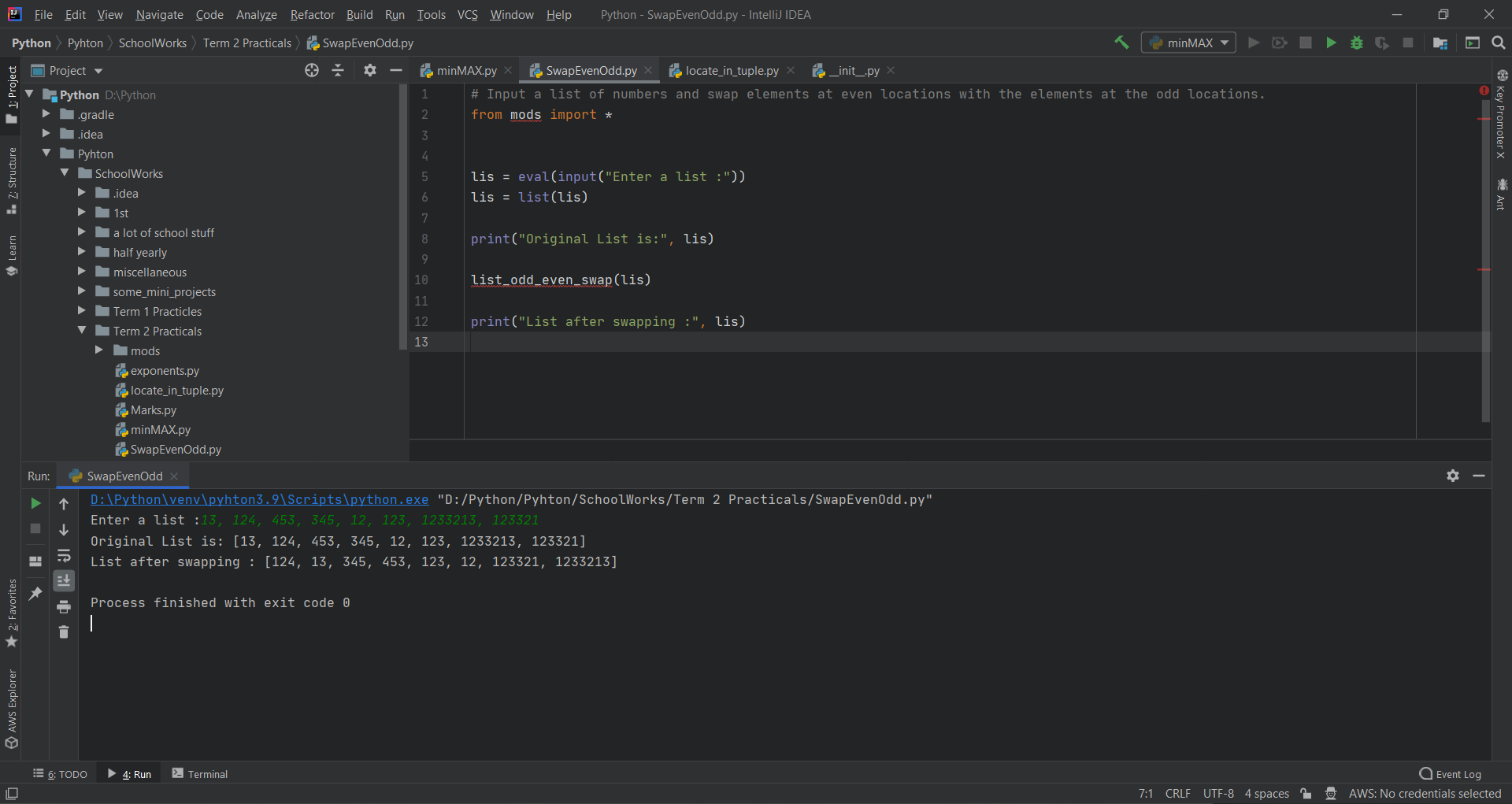 as you can see, intelliJ is showing error for the import and the function list_odd_even_swap() even though the code is working just fine (process finishes with exit code zero and the element positions swapped)
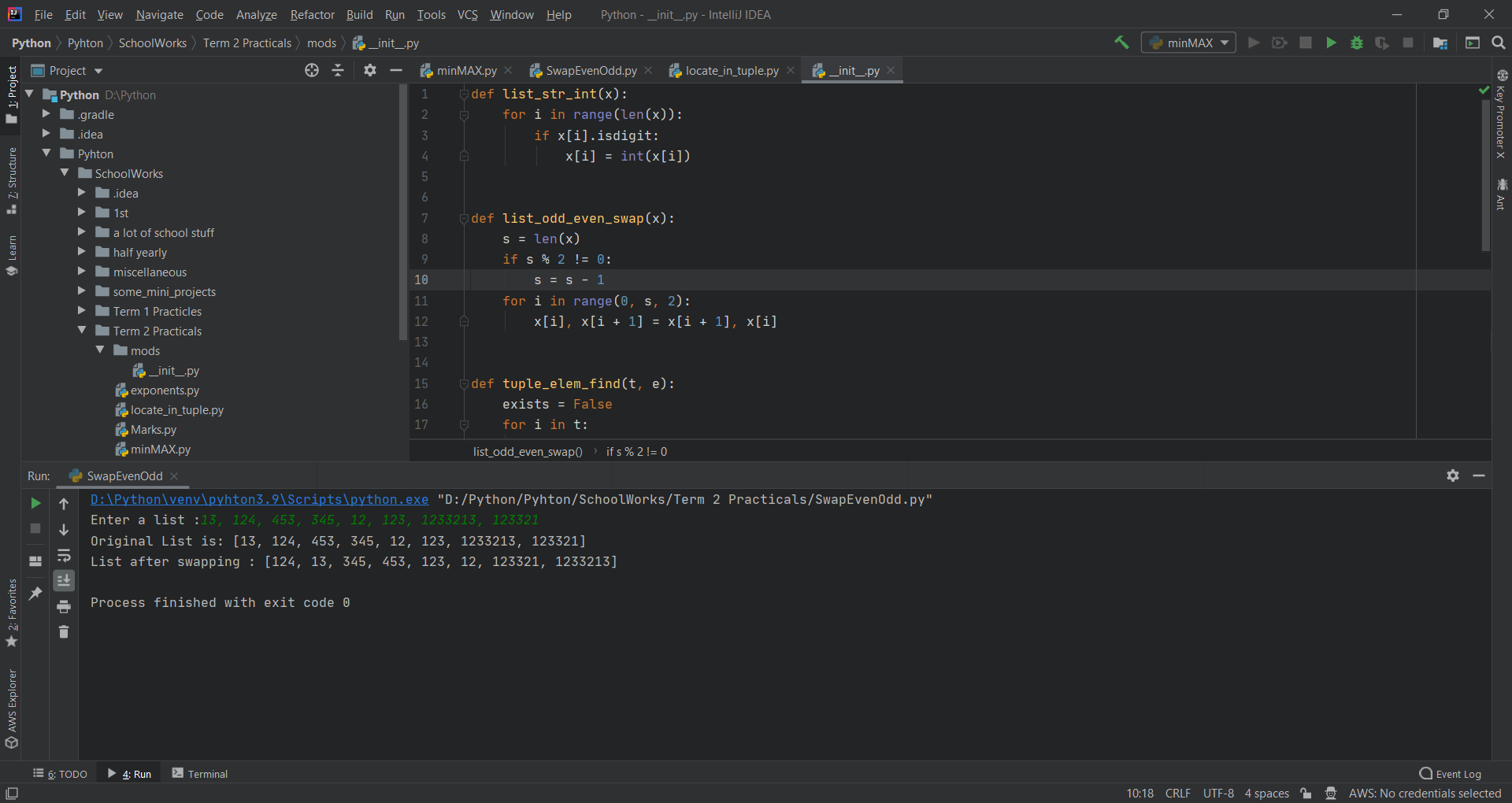 this is what i had imported (notice the creation of the list_odd_even_swap() function)
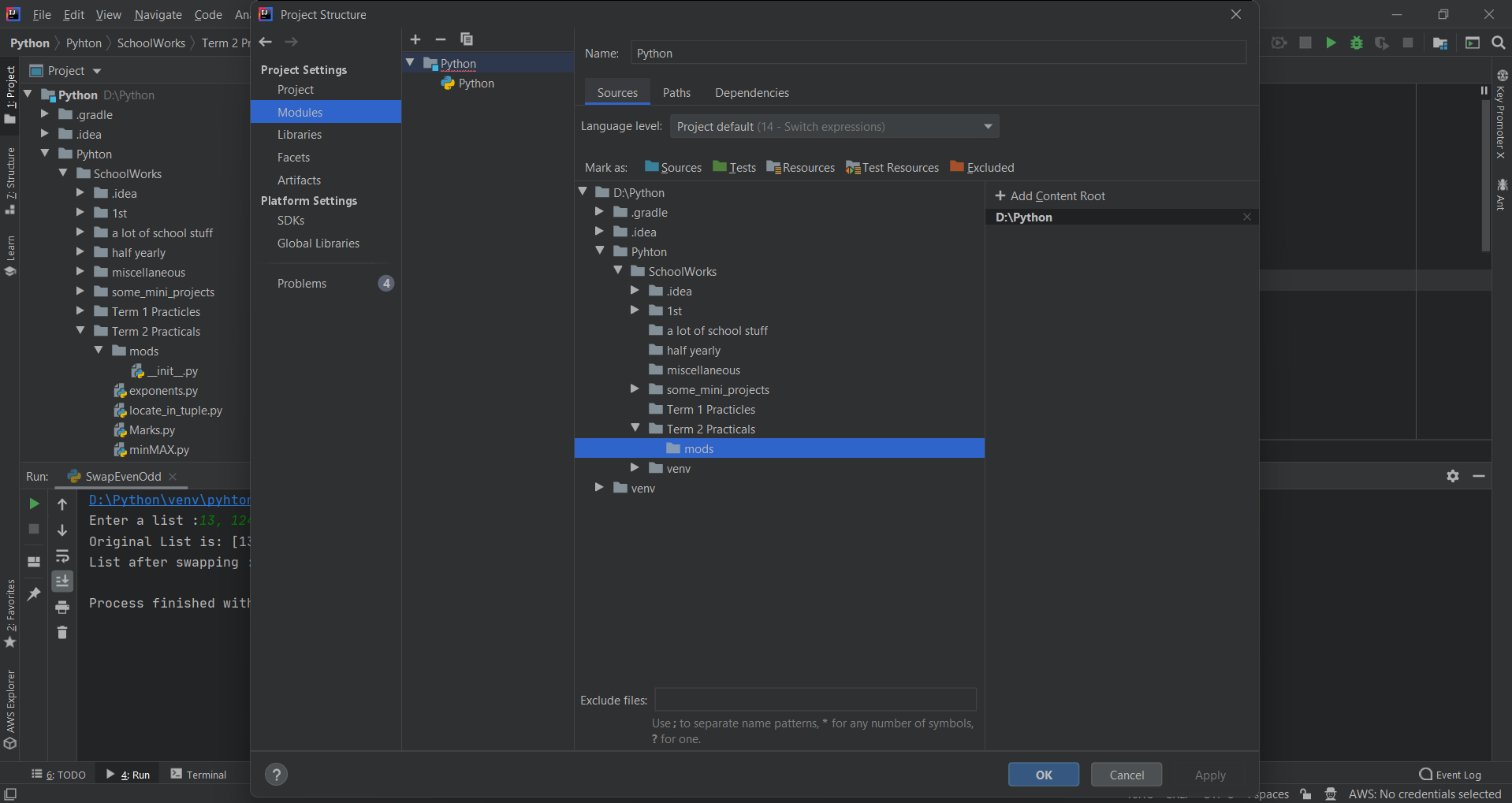 Screenshot of your python module settings in Project Structure
and it is technically working just fine
Could you please also show a screenshot of the "Dependencies" tab from your last screenshot, and Logs from **Help | Collect Logs and Diagnostic Data** ?