Java 17 compilation error
Answered

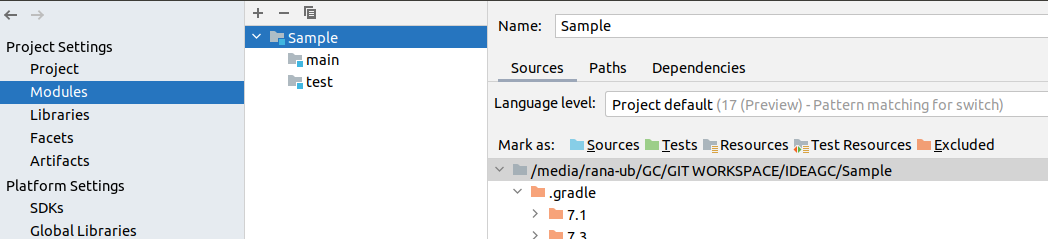
Trying to compile and run java 17 switch pattern, initially was showing error with red underlined. Once I have set the language level to "17 preview" in 'Project' and 'Module' error in the editor is gone but can not run or compile the code. See screenshot below.
Code:

Setting Language level:

Error when I try to run the code:

Where am I going wrong ?
Please sign in to leave a comment.
What IntelliJ IDEA version do you use? Does it help if you update to the current IDE release? https://www.jetbrains.com/idea/download/index.html.
What JDK is used for Gradle: Settings (Preferences on macOS) | Build, Execution, Deployment | Build Tools | Gradle | Gradle JVM: https://i.imgur.com/3vqYo2t.png ..
Does it help if you build with IntelliJ IDEA instead of Gradle? https://i.imgur.com/HpeUaUE.png.
Hello Serge, Thank you for your comment.
Intlj Idea version:
No updating to latest doesn't help.
Gradle Settings: This still gives me the error
Using Idea as build and run tool, works fine
Many thanks, but why is it not working with gradle, any idea ?
For Gradle you need to specify the --enable-preview option via the build configuration: https://stackoverflow.com/a/55433956/104891.
I get a linkage error :(
Rudj Di make sure you use Gradle version compatile with 17 JDK version. Try Gradle 7.2 or higher, see Configure a Gradle version for a project.
https://crunchify.com/intellij-idea-project-module-and-latest-java-setup-java-17-or-newer/