How do I change the repository used by the commit dialogue?
Answered

I have three folders at the top level of my app
/server
/client
/mission-control
they each are based on a boilerplate and have their own upstream repo
I was able to create another repo on the top level with git init

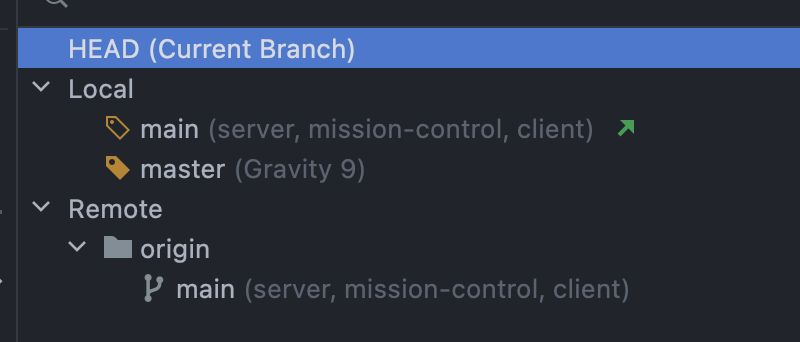
When I used Webstorms commit dialog, it committed to main on /server.
I did not find a way to change the repo for the commit dialogue. How can this be done?
----
In my attemps to find a way, I moved the commit dialogue from the left sidebar to the Git panel on the bottom:

Now I'm really lost. I don't even know, how to move it back to the sidebar.
Please sign in to leave a comment.
when I click on
Create Git repository...
And select the top folder (Gravity 9), I get
Johannes1 Hoerteis
In order to move commit dialog back to `Commit` tool window please go to Settings | Version Control | Commit and enable "Use non-modal commit interface"
As for how to choose in which repository to commit - you commit a file to a repository that it belongs to.
If you have 3 projects and you have created a .git repository in their root directory (so essentially you have 1 big repository with 3 nested repositories) then there is a chance that you may commit to your 1 big repository. You can control it under Settings | Version Control | Directory mappings. You can remove your root repository from there.
Unfortunately I don't have these options. Probably, because I'm using Webstorm.
I have created two new projects.
they both also show "To commit changes, Create Git repository..."
When I create one, the commit sodepanel doesn't change.
But the git log shows the local repo.
Also, on one of those 2 new projects, I added a remote inside "Manage Remotes"
But this had no effect! Even after I clicked on the fetch arrow:
then I tried:
On the other project I didn't use the "Manage remotes" interface
I just
git remote add origin "...
with no error messages
In both new projects "git remote" responds with
origin
But neither show me a remote under the Git Log panel.
Restarting or updating Webstorm (2021.3.1) didn't change that.
Ruslan Kuleshov
Now I've found the "Use non-modal commit interface" checkmark and the commit panel is finally returned to normal.
regarding your advice to remove the root repository: I had added that top level repo on purpose, so I didn't want to remove it. I wanted to commit to it. (which I can do in terminal, but not in the commit panel.
I have also now decided to work with submodules.
that's why I'm currently creating new projects called hh_client, hh_server and hh_mission_control.
they each have a remote that allows me to pull in updates from the boilerplate. (because the boilerplate is split into 3 repos)
And my own project will point to the hh_client etc. repos as submodules.
On that note, I've read that Jetbrains supports submodules since 2018.
Does that mean, that when I commit and push on my app, all the submodule repos (hh_client, etc) will also get that commit?
Because I read "Moreover, when you update your project, all the submodules will now be correctly updated according to their state" here
I guess I'll find out soon enough.
Johannes1 Hoerteis
You can also use "Group by: Repository" in order to make commits easier, so you could control what will be commited in which repository.
>Does that mean, that when I commit and push on my app, all the submodule repos (hh_client, etc) will also get that commit?
If you have enabled "Execute branch operations on all roots" and you have checked out a branch - then on a next push branch will be pushed on all roots whereas commits won't be pushed to other roots except source one.