Using remote docker interpreter failded.

Hi, I want to use a docker interpreter remotely. I am using Pycharm on Windows 10, and docker is installed on Linux. It seems that I met a problem related to path mapping. I am confused since there are three kinds of path: a).path of my windows 10 filesystem b). path of the linux sever where the docker daemon is installed. c) path of the docker container filesystem.
First, I config a Docker in Pycharm in "File | Settings | Build, Execution, Deployment | Docker", I choose "connect to Docker daemon with SSH". In this setting, I see a Path Mappings option, between 'virtual machine path' and 'local path'. I think they should refer to path c) and a) respectively, is this correct?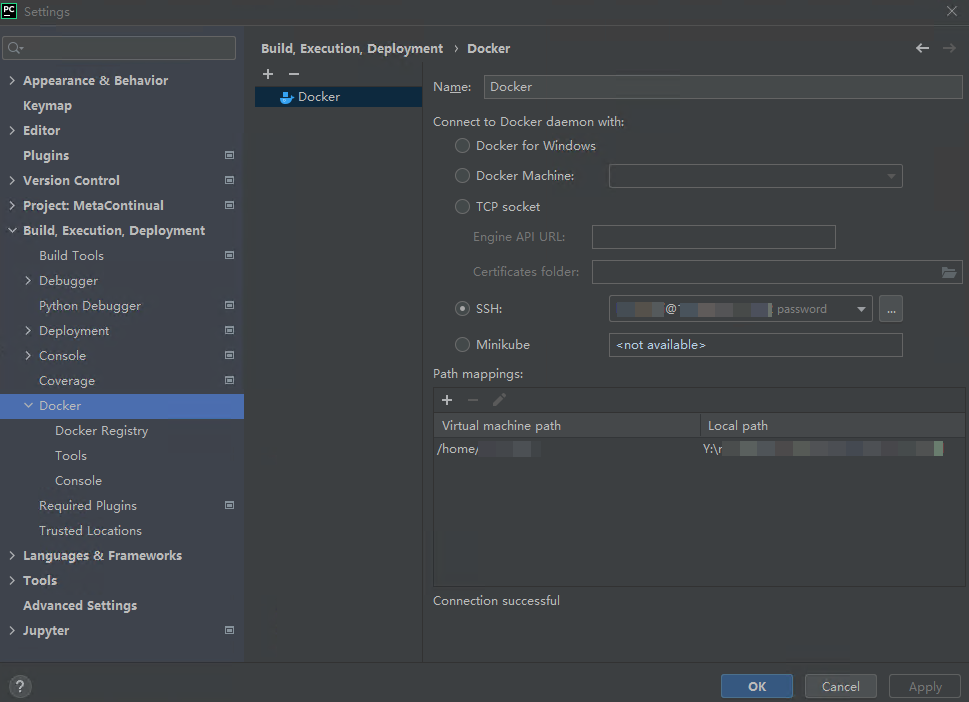
Second, I config the docker container settings in "Run | Edit Configurations...", in docker container settings, there is "Volume bindings", I set the host path as a path of type b), and the container path as c). 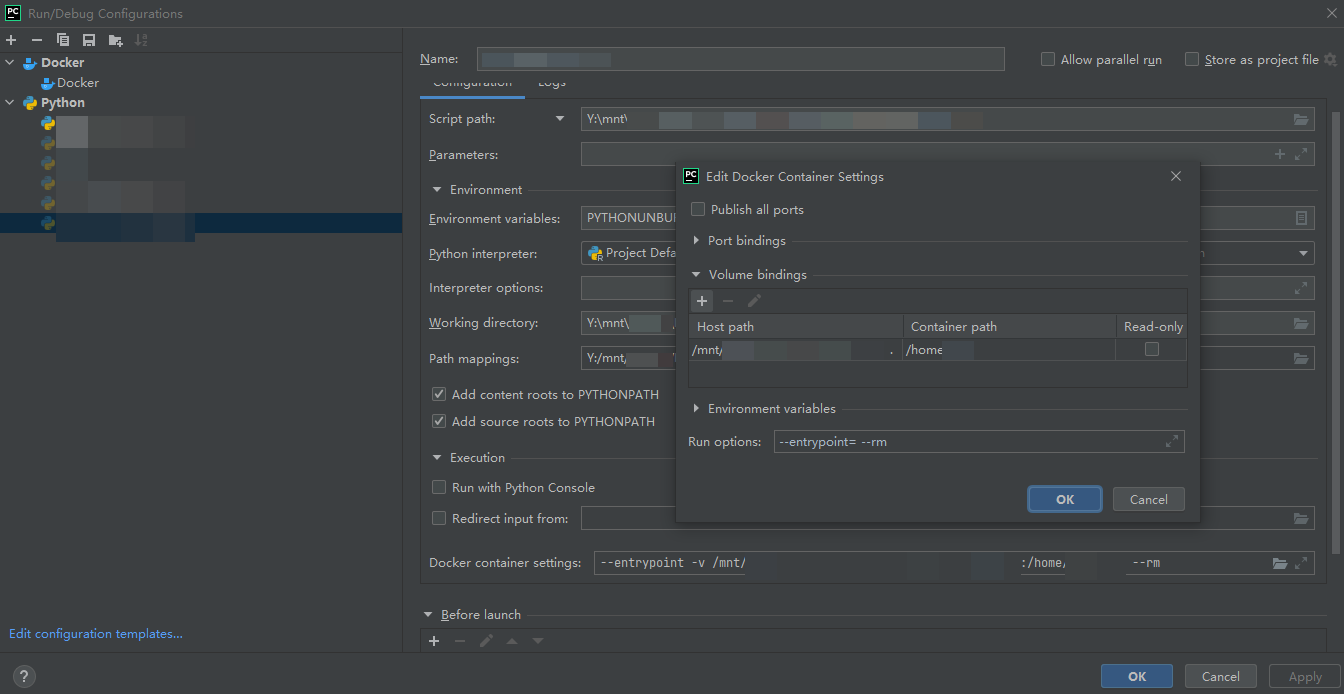
Note that there is also a path mappings in the picture above. I don't know what this setting is used for, either.
Thirdly, I config the "File | Settings | Project: MetaContinual | Python Interpreter", there is also a path mapping, I think this is used for sync file between my Windows system and the linux machine. I assume this is mapping of a) and b).

I expect that Pycharm will first sync file on my windows machine to the linux machine, just like when using python interpreter by ssh. And then using volume bindings of docker of map the sync folder on linux machine to the containers path.
I got
23:42 Error running 'my_python_file': Cannot run the remote Python interpreter: create \\mnt\\my\\path\\PycharmSync\\: \"\\\\mnt\\\\my\\\\path\\\\PycharmSync\\\\" includes invalid characters for a local volume name, only \"[a-zA-Z0-9][a-zA-Z0-9_.-]\" are allowed. If you intended to pass a host directory, use absolute path
I am using Pycharm 2021.3.2(Professional Edition)
Thanks for your help!
Please sign in to leave a comment.
Running Docker on the remote host is not supported officially yet https://youtrack.jetbrains.com/issue/PY-33489
There is a workaround in the ticket description though.
Thank you for your reply. I config Pycharm as the workaround suggest, however, it seems that it doesn't work on windows. As https://youtrack.jetbrains.com/issue/PY-33489#focus=Comments-27-4878350.0-0 suggested.