if statement on one line
Answered

if (blockingFlag.get())
    return blockingFlag.get();
i want this to stay on one line but cannot force it :
if (blockingFlag.get()) return blockingFlag.get();
Please sign in to leave a comment.
Make sure the following option is enabled in File | Settings | Editor | Code Style | Java | 'Wrapping and Braces':
Control statement in one line ☑️
I have set it but it does not work for intelij 2022.2
Do you have any .editorconfig files in your project?
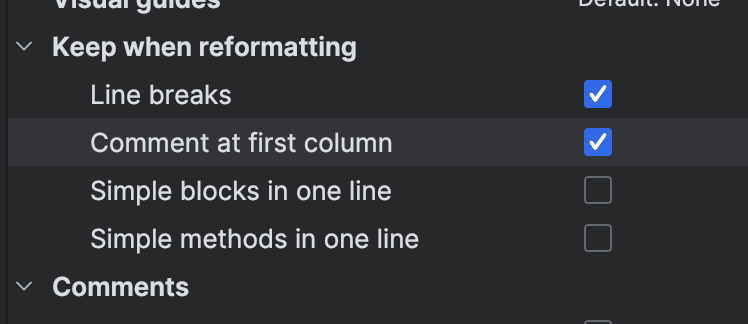
Make sure 'Keep when reformatting' > 'Line breaks' is disabled.
I'm having the same issue & the fixes suggested above do not ramify the issue. Can anyone else help?
Please contact support at https://intellij-support.jetbrains.com/hc/requests/new. Attach a sample project with the code style saved in this project that will reproduce the problem.
I'm sorry to bother you, however the link you supplied took me to a 404 page. Do know of an alternate way to contact the support team?
Remove the dot from the link, forum is formatting it incorrectly:
https://intellij-support.jetbrains.com/hc/requests/new
I can't see the “Control statement in one line” option for Typescript. Does something else trigger this option to be hidden/visible?
In fact several options seem to be missing from Typescript compared to Java:
There is no such option. If you miss it, please vote for https://youtrack.jetbrains.com/issue/WEB-65870/Enable-Control-statement-in-one-line-option-for-js-and-ts to increase its priority and get notified of updates.