Wrongly shaded gray words
Answered

Hello, I have imported a project to version 2022.2.1 Community Edition and it shades many words to gray as if they were some kind of error when they are not. Could you let me know what is happening? 
Searching for possible causes, I have changed the proofreading options but this did not solve the problem. 
Thanks!
Please sign in to leave a comment.
Is it Kotlin or Java?
What Code style settings are used? Restore to defaults could help:
Hello,
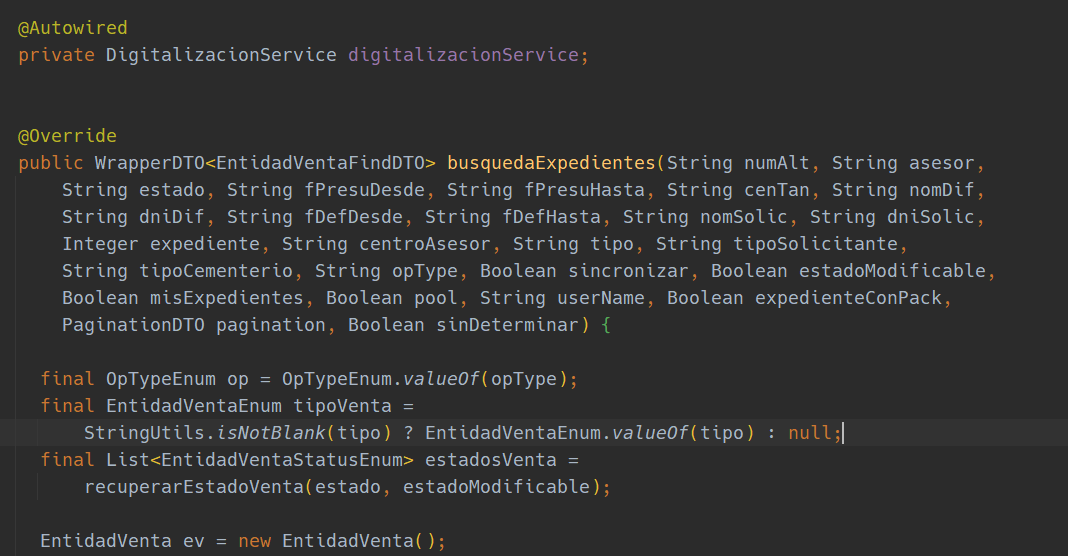
Thanks for your answer.
Only with the default theme it doesn't seem to shadow the words, however, this would not be the optimal solution.
Switching to any other font theme already causes word shading and grays out certain words :-/
Thanks.
Am I right that you miss highlighting variables? Try enabling semantic highlighting feature:
So, all the variables are highlighted like this: