RubyMine 'Evaluate Expression' history shortcut

In the RubyMine debugger, when you're at a breakpoint and you hit 'Evaluate Expression', there's a little button to show the history of evaluated expressions. I could swear that in IDEA, you could trigger that history by hitting the up or down arrow. However, in RubyMine, I have to mouse-click it to see the history, and I don't see any affordance to assign a keyboard shortcut.
So is there a way to add a keyboard shortcut to it? Or alternately, could you make it work like in IDEA?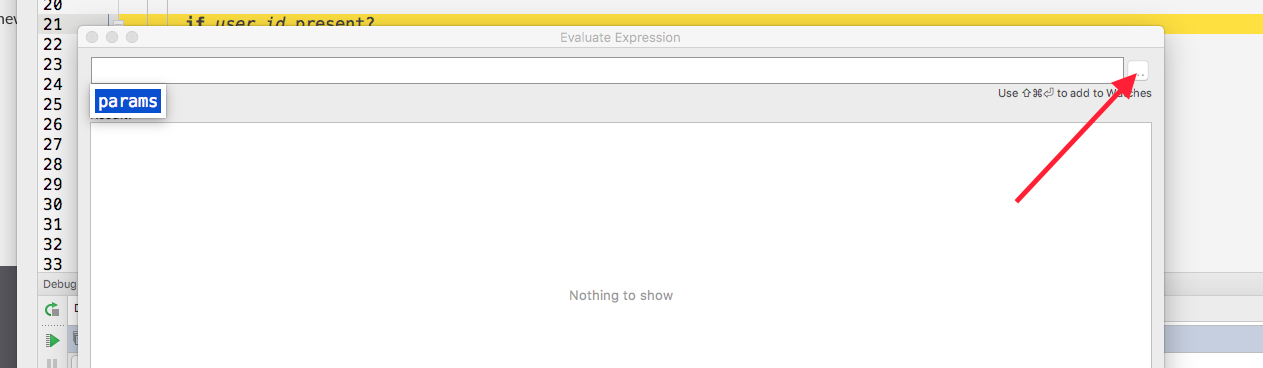
请先登录再写评论。
Hello,
could you please specify what RubyMine version and Keymap you're using (it worked fine for me in RM 2017.2 EAP with Mac OS X 10.5+)
Hi Olga-
What keystroke do you use do trigger the Show History in the Evaluate Expression dialog? I'm only able to access it with the mouse.
Here's my version and platform info:
RubyMine 2017.1.3
Build #RM-171.4424.69, built on May 22, 2017
JRE: 1.8.0_112-release-736-b21 x86_64
JVM: OpenJDK 64-Bit Server VM by JetBrains s.r.o
Mac OS X 10.12.5
Hi,
sorry for the delay. In this case you can use Arrow down, that will show the history (I was checking in RubyMine 2017.1.5)