Waiting for debugger to disconnect - Node v8 - Webstorm 2017.2 EAP

I'm not able to call await twice in my test.
The first await runs fine, but it never hits my second async await call because it hangs with "waiting for debugger to disconnect...". Not sure if I have my async logic 100% correct yet with the setTimeout there and telling Mocha to resolve..there is quite a bit going on here with 2 async calls in one test.
here's a screencast of the problem https://www.youtube.com/watch?v=4clLFH9Eh-w&feature=youtu.be
it.only('can delete an S3 bucket for a given PR', async (done) => {
  let result
  const options = { branch: 'A-11',
    awsKey: 'ABC',
    awsSecret: '123'}

    // this call works just fine
    await Deploy.createPRBucket(options, (error, stdout, stderr) => {
      console.log(`created error: ${error}`)
      console.log(`created stdout: ${stdout}`)
      console.log(`created stderr: ${stderr}`)
      result = JSON.parse(stdout)

      expect(result.Location).to.exist
      expect(result.Location).to.equal('http://someurl.s3.amazonaws.com/')
    })

    // it never gets here, hangs...debugger can't disconnect status in console
    await Deploy.deletePRBucket(options.branch, (error, stdout, stderr) => {
        console.log(`deleted error: ${error}`)
        console.log(`deleted stdout: ${stdout}`)
        console.log(`deleted stderr: ${stderr}`)

      expect(stdout).to.exist
      done();
    })
})
Implementation:

export async function createPRBucket (options, callback){
  try {
    console.log("executing cli script to create the new branch")

    return await exec(`aws s3api create-bucket --bucket xxxx --region us-west-2 --create-bucket-configuration LocationConstraint=us-west-2`,
      (error, stdout, stderr) => {
      console.error(`exec error: ${error}`);
      console.log(`stdout: ${stdout}`);
      console.log(`stderr: ${stderr}`);

      callback(error, stdout, stderr)
      // process.exit(0)
    })
  }
  catch(err) {
    console.log(`there was a problem creating this bucket: ${err}`)
    // process.exit(1)
  }
}

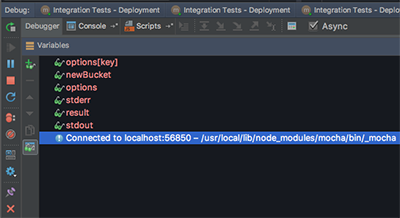

Also if I'm only running mocha tests on some .js code that's not an application, why is it trying to load the debugger over localhost?:
Debugger listening on ws://127.0.0.1:54836/317621c1-7e13-490d-8592-493a4a6f71c9
While the code that my tests are testing live inside a folder in my create-react-app, I'm not launching the app and trying to debug via the browser at all; that's not my intention. I'm making calls to amazon S3 for some deployment workflow I'm setting up... these are simply utility deploy methods sitting in a deploy folder in src
Can you please improve your forum editor in here? It can't format code vs plain text or it gets confused to where those lines are drawn, most my text is grey in this post, wt?
请先登录再写评论。
>The first await runs fine, but it never hits my second async await call because it hangs with "waiting for debugger to disconnect..."
Is the second await called when you run your tests (and not debug)?
"waiting for debugger to disconnect..." is a known issue - debugger is not detached when script execution is completed because of https://github.com/nodejs/node/issues/7742
https://youtrack.jetbrains.com/issue/WEB-26960 is fixed in 2017.2 (as a workaround we will be listening on stderr for "Waiting for the debugger to disconnect...").
But it's not clear why the test execution finishes before the second async await is called
>Also if I'm only running mocha tests on some .js code that's not an application, why is it trying to load the debugger over localhost?
This message is emitted by Node.js when started with inspector protocol, see https://github.com/nodejs/node/pull/11207
https://github.com/nodejs/node/issues/7742 has landed in https://github.com/nodejs/node/blob/v8.1.1/src/inspector_agent.cc#L470.
Still it does not show any difference on
IntelliJ IDEA 2017.1.4
Build #IU-171.4694.23, built on June 6, 2017
JRE: 1.8.0_131-b11 amd64
JVM: Java HotSpot(TM) 64-Bit Server VM by Oracle Corporation
Linux 3.13.0-119-generic
Not sure, probably IntelliJ IDEA debugger agent may has to hook into that {code}client_->contextDestroyed(context);{code}
>Still it does not show any difference on IntelliJ IDEA 2017.1.4
https://youtrack.jetbrains.com/issue/WEB-26960 is fixed in 2017.2, whereas you are using 2017.1
Thank you for the reference. I was already aware that sth will land in 2017.2.
In my categorization of issue resolvement categories there is fix vs workaround. https://youtrack.jetbrains.com/issue/WEB-26960 is a workaround.
While my above reference is on the corresponding node issue which might have been fixed meanwhile. But seems not just by upgrading to node 8.1.1. Probably IntelliJ IDEA has to something additonally
@elena you did have a look into the linked nodejs issues and https://youtrack.jetbrains.com/issue/WEB-26960, didn`t you?