Run a Project on Browser from IntelliJ IDE

I have opened a project that I downloaded in IntelliJIDEA IDE. The project structure is as follows. I am trying to run the userAuthenticationController.php controller's index() method to view the login page.
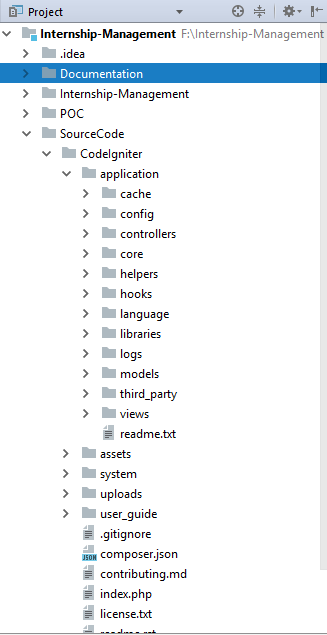
According to this project's config.php File, the base_url is provided as follows.
config.php
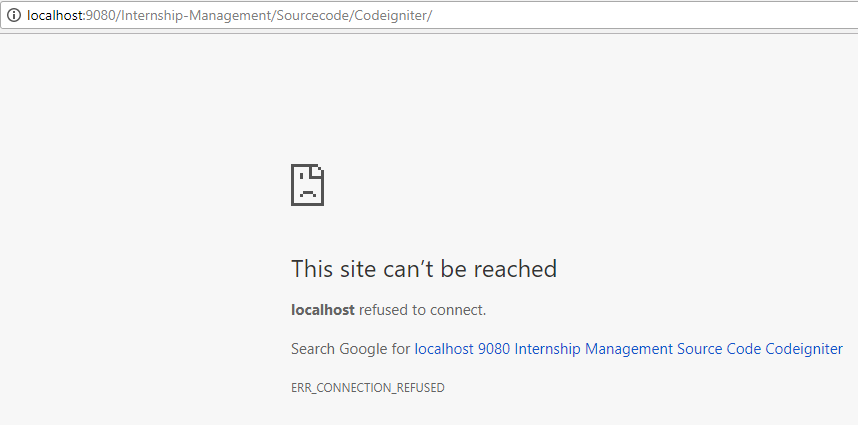
$config['base_url'] = 'http://localhost:9080/Internship-Management/Sourcecode/Codeigniter/';I tried running this address in Chrome but am getting the following error.
userAuthenticationController.php
// Show login page
public function index() {
$this->load->view('login/loginView');
}
routes.php
<?php
defined('BASEPATH') OR exit('No direct script access allowed');

/*
| -------------------------------------------------------------------------
| URI ROUTING
| -------------------------------------------------------------------------
| This file lets you re-map URI requests to specific controller functions.
|
| Typically there is a one-to-one relationship between a URL string
| and its corresponding controller class/method. The segments in a
| URL normally follow this pattern:
|
|   example.com/class/method/id/
|
| In some instances, however, you may want to remap this relationship
| so that a different class/function is called than the one
| corresponding to the URL.
|
| Please see the user guide for complete details:
|
|   https://codeigniter.com/user_guide/general/routing.html
|
| -------------------------------------------------------------------------
| RESERVED ROUTES
| -------------------------------------------------------------------------
|
| There are three reserved routes:
|
|   $route['default_controller'] = 'welcome';
|
| This route indicates which controller class should be loaded if the
| URI contains no data. In the above example, the "welcome" class
| would be loaded.
|
|   $route['404_override'] = 'errors/page_missing';
|
| This route will tell the Router which controller/method to use if those
| provided in the URL cannot be matched to a valid route.
|
|   $route['translate_uri_dashes'] = FALSE;
|
| This is not exactly a route, but allows you to automatically route
| controller and method names that contain dashes. '-' isn't a valid
| class or method name character, so it requires translation.
| When you set this option to TRUE, it will replace ALL dashes in the
| controller and method URI segments.
|
| Examples: my-controller/index -> my_controller/index
|       my-controller/my-method -> my_controller/my_method
*/
$route['default_controller'] = 'welcome';
$route['404_override'] = '';
$route['translate_uri_dashes'] = FALSE;
Do I need to change the path that I am using to load the controller in my browser?
Any suggestions in this regard will be highly appreciated.
请先登录再写评论。
Unfortunately, opening a project in IDEA/PhpStorm is not enough.
You still need to:
1. Install Apache (I think using XAMPP would be the best shot for you)
2. Configure it to run on port 9080 (according to the config file you posted)
3. Deploy the project to the Apache web root (manually, or by using a deployment configuration)