303 error when packaging Air Applications: Missing icons
已回答

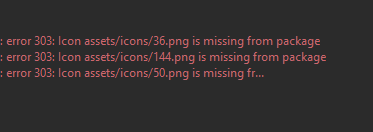
I am getting an 303 error when I package my project. It says that missing 3 of my icons (36.png, 144.png, 50.png): ".... is missing from package."
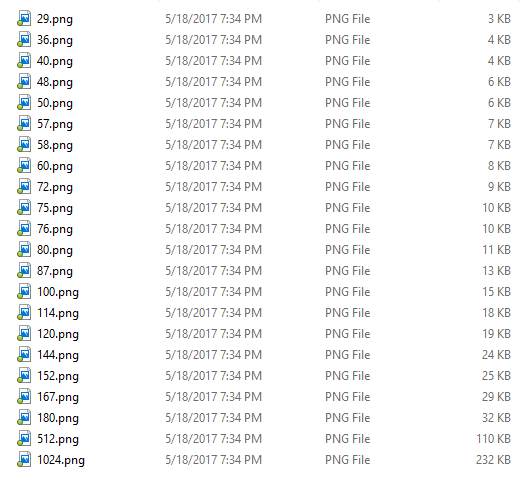
However, I have those images in my icons folder and I checked the xml file as well.
Error message:
Icons from xml file:
  <icon>
  <image29x29>assets/icons/29.png</image29x29>
  <image36x36>assets/icons/36.png</image36x36>
  <image40x40>assets/icons/40.png</image40x40>
  <image48x48>assets/icons/48.png</image48x48>
  <image50x50>assets/icons/50.png</image50x50>
  <image57x57>assets/icons/57.png</image57x57>
  <image58x58>assets/icons/58.png</image58x58>
  <image60x60>assets/icons/60.png</image60x60>
  <image72x72>assets/icons/72.png</image72x72>
  <image76x76>assets/icons/76.png</image76x76>
  <image80x80>assets/icons/80.png</image80x80>
  <image100x100>assets/icons/100.png</image100x100>
  <image114x114>assets/icons/114.png</image114x114>
  <image120x120>assets/icons/120.png</image120x120>
  <image144x144>assets/icons/144.png</image144x144>
  <image152x152>assets/icons/152.png</image152x152>
  <image512x512>assets/icons/512.png</image512x512>
   <image1024x1024>assets/icons/1024.png</image1024x1024>
</icon>
Screen shot of icons in folder:
Anyone have any solutions?
请先登录再写评论。
Yes, these errors come from the ADT tool from the AIR SDK.
Most likely you didn't configure the image files to be included in the package. Please check the corresponding tab (it is either Android or iOS or AIR Package) of the Flash Build Configuration configured in the IDE. See File | Project Structure | Modules | [your Flash module] | [your Flash Build Configuration subnode].
What mechanism determines that there is an error? The Air SDK? I'm assuming that the editor itself has nothing to do with the error.