PyCharm 2017.2.3 Only works on Laptop screen - not attached monitors

Hello,
I started doing data analysis about a year ago for my company and started using spyder at first but starting using the last 2016 pycharm release in about November 2016. Worked fantastically on daily use but when I downloaded the 2017 version of both pycharm and Intellij a interesting error happens.
My work using thinkpad laptops that we connect to a docking station for keyboard, mouse + 2 screens. However, when I move it to either attached monitor it freezes any visual response:
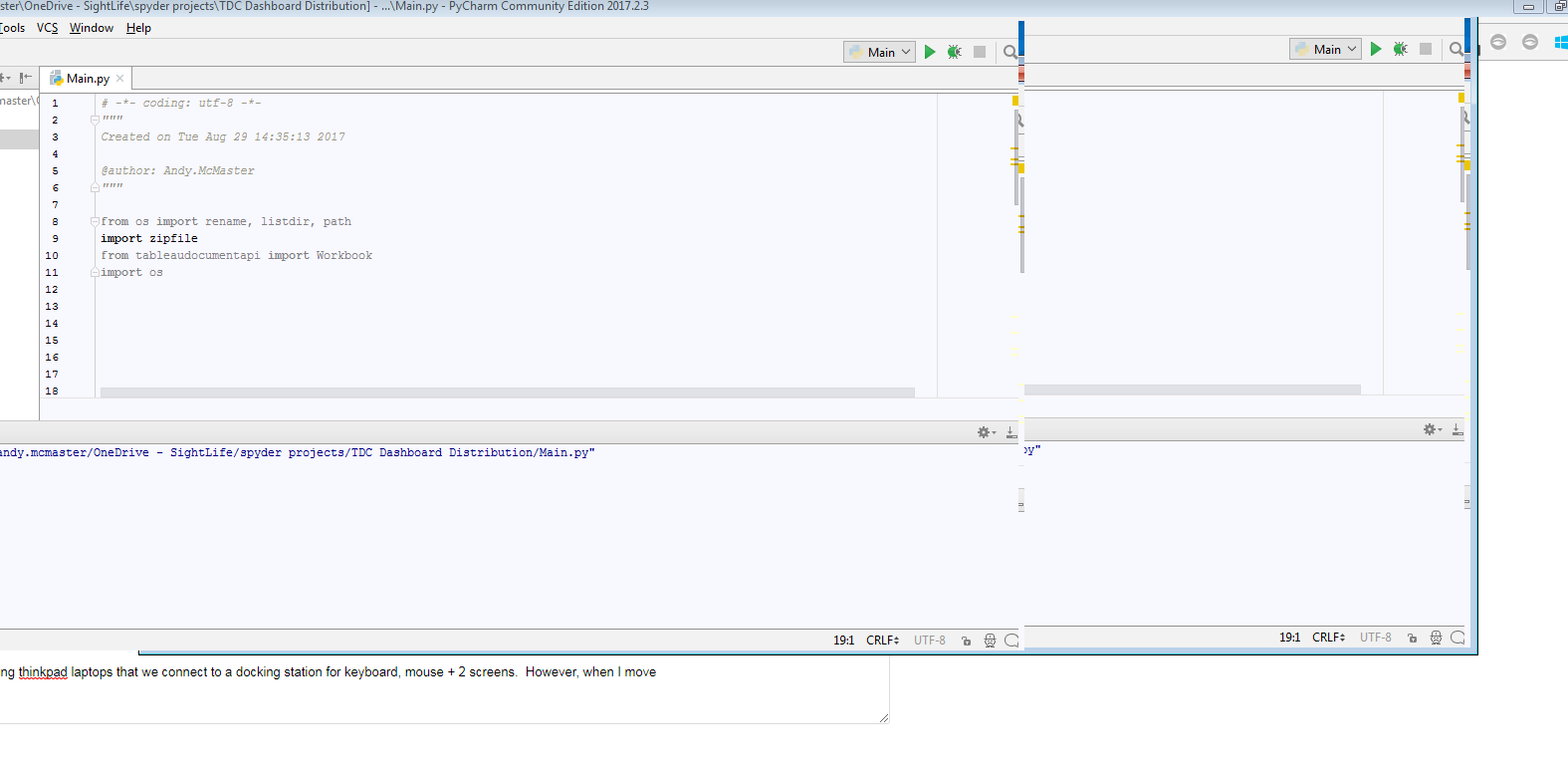 Attached picture shows what happens when I try and full screen. You can type and make changes, but nothing at all is reflected visually. If I move it back down onto my laptop screen solo, it operates as expected.
This isn't detrimental as it is still my preferred IDE to use, but is extremely annoying when my code starts to get longer and am forced to use the smaller screen to continue my work.
At this point, I have uninstalled and reinstalled, removed Intellij, started as an admin. Everything I would normally think of but can't seem to beat it. Any advice or recommendations would be greatly appreciated.
Thank you!
Andy M.
请先登录再写评论。
Hi Andy! Is it Windows 7? There is a known problem with it: IDEA-177545. Workaround is to enable Aero composition or add following lines to Help | Edit Custom Properties:
Installing https://support.microsoft.com/en-us/help/4039884/windows-7-update-kb4039884 update should also resolve the issue.
Hi Pavel!
You are a rockstar. I can now use my PyCharm on my large screens again! Due to some admin rights issue I had to submit my request to my IT department for update permission, but enbaling an Aero Windows theme worked, the additional code did not assist on my pc.
Thank you again for taking time to answer.
Andy