Tool windows horizontally aligned, but I want it vertical
已回答

Hi!
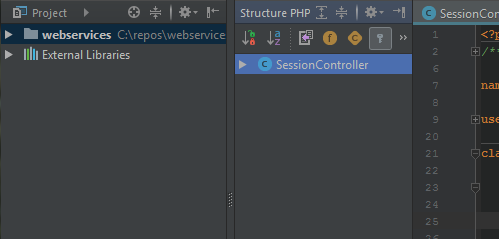
I have a problem with the tool windows "Project" and "Structure". I have them both at the left side of the IDE. According to the docs (https://www.jetbrains.com/help/phpstorm/viewing-modes.html), I activated the split mode. So "Project" should be on top, "Structure" below, but it does not what the settings say. Both windows are horizontally aligned, side by side. I just noticed that, if I move both windows to the right, it works. If I move them back, it is horizontally again.
This is how it looks like when both windows are at the left side:
This is it at the right side:
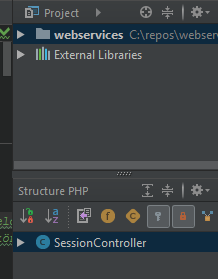
How can I align them vertically at the left side too?
请先登录再写评论。
Hi there,
Works fine here (Windows 10 x64; PhpStorm 2017.2.4)
Since it works fine for you on the right side of the IDE window ... please check your settings:
Hi Andriy!
Yes! That's it. Finally it looks like I wanted it.
I also found the setting in the docs at "Wide screen support" at the very bottom.
Thank you very much!
Greetings,
Daniel