IDEA 2017.3.1 - Subversion history not working
已回答

Hi,
I've had this issue for months now. It still occurs after upgrading to 2017.3.1.
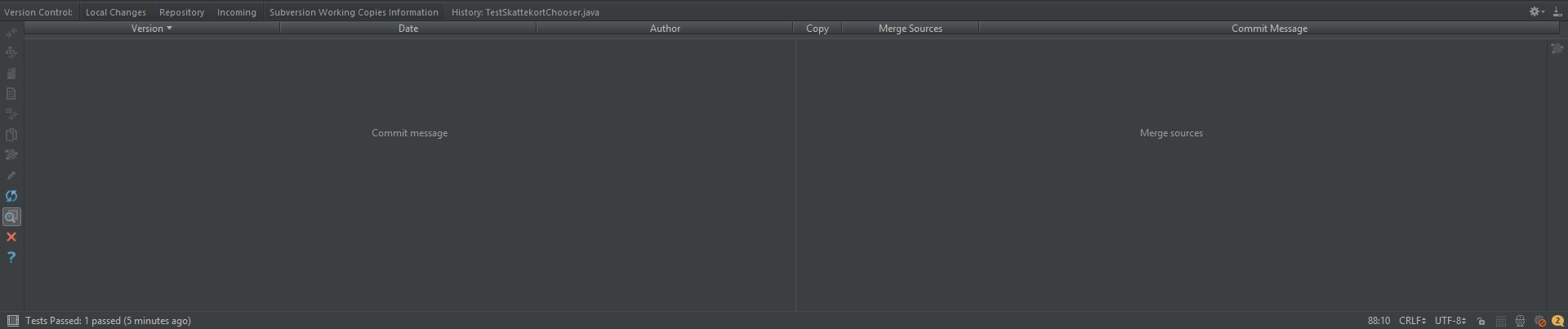
The version history for a file shows no results (see screenshot below).
But running "Annotate" works! So the connection to Subversion seems to be OK.
The functionality used to work before, then suddenly stopped working. I might have made some changes to configuration that I can't remember - what could affect this behavior?
请先登录再写评论。
Does it happen for all files, or only for some specific? Are there any errors in the log generated when opening History?
Does it help if you clear the vcs-cache? The easiest way - close all History tabs, go to the Repository tab, clear the contents using the red cross button, click Refresh to load changes.
Hi Dmitriy,
Thx for the quick reply.
Unfortunately I don't see anything on the logs.
Clearing the vcs-cache also doesn't work. After refreshing it I can see some changes loaded (see below). But when invoking the history by right-clicking a file=> Subversion => "Show history" there are no results.
Hi,
Can I get any more support for this problem?
I can see the post is marked as "Answered" but it hasn't been actually solved.
Best,
Joao
Please enable Debug logs by going to Help - Debug Log settings and adding *#org.jetbrains.idea.svn* there, then reproduce the issue and check the logs for error.
Alternatively, you could submit a request to https://youtrack.jetbrains.com/issues with the logs attached.
Great, thanks.
The logs show that results are found (history entries returned from SVN) but nonetheless nothing is displayed on the UI. I'll create a ticket on the issue tracking site.
/Joao