Change the sort order of methods in the Navigation Bar

Hi!
Is there a way to change the sorting of methods within the Navigation Bar? Currently it sorts them alphabetically, but my file isn't organized alphabetically, it's organized by category (i.e. methods dealing with functionality A are together, ones dealing with functionality B are elsewhere, etc..). Ideally it would sort them in the same order as they exist in the file, as in my head I already know that a particular method I'm looking for is near the top/bottom/wherever.
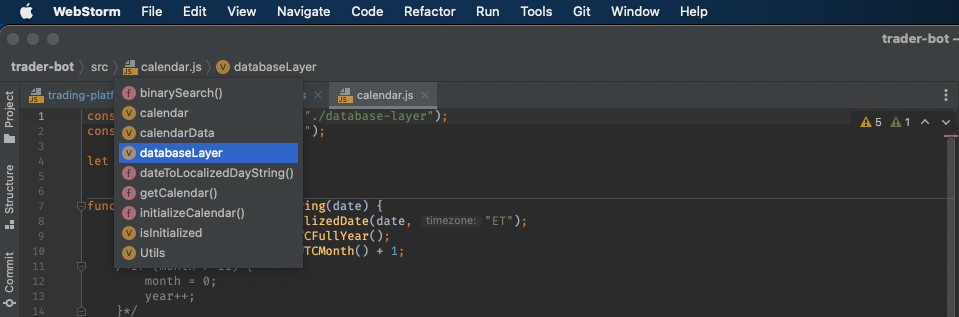
Thanks!
请先登录再写评论。
Hi there,
There is no such options AFAIK.
Alternatives: