Editor Window Missing / WSL2

I am using IntelliJ 2023.2 Ultimate Edition, and it connects to my WSL2 instance on my computer.
I cannot see the code editor. I have tried to open a file from the project tree, from a commit, or by searching for the file.
Is this a bug, or what shall I do?
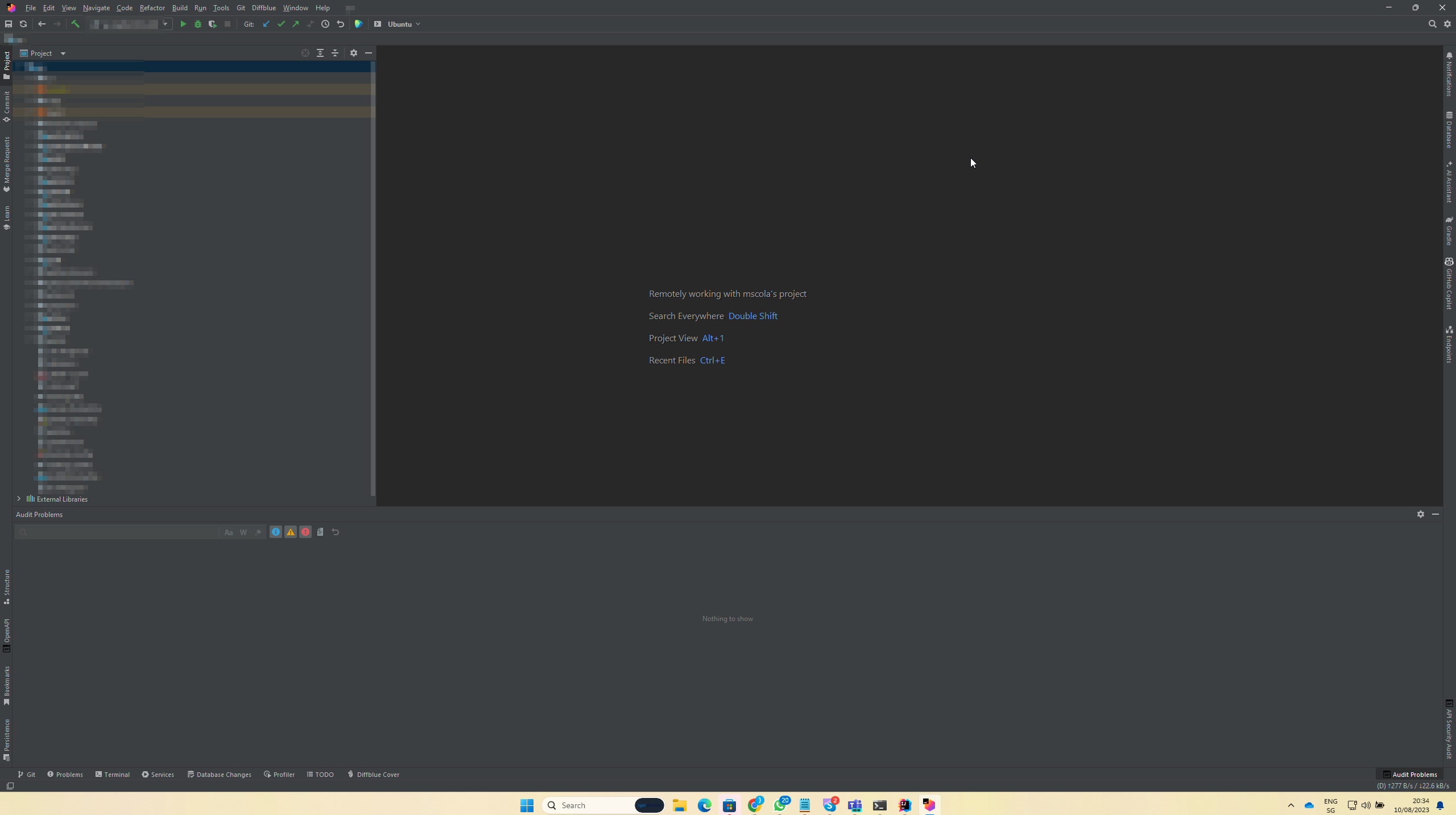
JetBrains Client 2023.2.1 Preview
Build #JBC-232.9559.10, built on August 10, 2023
Runtime version: 17.0.8+7-b1000.8 amd64
VM: OpenJDK 64-Bit Server VM by JetBrains s.r.o.
Windows 11.0
Controller in Remote Development (IU), direct control type: Lux
GC: G1 Young Generation, G1 Old Generation
Memory: 4096M
Cores: 16
Registry:
rdclient.backend.actionHandlers=false
Non-Bundled Plugins:
com.intellij.plugins.eclipsekeymap (232.8660.88)
com.github.copilot (1.2.18.2908)
org.jetbrains.plugins.yaml (232.8660.88)
com.crunch42.openapi (1.66)
com.intellij.plugins.visualstudiokeymap (232.8660.88)
com.intellij.plugins.netbeanskeymap (232.8660.88)
请先登录再写评论。
Hello Mscola,
Can you please describe in more detail (did it work before/issue started to reproduce after IntelliJ IDEA upgrade)?
Also please provide logs from Help | Collect Logs and Diagnostics Data. You can upload it to https://uploads.jetbrains.com and provide the uploaded file ID.
Kind Regards,
Margarita
JetBrains Support