Ruby IntelliJ Plugin: No gem autocompletion, no entry for Ruby under "Languages & Frameworks" to do the attaching

Hello,
I'm evaluating IntelliJ Ultimate 2016.2.5 (macOS sierra) with the latest allowed Ruby plugin installed at the moment.
My main problem: I'm missing autocompletion for my external gems I'm using but I can't attach them due to a missing UI dialog.
After spending some time on your documentations & the community I discovered that I have to explicitly attach the gems I want to be accessible for autocompletion. I'm fine with this but I can't access the appropriate settings to do so.
There is simply no entry for Ruby (called `Ruby SDK and Gems`) for "Languages & Frameworks" in the settings (⌘ + ,). I tried to find some way to attach the gems via the Project Structure(⌘ + ;) dialog which gives me access to a lot of the settings from missing dialog I guess. No luck there.
I tried other things:
+ After installing RubyMine I see the missing part in the UI
+ Installing the latest EAP version of IntelliJ with the latest Ruby Plugin - no changes
+ I created a second ruby module file - beside the one which was created when I initialized the project - nothing.
Am I wrong? Is the dialog in question gone for good and I'm searching for a ghost?
But how to expand the autocompletion to include gems then?
References:
Attaching and Detaching Gems
https://intellij-support.jetbrains.com/hc/en-us/community/posts/206083139-Attaching-and-Detaching-Gems?sort_by=votes
Configuring Ruby SDK
https://www.jetbrains.com/help/ruby/2016.2/configuring-ruby-sdk.html
Environment Details:
rbenv environment
which for ruby, bundler & gem: ~/.rbenv/shims/*
$: gem --version
2.6.8
$: ruby -v
2.3.1p112
Thanks for your help.
请先登录再写评论。
Hello,
did you configure module SDK for your Ruby module? (File | Project Structure | Project Settings | Modules)
Hello Olga,
yes of course. The module configuration got created with the initial setup of the project.That's exactly the place where I found some parts of the configuration I would assume in the missing UI panel.
So yeah the ruby module is active but I still can't see it in the settings dialog. My system was setup just recently so there are not so many things that would interfere with IntelliJ. For your convenience here two screenshots of the two windows after opening my Ruby Project.
Can you help me? Any other information I can collect for you?
Thanks & best regards
Georgios
Hello, Georgios,
is it a plain Ruby or Ruby on Rails project? What errors are shown in "Problems" in the Project Structure Window?
Back to your question regarding missing UI panel, in IDEA Ruby SDKs are set via File | Project Structure, not in the Preferences (while in RubyMine it is indeed there).
any update on this problem ?
@Salimane Moustapha,
in case you have the same problem, could you please specify what kind of project you have (RoR/plain Ruby), is Ruby SDK set for it? (a screenshot would be helpful)
The project was a Ruby On Rails projects. IntelliJ could not recognise the project as type ruby even though the ruby plugin was already installed.
I was using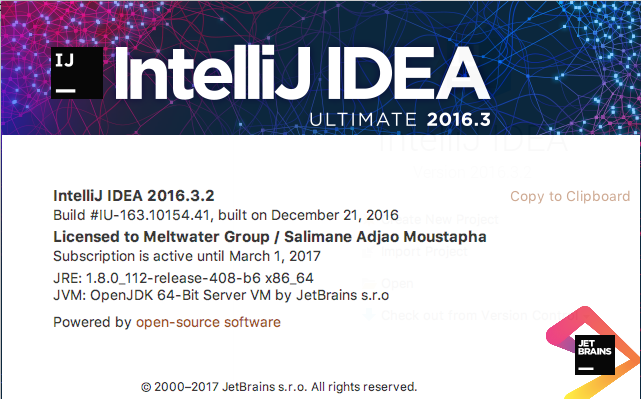

@Salimane
Could you please try following the steps described in our tutorial for importing Rails project in IDEA:
https://confluence.jetbrains.com/display/RUBYDEV/Opening+Rails+projects+in+IntelliJ+IDEA