Why do fonts look wispy in AppCode?

If I pick a font like Menlo in AppCode, it does not render as clear and crisp as Menlo in Xcode running on the same computer. This applies to any other font I chose in AppCode. Central parts of the strokes appear solid but ascenders and descenders blur and fade out.
The effect is very similar to a misconfigured ClearType on Windows prior to running the ClearType tuner.
Is this because its Java?
EDIT: I'm using a DELL flat-panel monitor; the problem is most pronounced in the code editing window.
Thanks guys.
请先登录再写评论。
It is because of two reasons: default font size in Xcode is 11, while it is 12 in AppCode. Also, AppCode uses 'bold' font more often than Xcode.
If you are sure there is a difference that we couldn't find, please make a screenshots of the same code snippet in AppCode and in Xcode.
Well no, I'm using the same font, size and style.
Anyway I found the cause, just need to beef up AppleFontSmoothing in OS X.
In my case I did a
defaults -currentHost write -globalDomain AppleFontSmoothing -int 2
...from Terminal.
This link has a bit more info.
Thanks.
perform a:
defaults -currentHost write -globalDomain AppleFontSmoothing -int 2
...from terminal
Thanks for the useful link, Micky.
Can you please attach the screenshots that show the difference in AppCode that you get?
I don't have a camera with a macro lens and tripod so I'm using my humble phone camera instead.
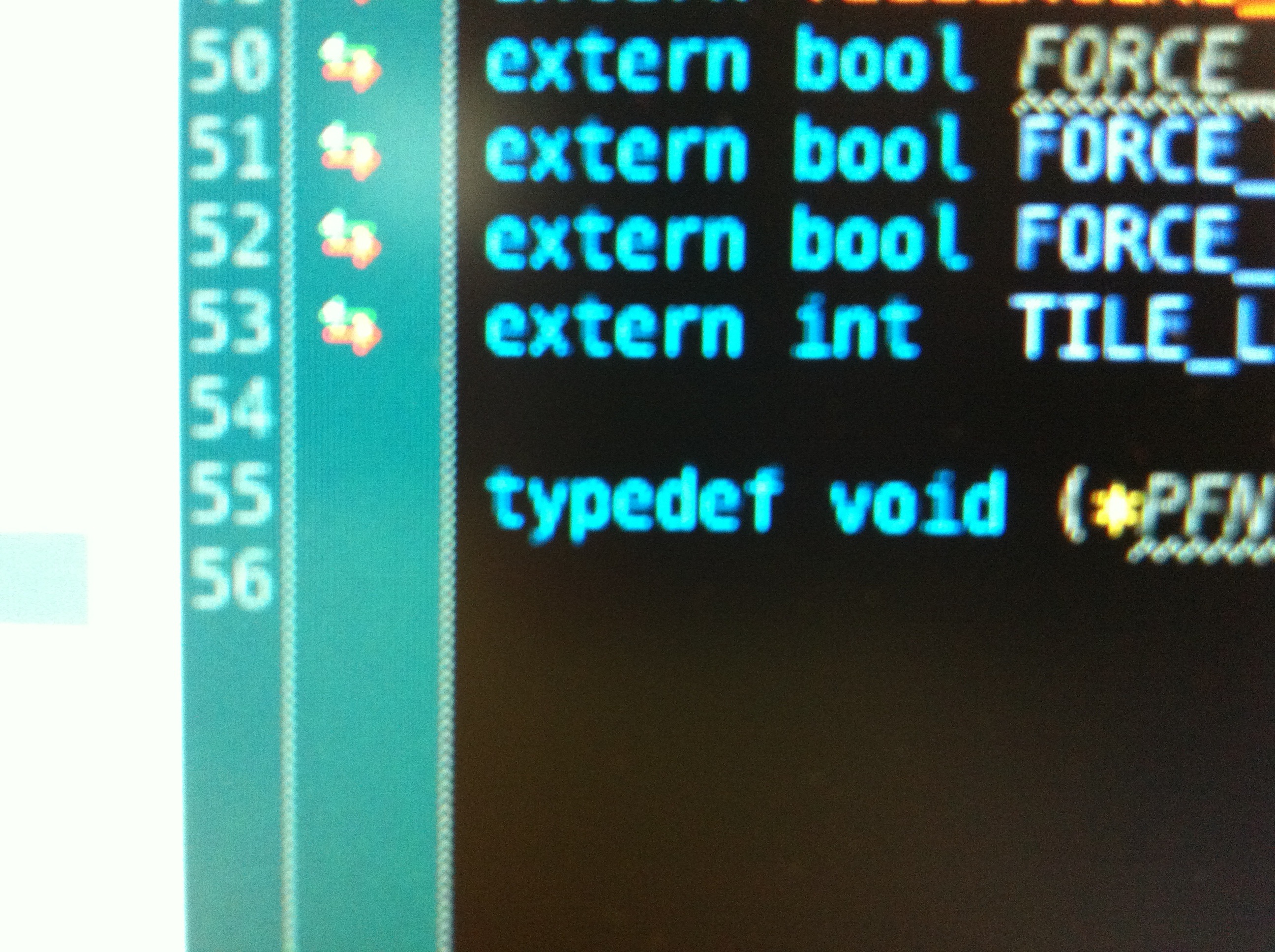
Thanks,
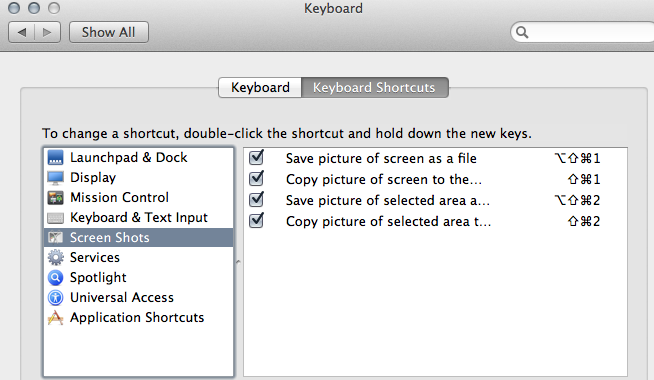
usually it is enough to take a screenshot with the built-in tool: