Wiggles in Project tab

In my Project window/tab and breadcrumbs some file/folder names are marked by red wiggles to indicate spelling errors. How can I suppress these wiggles?
I tried Settings/Spelling. But there are so many options, that I couldn't locate the correct entry to deactivate.
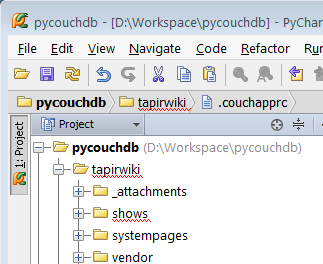
I tried Settings/Spelling. But there are so many options, that I couldn't locate the correct entry to deactivate.
请先登录再写评论。
After closing and restarting PyCharm the problem was gone.
Issue closed!