How do I change the file template for Groovy? (no idea where it's pulling it from)

Provably not specifically related to the EAP version, but I'm using the EAP 103.255 build so figured I'd ask here.
When I go to settings file tempaltes, I don't even see groovy listed, yet it''s pulling a template from somewhere (the original java one) and I don't know how to change it. I've already modified the Java one, and it's not using the modified Java one (which makes sense since it has a .groovy extension not .java.) I tried to make a new template (for a groovy extension) but it's STILL pulling some default template. I have no idea where it's getting it from.
请先登录再写评论。
Hi Rick,
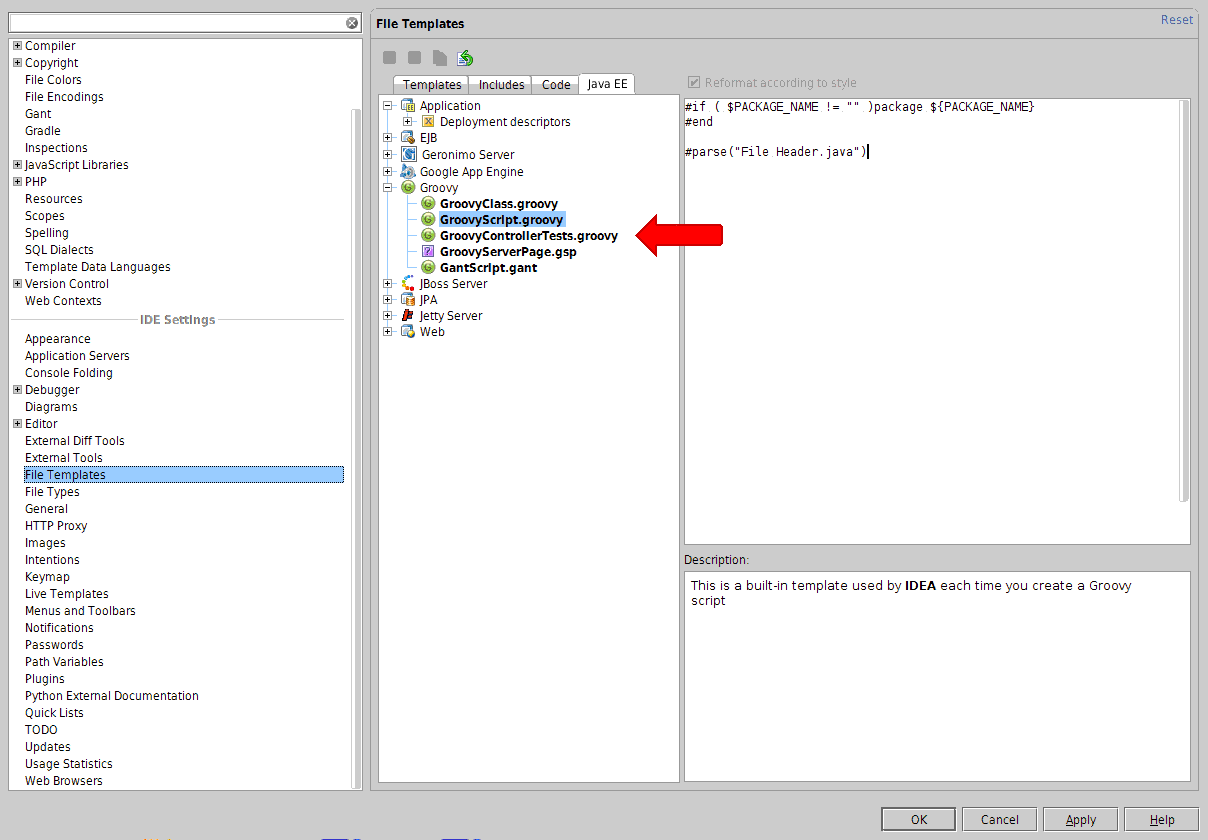
Agree that it's not too convenient to find Groovy templates at JavaEE section. Feel free to submit corresponding request about that to the IJ tracker.
Denis