How to launch the 'Idea 12' with 'Java 7' on OS X.

Hi,
the Idea 12 IDE starts with java 1.6.0_37 by default on my OS X (mountain lion) machine.
I would like to start the IDE with my default Oracle Java 7.
How is it possible?
I have already exported JAVA_HOME
"export JAVA_HOME="/Library/Java/JavaVirtualMachines/jdk1.7.0_10.jdk/Contents/Home"
Thanks in advance ;-)
请先登录再写评论。
What do you expect to achieve by launching IDEA under Java 7? Java 6 works far better at the moment for Swing applications such as IntelliJ IDEA.
I am working flawlessly with java 7 and IntelliJ IDEA on my macbook pro.
The first step is to set Java 7 as the default java version, when you use mountain lion and a mac system.
If that's the only thing you did, it did not cause IntelliJ IDEA to run under Java 7.
My goal is to have only one JDK_<current version> installed on my system, as the JDK6 is not supported properly on the Mac anymore :)
Hi,
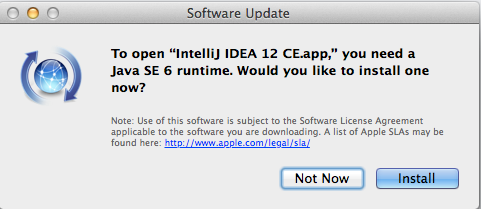
I just downloaded IntelliJ and when I clicked on it to open it, the following message popup appears
However, I have a Java 7 installed and that I use (jre and jdk). So, my questions are:
1) Why doesn't IntelliJ see that the current working version is Java 7?
2) Is there a way to tell IntelliJ to forget about Java 6 and look for Java 7?
Thanks
Not yet, see https://intellij-support.jetbrains.com/entries/27854363.
Thanks for the quick response. I'll install J6 then, and change it after.