Checkout from SVN/ creating a project with exact same folder structure

Hi there,
i seem to be unable to checkout some HTML/PHP pages from SVN and retain the exact folder structure. idea 12 still wants to include thousands of root folders..or none at all
first: i use "checkout from VCS" in the project screen, getting to the SVN dialog selecting the branches-folder und check them out, afterwards create a new Project, now i have a million folders it want as root folders... :(
i don't want
/branches/branch1/html/js ,
/branches/branch2/html/js as root folders
i want /branches/ !!
why is that vastly more complicated than , say, eclipse or netbeans?
how do i accomplish that idea12 follows the folder structure my way?
would be nice if someone could tell me why it behaves like this
请先登录再写评论。
Jan,
are you talking about project roots or VCS roots? Could you please attach some screenshots?
this is my structure inside our SVN
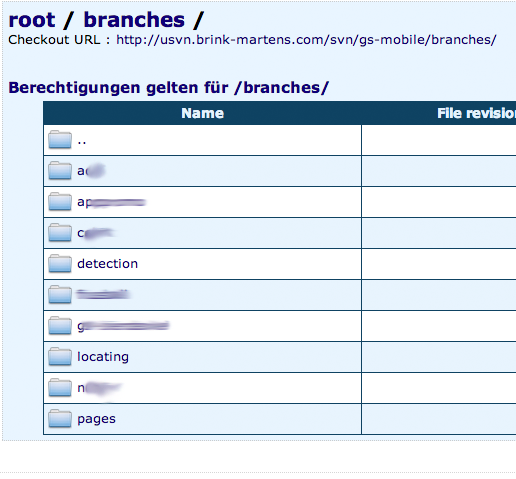
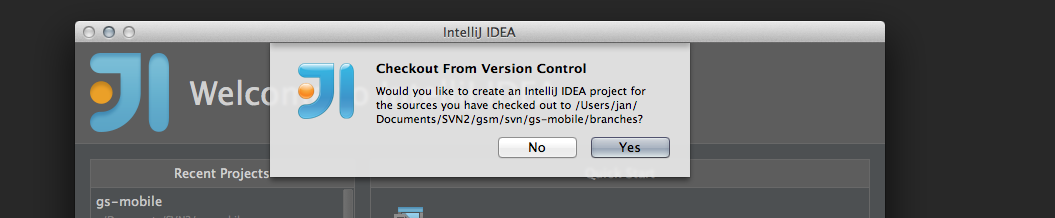

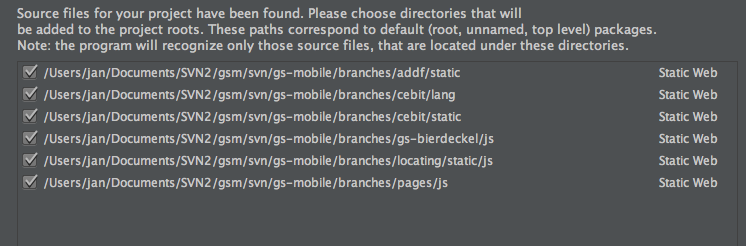
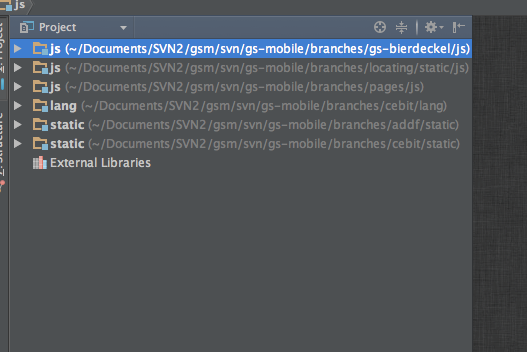
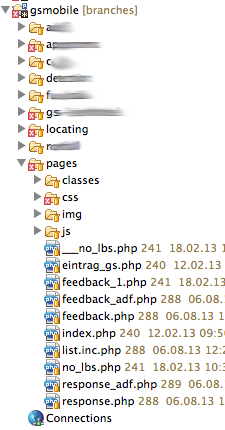
when i check out the 'branches' folder
i end up with this, i do not understand what i am doing wrong:
but it should be like this (taken of eclipse i'm working in right now):
Hello!
please try the following:
- clear the checkboxes for all roots (just press Unmark All button) in Import project dialog, press Next, then Finish
- when the project is crteated, open the Project Structure (File/Project Structure)
- select Modules, hit Alt+Insert to add a new module
- in New Module dialog, choose Static Web/Web module, make sure to choose your branches folder as a content root
This should do the thing