don't find acces to panel Style in liveEdit !

Hi
If you look at a capture screen i upload ( post 457390 photo l phpstorm8-MQ-noRWD-support.png) .There was a panel call "Style" focus on body element tag and related css code of file manycss.html files ( the file for test phpstorm and mediaqueries ). I don't succeed to find howto launch this panel now . Howto have acces to this panel
that is not inside debug panel ?
thank's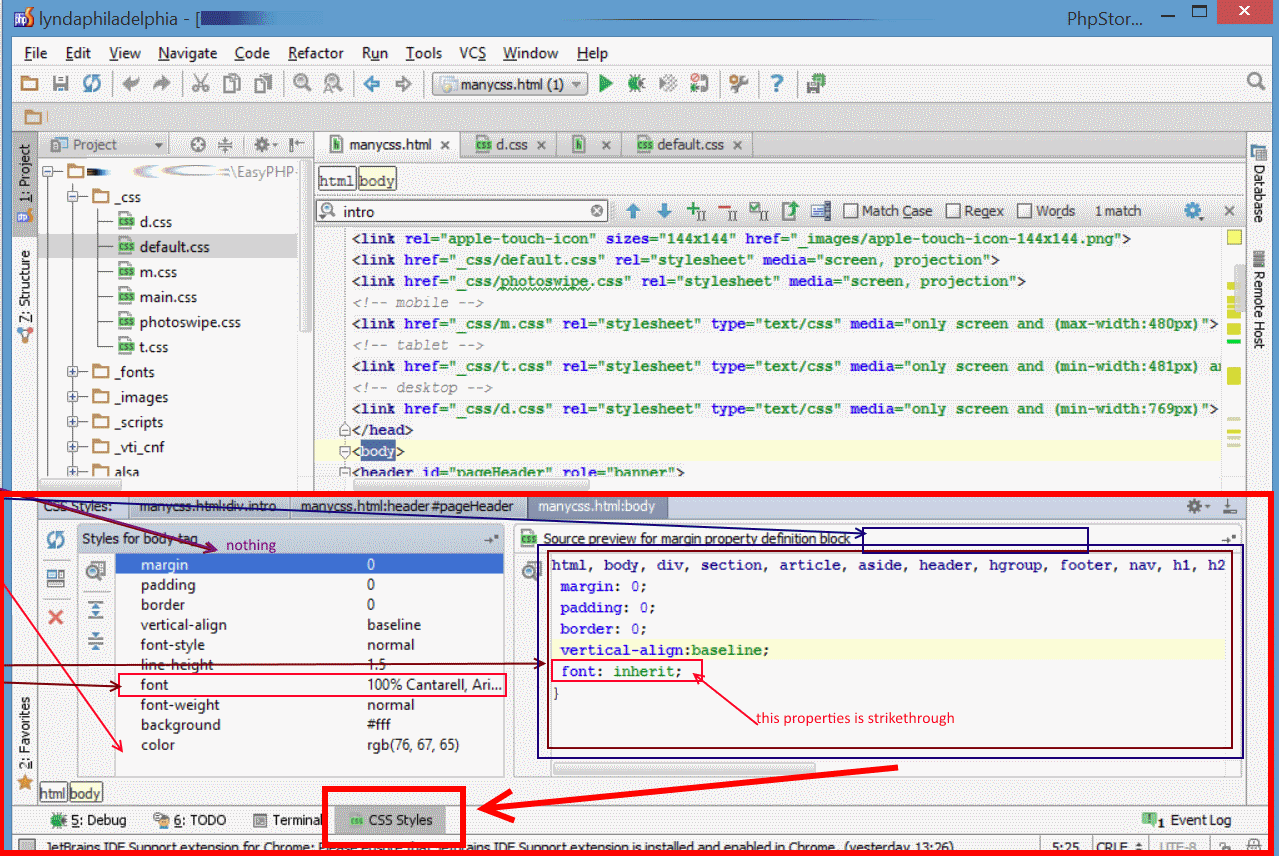

请先登录再写评论。
Hi there,
Right click (in editor) and choose "Show Applied Styles for Tag" from context menu.
Hi thank's a lot .
Is there some information about style panel in phpstorm/webstorm documentation ? .
Perhaps the keyword to enter in the <input> search is not "style panel" !!
regard's
https://www.jetbrains.com/phpstorm/help/viewing-styles-applied-to-a-tag.html?search=styles
??
Searching for "style" shows that page on the very top -- as you should clearly see from visiting the aforementioned link.
If no results for "style panel" .. then maybe you should try searching for a simplier/shorter term, like "styles" or just "style"?