bundled Cmake error - Cound not fint CMAKE_ROOT

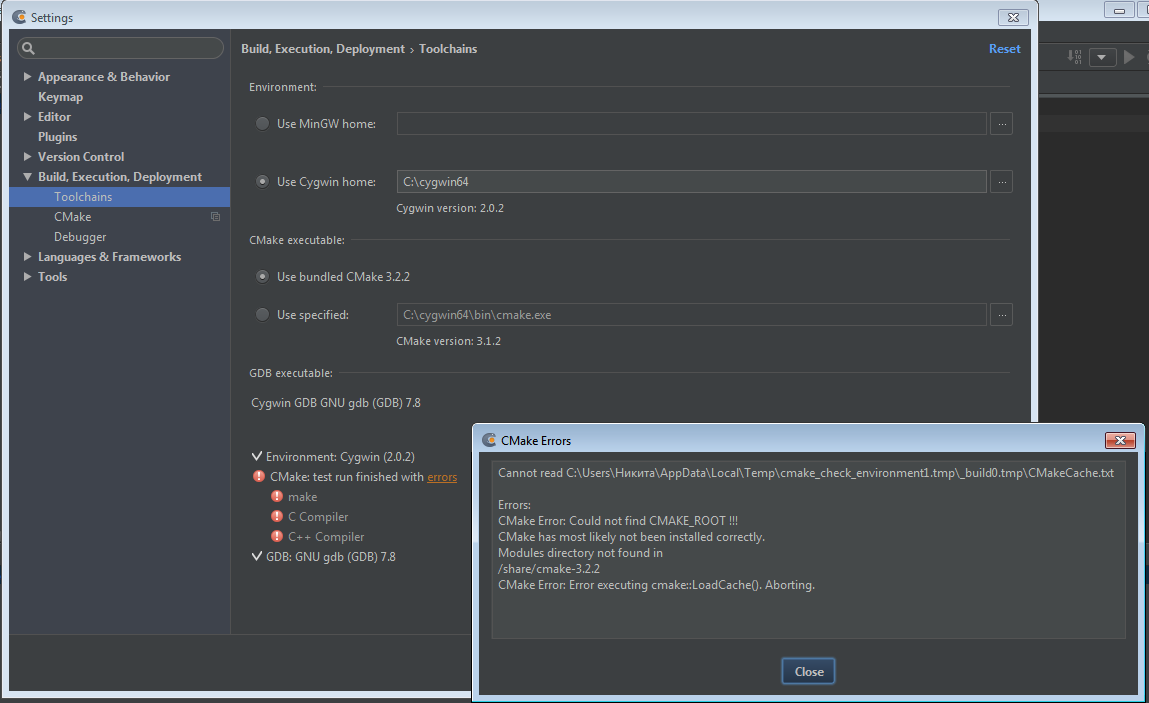
Today I install CLion and get a error:
Cannot read C:\Users\Никита\AppData\Local\Temp\cmake_check_environment1.tmp\_build0.tmp\CMakeCache.txt
Errors:
CMake Error: Could not find CMAKE_ROOT !!!
CMake has most likely not been installed correctly.
Modules directory not found in
/share/cmake-3.2.2
CMake Error: Error executing cmake::LoadCache(). Aborting.
What can I do to fix it? (Win7 64x)
Attachment(s):
QIP Shot - Screen 094.png
请先登录再写评论。
Hi Nikita.
Could you please do the following steps:
1) close CLion
2) go to C:\Users\Никита\.clion10\system and delete cygwin_cmake
3) after that please restart CLion
4) if the problem appears again, please attach idea.log (which you can find via Help | Show log in files)
I have the same problem on Win10. My idea.log: http://pastebin.com/vkppkUsR
Can anyone help?
I had to do with this error a long time on windows and I finally found the problem
I precise that I'm using Cygwin for this solution :
First of all, you must ensure you have all the package needed for CLion selected in the Cygwin installation :
Note that gcc-++, make and gdb are not selected by default, it can be the first error.
Second, if CLion still doesn't find Make, C Compiler and C++ Compiler, try to change the CMake path.
In my case it was in C:\cygwin64\usr\share\cmake-3.14.5\Modules and CMake was find but not the submodules (make, and C/C++ compilers)
Try the path : C:\cygwin64\bin\cmake.exe then CMake should be found as well as the packages Make, C Compiler and C++ Compiler
I hope it helped