SFTP error 382, won't connect

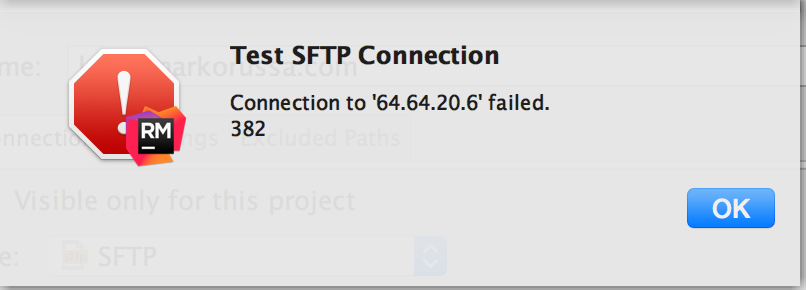
I'm getting a 382 error from Rubymine when trying to connect to my remote server via SFTP. I've tried with a plain password and using a SSH key, but it just won't connect using SFTP. Does anyone know what this error is and how to fix it?
I know my SSH key is good because I can login in the terminal using SSH and Cyberduck SFTP using SSH. It's just Rubymine that doesn't want to work, with or without a SSH key.
I can log in using plain old FTP, so it's just the SFTP that doesn't work.
I'm on:
OS X 10.11.2
Rubymine 8.0.3
Mark O.
Attachment(s):
Screen Shot 2016-01-10 at 2.39.16 PM.png
请先登录再写评论。
I figured out the problem so I'll explain it here.
tl;dr - there was a problem with my known_hosts file (~/.ssh/known_hosts). I have a bunch of known hosts in this file and I noticed one line that should have been two. Basically, two hosts were listed on one line.
Here's how I figured it out:
1.
In the Jetbrains Rubymine support section I came across the article: Enabling SSH/FTP debug logging to report problems with deployment and remote SDK configuration. I followed the steps outlined in the article to enable logging.
2.
I found the location of the log file by doing Help > Show Log in Finder, as described in this article: https://intellij-support.jetbrains.com/hc/en-us/articles/207241085-Locating-IDE-log-files
3.
I viewed the log file and found a line that gave more information that the useless "382".
Error during processing known-hosts file "/Users/username/.ssh/known_hosts".
4.
I opened the known_hosts file and found the problem. Generally, the known_hosts file has each host on a separate line, similar to:
164.60.20.6 ssh-rsa GJjNc/sYxEdCElG06Ub3sy5+jtqwLt4NJQBDMupG1sdnEmjU=IwEmS
231.64.11.1 ssh-rsa ni2JJlFYX5d0fxQMoYYq+mODttEHKLOiHmE+PP56PcE3q6Rbvuqk+giiqSSgSe50sjx/4J0PqGN8NdIk
128.23.70.10 ssh-rsa EnCt2999ba8fb2857daa03fb795feb3d9210f1dff59d3999ba8fb2857daa03fb795fezeMyYSopAAJ
I had a line that looked like:
231.64.11.1 ssh-rsa ni2JJlFYX5d0fxQMoYYq+mODttEHKLOiHmE+PP56PcE3q6Rbvuqk+giiqSSgSe50sjx/4J0PqGN8NdIk128.23.70.10 ssh-rsa EnCt2999ba8fb2857daa03fb795feb3d9210f1dff59d3999ba8fb2857daa03fb795fezeMyYSopAAJ
I recognized that each IP address is the beginning of a new line. I split the incorrect line, restarted Rubymine and SSH access started working again.
I hope this helps someone,
Mark O.
Thanks man!
This helped me a lot!
+1 This did the trick. I had recently had to edit my known_hosts file, and apparently this resulted in the same issue: two hosts on one line. Every other app, terminal, iterm, cyberduck, etc... all still worked fine, but PHPstorm was failing all SFTP connections.
If it helps a future search land here, here's the line from the logs:
com.intellij.ssh.SshTransportException: Using of known_hosts file PATH_TO_KNOWN_HOSTS failed.
Unbelievably, I had a related issue with PyCharm failing to connect to SFTP and this fixed it. Thanks!