Dependencies tab in build configuration goes blank after modifying the list

If I try to add or remove an item to the dependencies list, every item disappears. I'm using version 13.0.1, but also tried it on the latest EAP. It doesn't work there either.
请先登录再写评论。
IntelliJ IDEA supports dozens of different thechnologies.Which one are you asking about? Please provide more details and screenshots.
Also please check logs (Help | Show Logs) if there are any errors.
I'm using flash and haxe plugins. I've attached the logs, there are errors in the PluginManager. I didn't have this problem with earlier releases.
Attachment(s):
idea.log.zip
Actually it is also a ui glitch, the titles from the tabs disappear as well.
1. build configuration
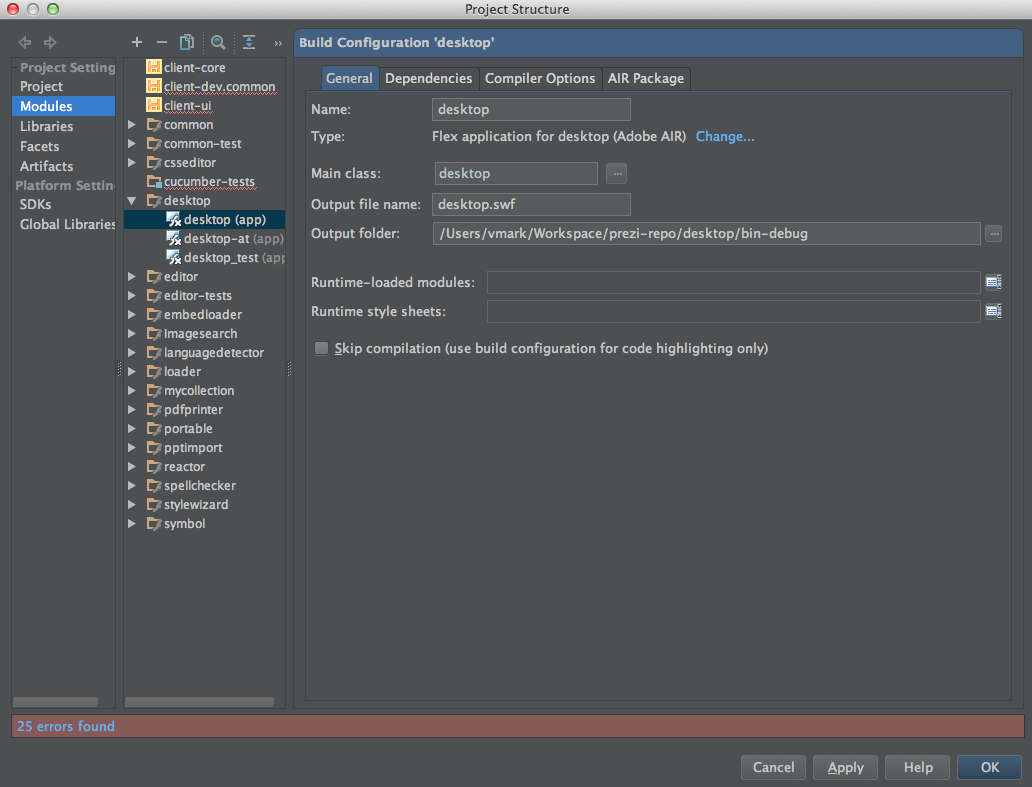
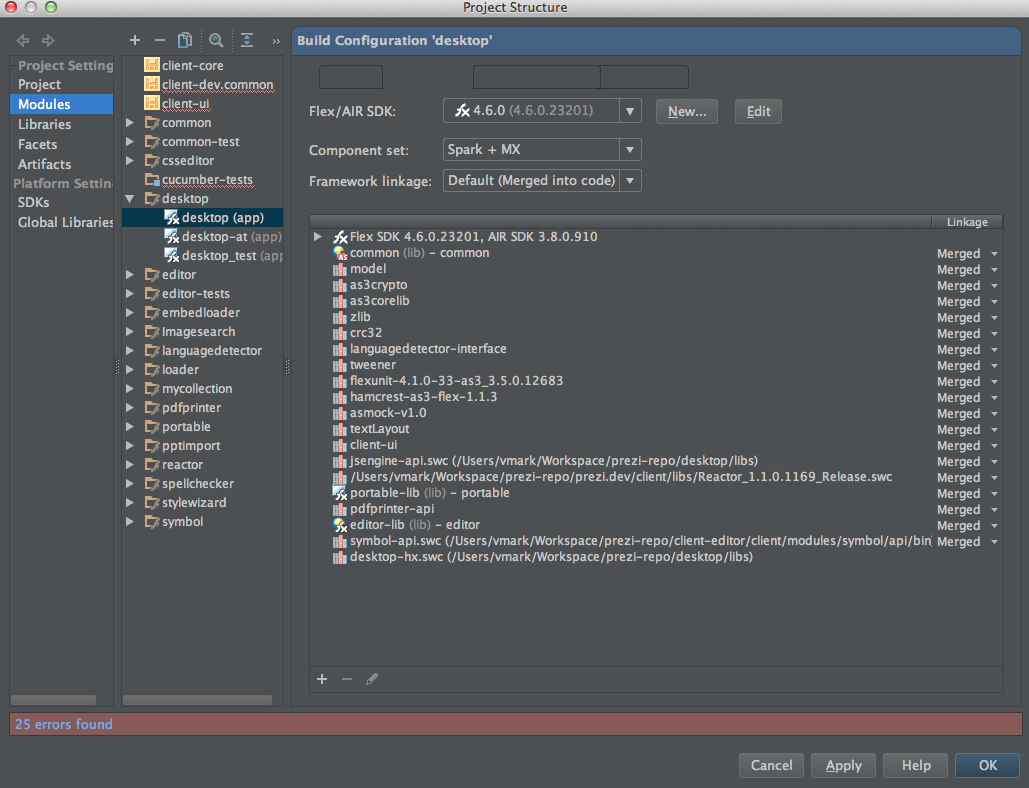
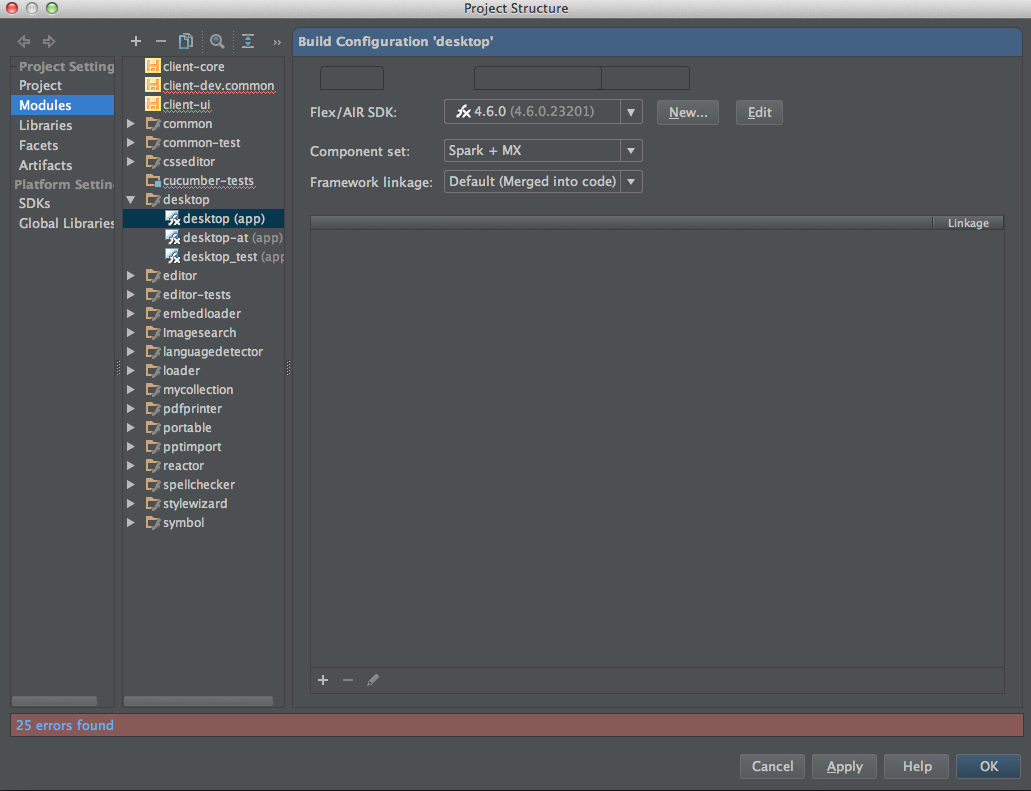
2. Dependencies - the titles already disappeared
3. then i select an item, and click on remove / or plus button and adding a new one
Hope the previously attached logs and the screenshots will help.
Thank you for logs, they show that there's some misconfiguration in project files that leads to errors and UI glitches.
I think this can be fixed only by manual editing of some *.iml file(s). I'll be able to help you if you attach all your *.iml files. If you don't want to make them publicly available, send them directly to me: alexander dot doroshko at jetbrains dot com.