Classes in a package are not visible to other packages in the same module

I have a module that is behaving very weird. Classes in a package are not visible to other packages in the same module. I am forced to add the module's jar file to be able to make them visible (yes, I have to compile the module, and add itself to its dependencies so it can 'see' its own classes). Even IDEA asks me if I want to add the module's own compiled jar as a solution to the unknow classes.
Furthermore, I dont't get the option to add new Java classes to a package on src/java. When right-click -> New, I only get "File" and "Package" options where the "Java Class" should be.
Has anybody have this problem before or knows what is going on?
Thanks.
请先登录再写评论。
Hi Andres,
Looks like you didn't configure source roots for your module.
Regards, Denis
Thanks Denis, I do have source roots configured (always had).
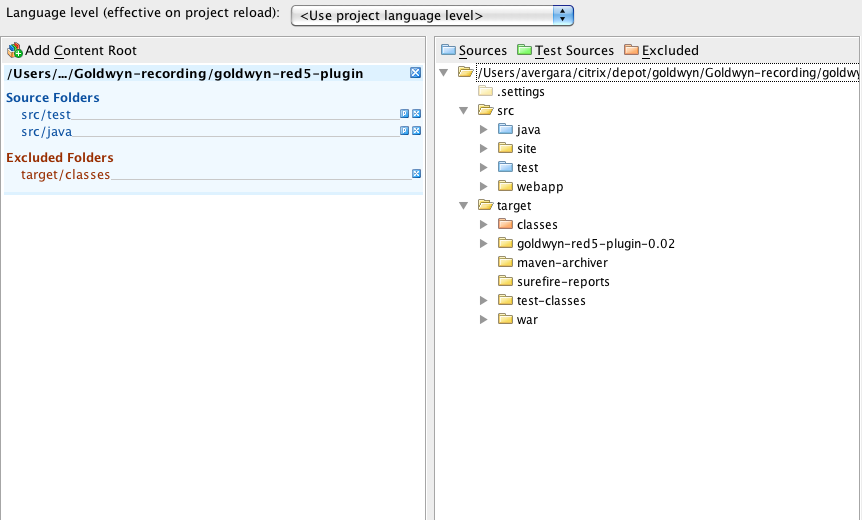
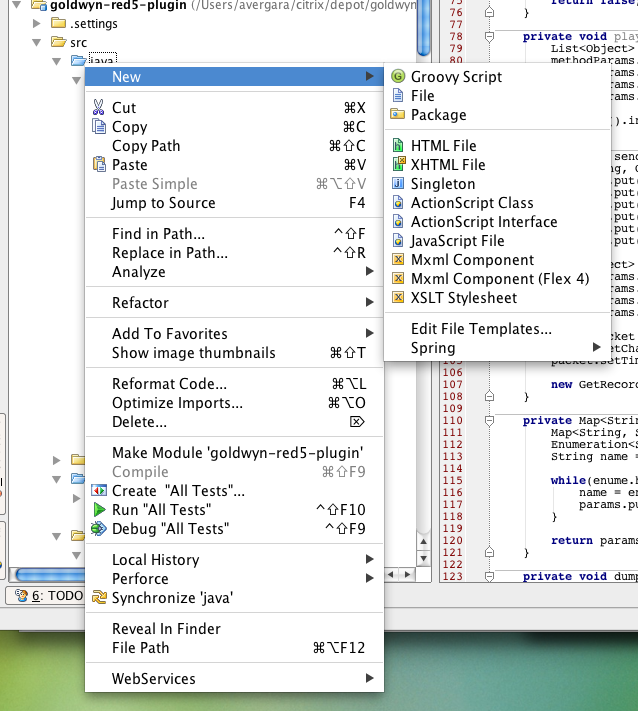
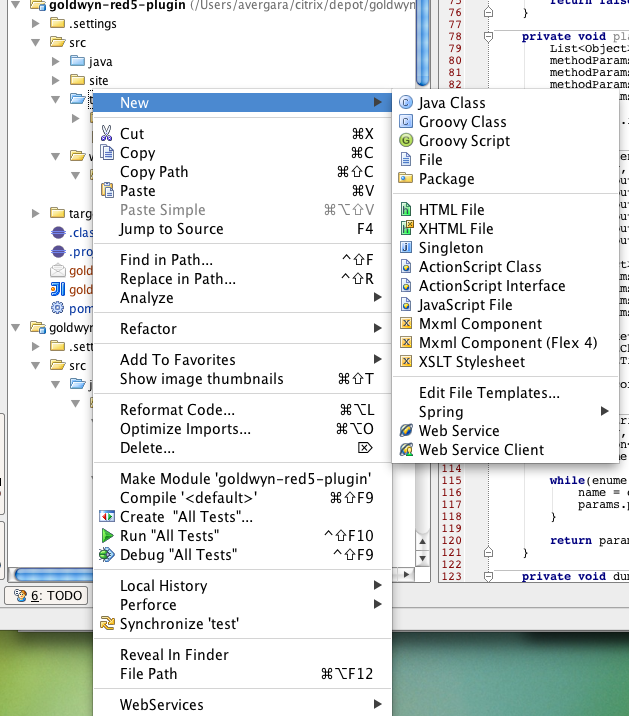
Here is a screenshot:
I believe this behavior started when I was doing remote debugging to a running JVM. After setting a break point IDEA notified me that it did not have the sources, I proceeded to 'Attach Sources', it was after that that things broke and classes in a package were not visible anymore to other packages in that same module. I was forced to add the module's own compiled jar on its own dependencies. As I mentioned before, another side-effect is that I can no longer create Java classes in the 'java' source folder, but I can in the 'test' source folder:
Any help is greatly appreciated as I am jumping through hoops to develop in this module, adding a class or methods to a class is very cumbersome as I have to compile the project with any change so the change is visible to other packages in the module.
Thanks.
I solved the problem. What I had to do was delete the .iml and .eml in the module's root and delete the .idea folder in the project's root. After that I created the project once more and everything worked fine again.