Author Name not showing after enabling in Inlay Hint

Hello, Using below edition of IntelliJ with some plugins.
I tried to enable `Code Author` in Inlay Hint but still its not showing any info on file.
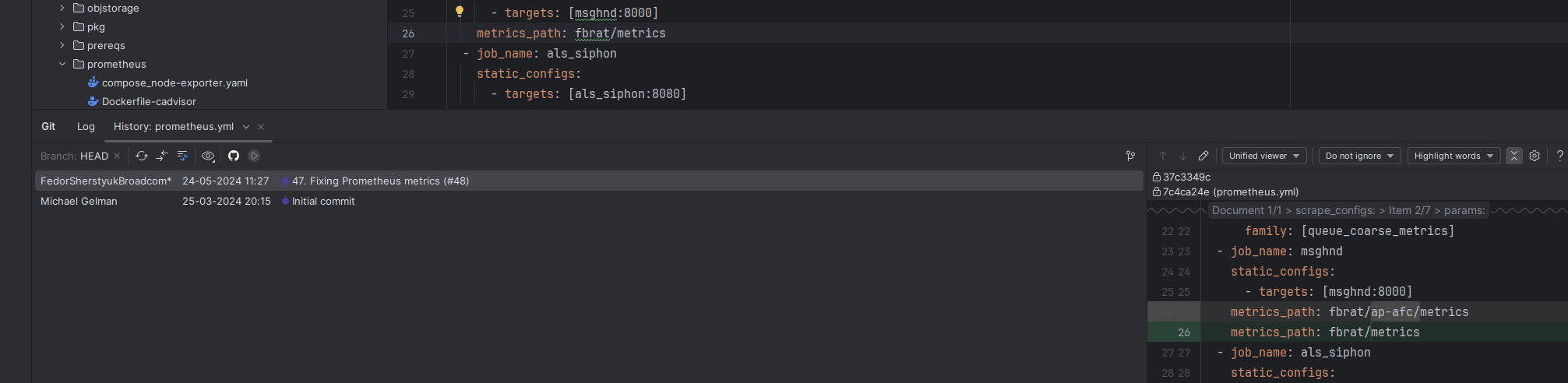
Using IntelliJ IDEA 2024.2.2 (Community Edition)
Build #IC-242.22855.74, built on September 18, 2024
Runtime version: 21.0.3+13-b509.15 amd64 (JCEF 122.1.9)
VM: OpenJDK 64-Bit Server VM by JetBrains s.r.o.
Toolkit: sun.awt.windows.WToolkit
Windows 11.0
GC: G1 Young Generation, G1 Concurrent GC, G1 Old Generation
Memory: 2048M
Cores: 12
Registry:
ide.experimental.ui=true
i18n.locale=
Non-Bundled Plugins:
AWSCloudFormation (242.20224.155)
com.markskelton.one-dark-theme (5.12.0)
net.antelle.intellij-xcode-dark-theme (1.2.4)
com.jetbrains.gerryPurpleTheme (2024.1.0920)
io.binx.cfnlint.plugin (0.1.28)
PythonCore (242.22855.74)
aws.toolkit.core (3.29-242)
com.samdark.intellij-visual-studio-code-dark-plus (2.9.0)
Docker (242.22855.74)
ru.adelf.idea.dotenv (2024.2.1)
com.github.dinbtechit.vscodetheme (1.10.11)
aws.toolkit (3.29-242)
Kotlin: 242.22855.74-IJ

请先登录再写评论。