Typescript's run button greyed out
已回答

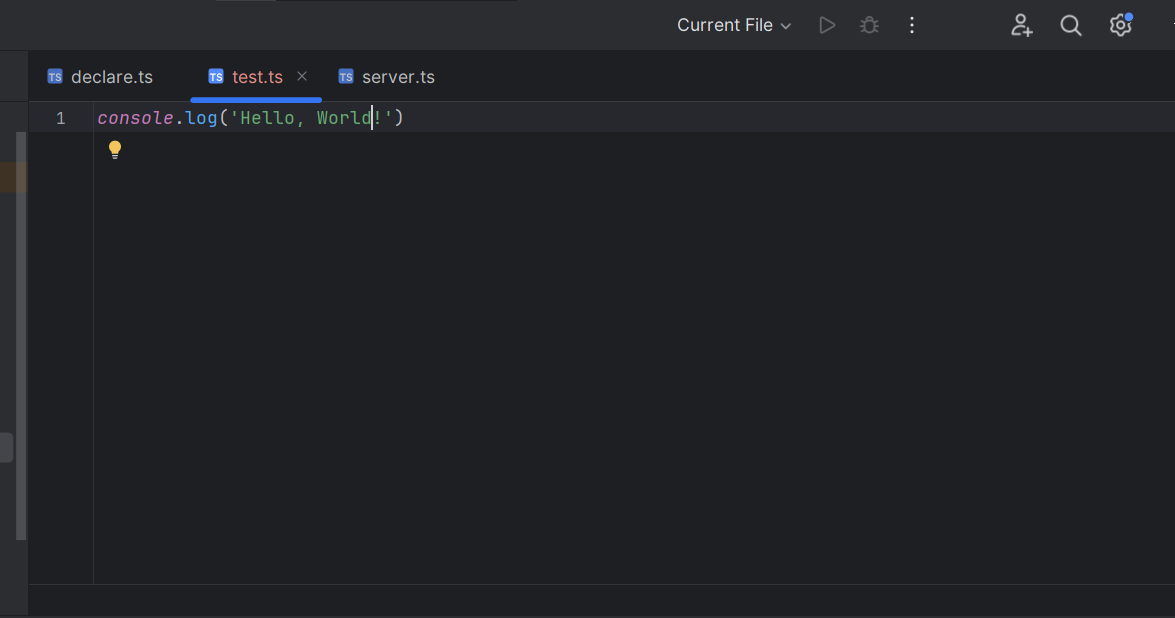
I am a rookie in IntelliJ IDEA, trying to run Typescript on IntelliJ IDEA with a single file, but the run button is greyed out. I have followed the instructions here: https://www.jetbrains.com/help/idea/running-and-debugging-typescript.html#ws_ts_run_server_side, but it does not work as well. So, could anyone possibly suggest some solutions to this? Thank you in the first place
请先登录再写评论。
Hi,
Do you see the option to run the configuration if you right-click anywhere in the file?
Does it help to temporarily disable all of the non-bundled plugins and restart the IDE? File | Settings | Plugins | ⚙ | Disable all downloaded plugins
Nah, that’s not really working. Is there another way to do this?
Can you attach the contents of your IDE's Help | About window?
See if it helps to reset IDE settings to defaults (a backup copy will be created in the process): File | Manage IDE Settings | Restore Default Settings