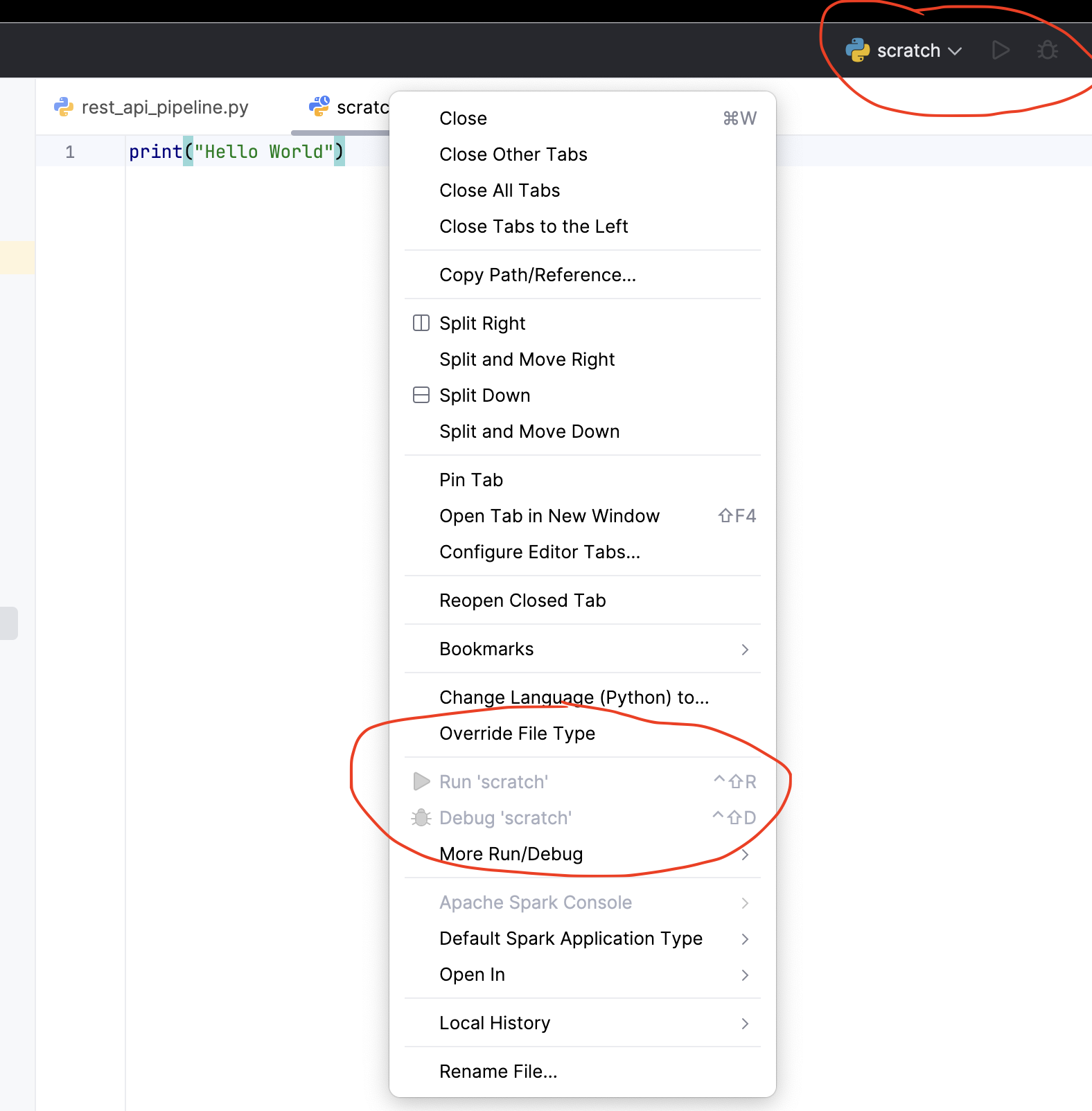
SCRATCH files (scratch.py) can not run

Hi I am currently using
IntelliJ IDEA 2024.3.2.2 (Ultimate Edition)
Build #IU-243.23654.189, built on January 29, 2025
Licensed to TOP Informatie Systemen B.V. / Jeff Chen
Subscription is active until September 13, 2025.
Runtime version: 21.0.5+8-b631.30 aarch64 (JCEF 122.1.9)
VM: OpenJDK 64-Bit Server VM by JetBrains s.r.o.
Toolkit: sun.lwawt.macosx.LWCToolkit
macOS 14.6.1
GC: G1 Young Generation, G1 Concurrent GC, G1 Old Generation
Memory: 2048M
Cores: 8
Metal Rendering is ON
Registry:
ide.experimental.ui=true
Non-Bundled Plugins:
PythonCore (243.23654.189)
Pythonid (243.23654.189)
com.microsoft.tooling.msservices.intellij.azure (3.94.0-2024.3)
Kotlin: 243.23654.189-IJ.
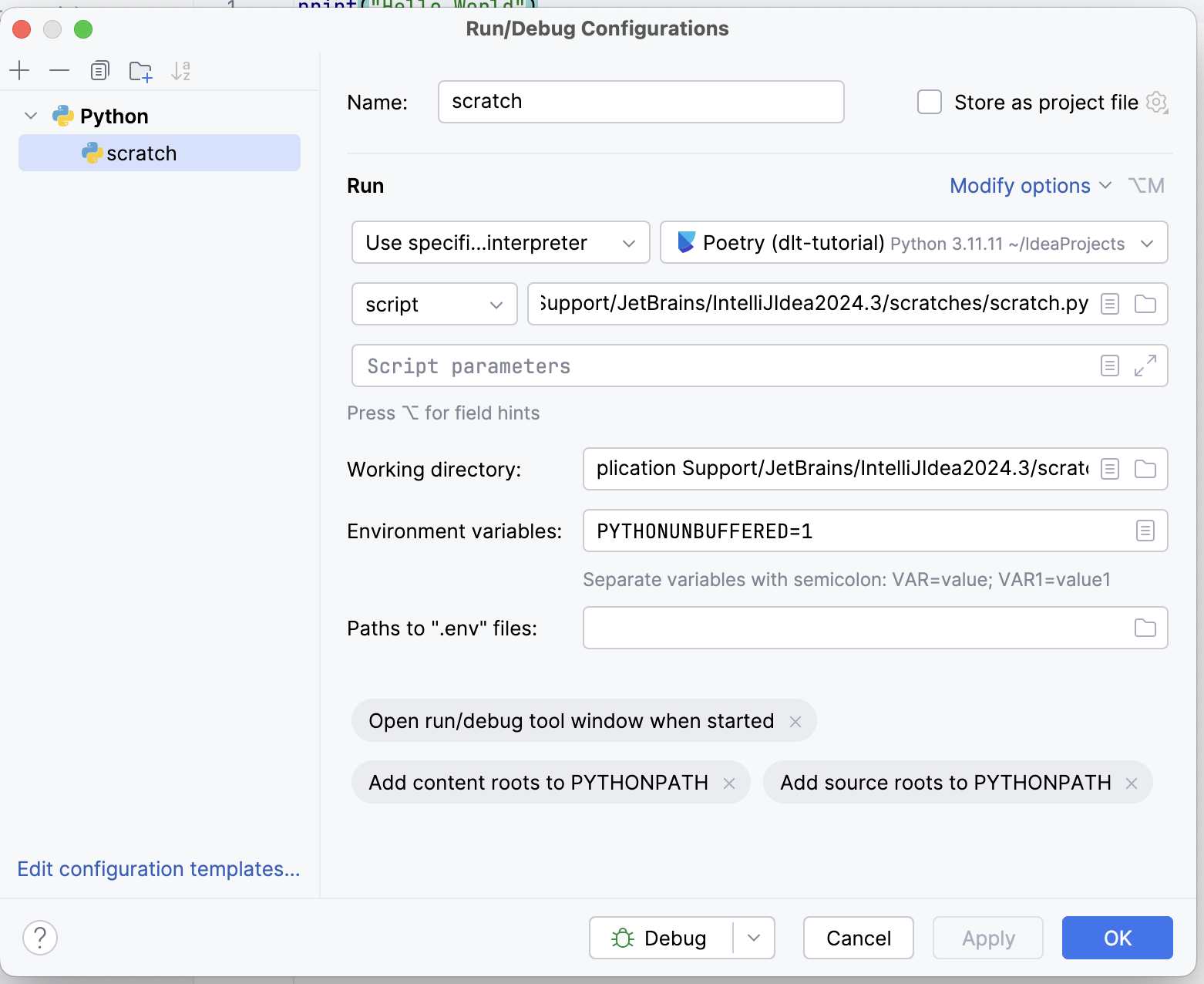
I created a scratch.py file but it did not seem to work when I wanted to run it. I will attach 2 screenshots with the configuration setting.
How would be the fix with this problem?
Thank you in advance!
请先登录再写评论。
I could replicate the mentioned behavior, this occurs after switching to Use specified interpreter on the run config. If you switch to Use SDK Module and restart the IDE it should work.
There is a bug report for it https://youtrack.jetbrains.com/issue/PY-77057/Python-plugin-use-specified-interpreter-silently-fails-for-poetry
Thank you! Your suggestion helps!
Hopefully the bug gets resolved soon!