How to disable automatic new line for each sentence in a comment block?

I'm going crazy looking for the setting to disable this feature.
When writing comment blocks, sometimes I want to write a short paragraph of text consisting of multiple sentences. My IDE has started wanting to put each sentence on a separate line. I understand why, I get the reason.
However I don't want it to do that. I'm getting so frustrated as it evaluates the line and reorganises my text with every key press, so there is basically not way for me to reformat it the way I want it to be.
How do I disable this?
demo:
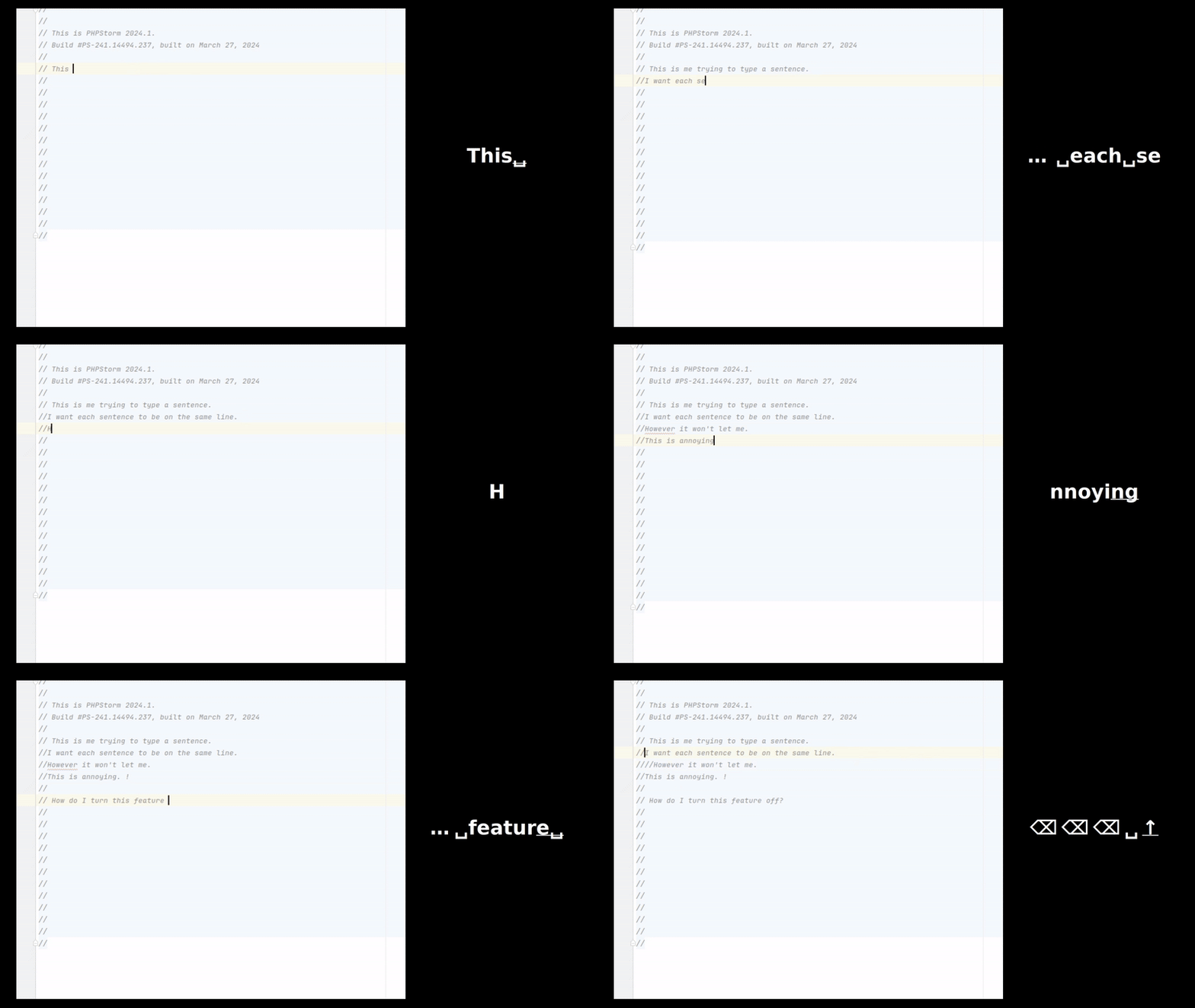
Upload id: 2025_03_26_25tVMNMx7wcprYEQoWRTZn (file: 2025-03-26-09-10-45.mp4)
https://drive.google.com/file/d/12K0rx8b-asl6kcIUMmZL2ckeQ74BgK71/view
请先登录再写评论。
Hi Astrolox,
Will it help to uncheck the Move caret down after Comment with Line Comment action option in Settings | Advanced Settings?
Hi, No. Unchecking that setting does not disable the behaviour I described above.
To answer my own question; The setting I was looking for is under Editor > Natural Languages > Grazie Pro and is called Wrap text at sentence/phrase boundaries on typing.
https://plugins.jetbrains.com/plugin/16136-grazie-pro/docs/structural-wrapping.html
https://sembr.org/
I found this after discovering that this functionality is known as Structural Wrapping and/or Semantic Line Breaks.
Once I knew what it was called, finding the setting was easy. Without knowing what it was called, I was becoming very frustrated with the really odd behaviour.
Hopefully this post will help someone else in the future.