Errors in freshly generated build.gradle.kts
已回答

I have a problem with IntelliJ showing a lot of errors in a `build.gradle.kts` file, even though its content is perfectly valid.
Just for test, I created a new, fresh Kotlin project via IntelliJ - and it still shows errors:
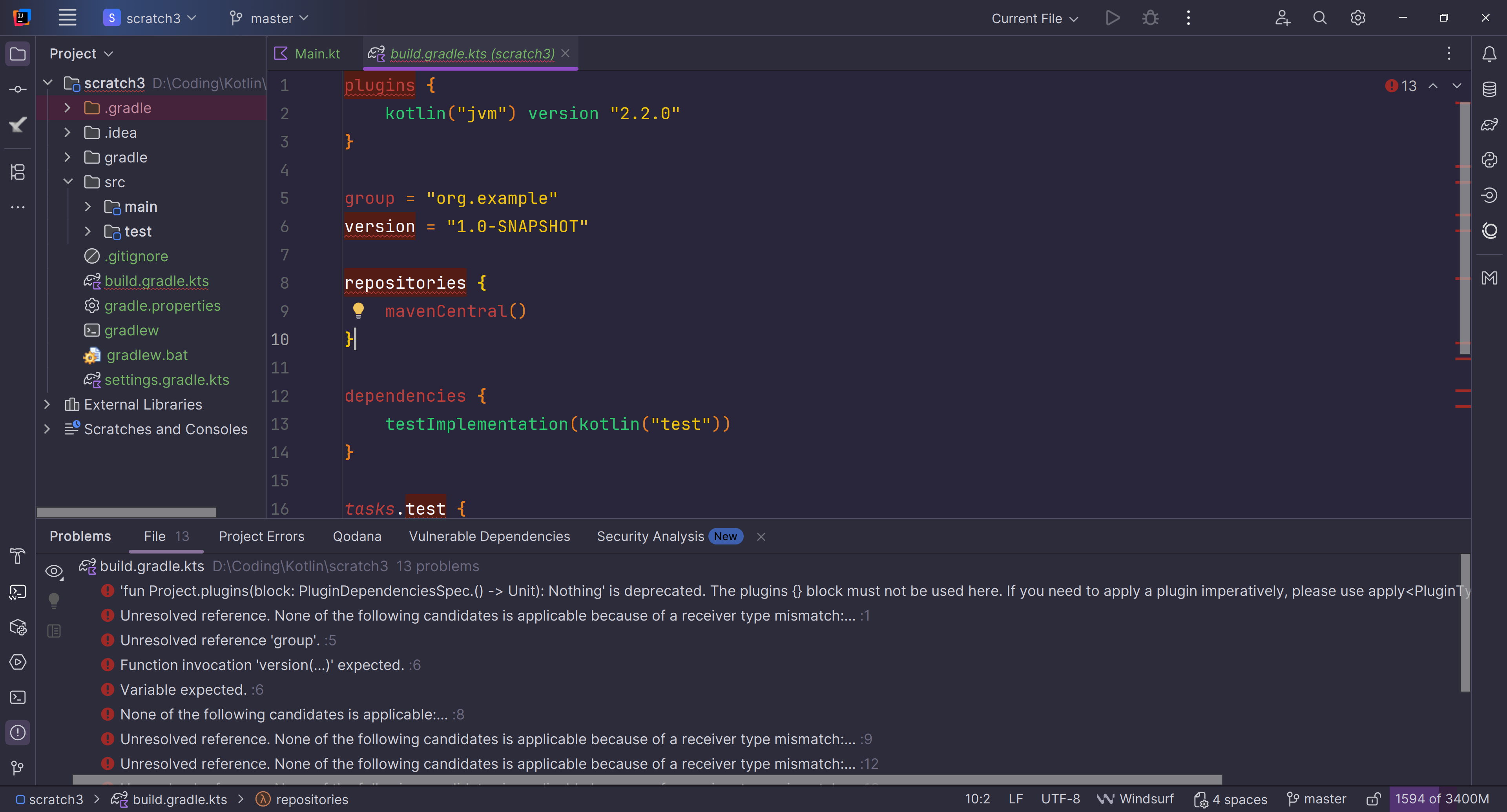
I tried changing JDK, upgrading Gradle, invalidating cache - nothing helped. How can I fix this?
请先登录再写评论。
Hello!
The errors you're seeing in your build.gradle.kts file are likely false errors caused by IntelliJ's internal parsing issues, not a problem with your code. To fix this, check that your IntelliJ Gradle and Kotlin plugins are up to date and that the Gradle JVM in your settings is correct. If the problem persists, delete the .idea folder and .iml files in your project directory to force IntelliJ to re-import the project from scratch, which often resolves these sync issues.
Hello!
Thank you for reporting this!
Which version of IDEA, Gradle and JDK (for the Project and Gradle itself) are you using?
As a workaround try the following:
build.gradle(.kts)-> Open as ProjectThe issue is that the Kotlin plugin for the community version of IDEA is awfully limited and is causing a lot of false positive errors because it fail to correctly resolves dependencies especially in sub-projects.
It is unfortunate but if you use free tier (community) of IDEA, then probably better just ignore those errors.