Data Sources settings are not being saved

In the last couple of days I noticed that some settings of my sources have disappeared and even when I add them, they don't get saved. Mostly around using SSL with p8 key and username.
When opening Datagrip I noticed this error:
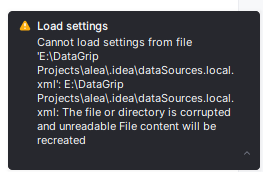
This file can't even get deleted and I'm not sure what to do.
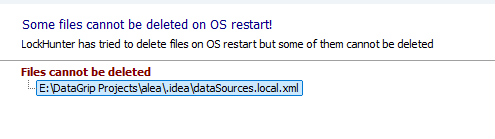
Also tried to use LockHunter to delete it:
请先登录再写评论。
This could be either a file access or a parsing issue with the data source file. To investigate this, please upload the idea log found in Help - Show Log in Files onto https://uploads.jetbrains.com/
To start investigating this issue, please ensure you don't have an antivirus or other monitoring software running over this volume. No other process should be simultaneously using the same resource.
Please include the upload id in your reply.
wow great information
Yes the file got corrupted probably during saving.. The problem is that it can't be deleted in any way and I can't change it in Datagrip. The only thing I could do was to create new project and move some of the files across to the new project