How to disable the small input popup when typing code in CLion?

I just installed CLion.
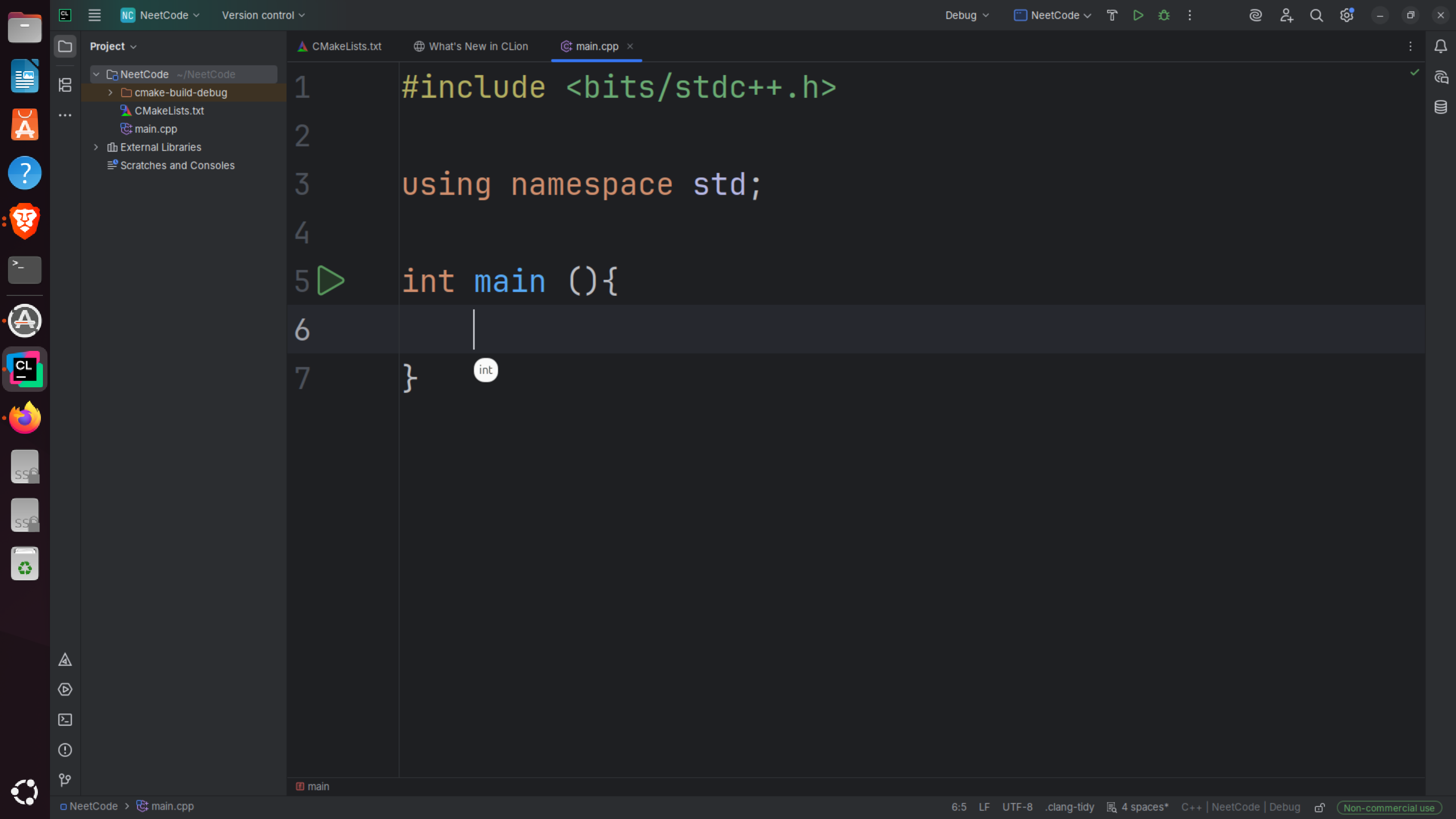
When I type code, the text doesn’t appear directly in the editor.
Instead, a small floating input box appears above the line — and only after I press Enter, the text (including spaces) is inserted into the code below.
It feels like some kind of inline input overlay, and it interrupts normal typing.
The detailed video link that I’ve uploaded: https://drive.google.com/file/d/1yn8NIJTx6xLtsx6f20y4sXgqF3MCQi6y/view?usp=sharing
How can I disable this popup completely so that what I type appears directly in the code editor as usual?
请先登录再写评论。
Hello!
This doesn't look like a general CLion behavior. Do you have any custom plugins installed? If so, could you please disable all custom plugins in File | Settings | Plugins and restart CLion?
Does the behavior persist after that?
After trying your suggestion, the issue still persists.
I also tried resetting CLion to its default settings, but the problem remains.
Even when I create a new project, the issue still occurs.
Is it, by any chance, some input method specific to your setup? Do you have IBus, fcitx, or another similar tool? Do you observe this behavior in any other application?