Configuring Tomcat Bootstrap entries JARs in IntelliJ IDEA 2021 Edition

So recently, I joined a Maven-based Java project where the existing team is using Eclipse IDE. Earlier, I have used only IntelliJ IDEA. Now what I saw is that they added a Tomcat server in Eclipse, and during the configuration of that Tomcat server, there is a classpath tab where they are feeding some external JARs under the Bootstrap Entries category.
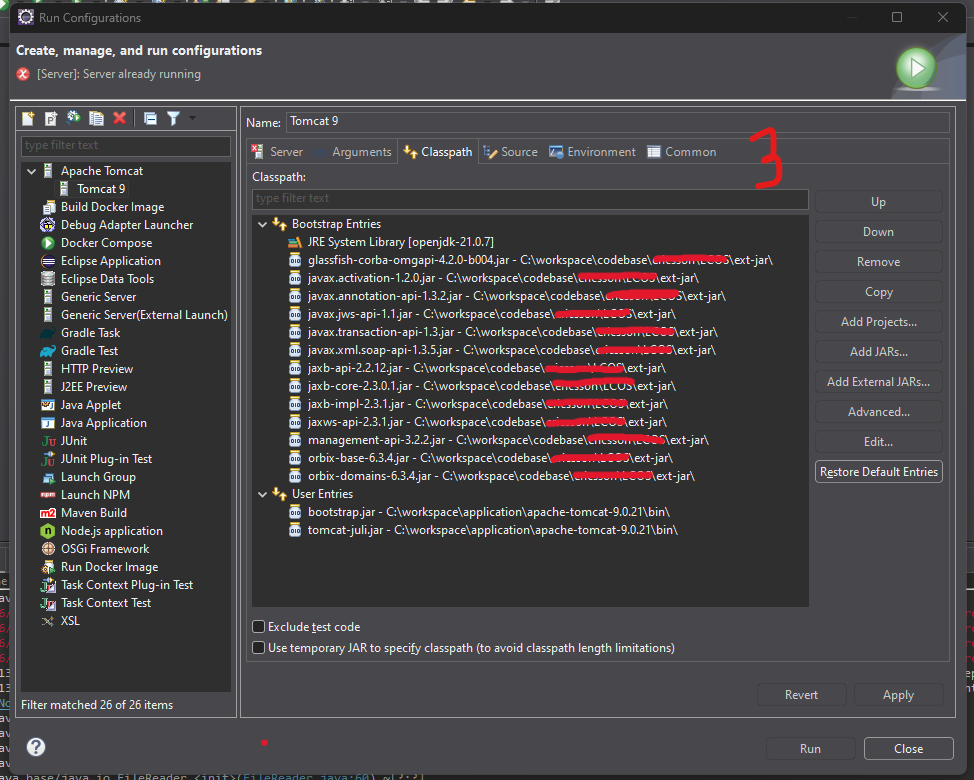
Also, there is a tab called Argument in Eclipse (inside the Add Tomcat Server dialog) where some VM Arguments are fed, but related to the Eclipse metadata folder
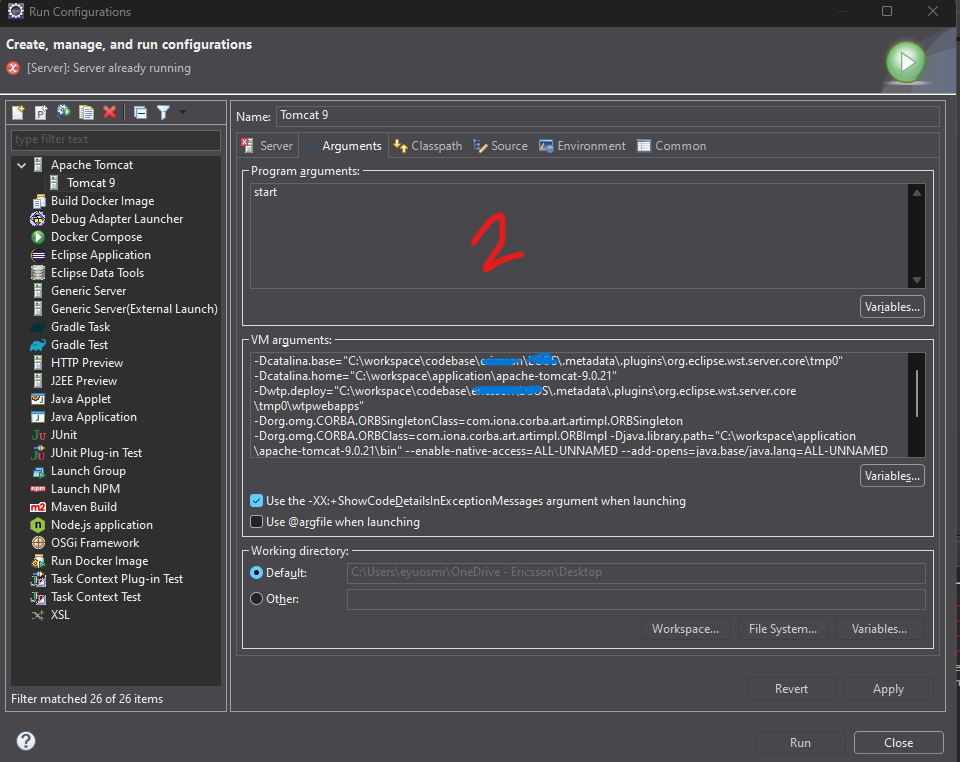
My problem is: I was able to import the project into IntelliJ IDEA, even I was able to add the Tomcat Server as well in IntelliJ, but I am unable to feed those external JARs properly in IntelliJ IDEA, due to which the application is not starting inside Tomcat.
Please note: I am using IntelliJ IDEA Ultimate Edition version 2021.2.1, And On the Eclipse Side: 2025-09 (4.37.0)
Thanks for your help.…
请先登录再写评论。
You can modify the Tomcat server classpath here in IntelliJ IDEA:
The command can be changed here:
Additional Tomcat VM Options can be added here:
Hope it helps.
Hi sir,
I have tried, but no improvement; the result is the same…
Added the external libs, as you can see
Then try adding -Xbootclasspath
And here are the VM args
and even it is not working with and without the -Xbootclasspath
You can try to modify
JAVA_OPTSwith-Xbootclasspathor modifycatalina.batscript so that it works in the CLI before trying it in the IDE.Hi sir,
Can you please guide me on how to update the catalina.bat, I mean, what needs to be written in catalina.bat to support external JARs
You can create
setenv.batfile next tocatalina.batwith something like this:Then test that everything works as expected from CLI.