Color settings are not saved
已回答


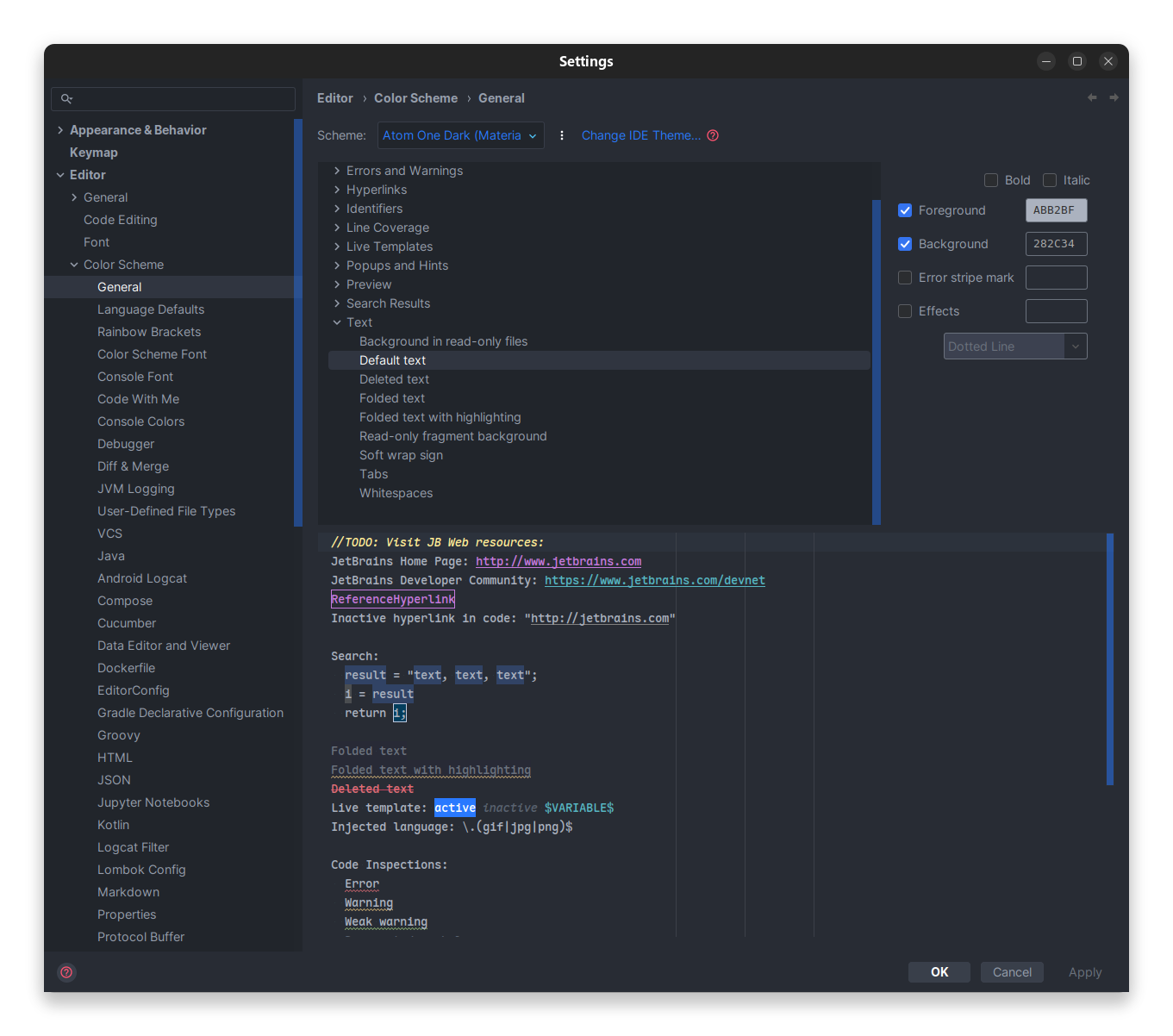
I changed the background color of default text to 1e1e1e, but it's not saved between sessions. As soon as I restart IntelliJ IDEA, it will revert to the original value of 282c34.

请先登录再写评论。
Does it only happen when using Atom one dark theme ?
The same is happening in Phpstorm 2025.3.1
I'm using “Visual Studio Code Dark Plus” scheme, copied it with a custom name and changed the editor background color (#0000FF to #000000). Upon restart, the color goes back to the original value.
PhpStorm 2025.3.1
Build #PS-253.29346.151, built on December 19, 2025
Source revision: 266020cb797a8
Runtime version: 21.0.9+10-b1163.86 amd64 (JCEF 137.0.17)
VM: OpenJDK 64-Bit Server VM by JetBrains s.r.o.
Toolkit: sun.awt.X11.XToolkit
Linux 6.14.0-37-generic
Freedesktop SDK 24.08 (Flatpak runtime); glibc: 2.40
GC: G1 Young Generation, G1 Concurrent GC, G1 Old Generation
Memory: 2048M
Cores: 20
Registry:
ide.browser.jcef.sandbox.enable=false
debugger.watches.in.variables=false
debugger.new.tool.window.layout=true
documentation.show.toolbar=true
run.processes.with.pty=TRUE
editor.caret.width=1
ide.experimental.ui=true
Non-Bundled Plugins:
com.github.xepozz.caddy (2025.1.0)
ru.adelf.idea.dotenv (253.29346.157)
dev.turingcomplete.intellijdevelopertoolsplugins (7.1.0)
com.markskelton.one-dark-theme (6.1.0)
org.jetbrains.plugins.remote-run (253.29346.170)
dev.meanmail.plugin.nginx-intellij-plugin (2025.21)
com.jetbrains.restClient (253.29346.170)
com.samdark.intellij-visual-studio-code-dark-plus (2.9.0)
izhangzhihao.rainbow.brackets (2025.3.6)
com.kalessil.phpStorm.phpInspectionsEA (5.5.0)
de.espend.idea.php.annotation (12.0.2)
fr.adrienbrault.idea.symfony2plugin (2025.1.282)
com.laravel_idea.plugin (12.0.0.253)
com.github.copilot (1.5.62-243)
mobi.hsz.idea.gitignore (4.5.6)
Current Desktop: GNOME
Hello Vicente Bissoli
I attempted to reproduce your issue with a background property, but I was unable to do so.
Sometimes, custom plugins can interfere with the default ones, so I suggest trying to disable all third-party plugins:
If this doesn't resolve the issue, please share the exact steps and property where you changed the Editor background so I can try to reproduce the problem again.
Hi @...
Sorry, but it was my mistake. It was working correctly. >.<
Hi Vicente Bissoli
No worries, thanks for letting me know.
Happy holidays!