How can I suppress "IDE error occurred" messages

This notification pops up constantly, as soon as I open PhpStorm:
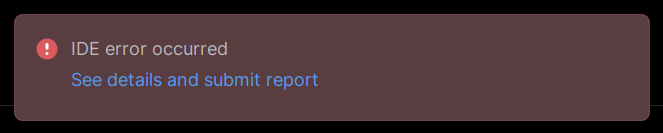
If I close it, it comes up again after a few seconds. It is very annoying. I already tried clicking on the 3 dots ⋮ and choosing Don't Show Again, but it doesn't work.
I'm purposely not sharing the specific stacktrace in this topic, because my question is how to suppress this type of notification. There is a “Don't Show Again” option and it should work, but it doesn't.
请先登录再写评论。
You’re seeing this because PhpStorm keeps hitting the same internal error, so “Don’t Show Again” won’t stick.
Go to Settings → Notifications → IDE Fatal Errors and set it to No popup.
If it keeps coming back, disable the plugin causing the error or try Invalidate Caches and Restart.
Thank you for your reply. I don't see an “IDE Fatal Errors” notification type on PhpStorm 2025.2.5. There is an “IDE Errors” which I have already set to No popup, to no avail.
Hello Tobia,
What's this error message about? What will be shown if you click the ‘See details and submit report’ link in the pop-up? Could you share a screenshot?
Hello. It's an exception thrown by a plugin. I'm not particularly interested in solving that issue. But the red popup with "IDE error occurred" is a common enough nuisance. Even if I solve that issue, or disable the plugin, it will come out another time due to another plugin. I would like to simply disable that kind of popup.
Thanks for the clarification!
In this case, I would like to ask you to upvote the IJPL-1209. The more votes it receives, the higher the chances that this feature will be implemented.