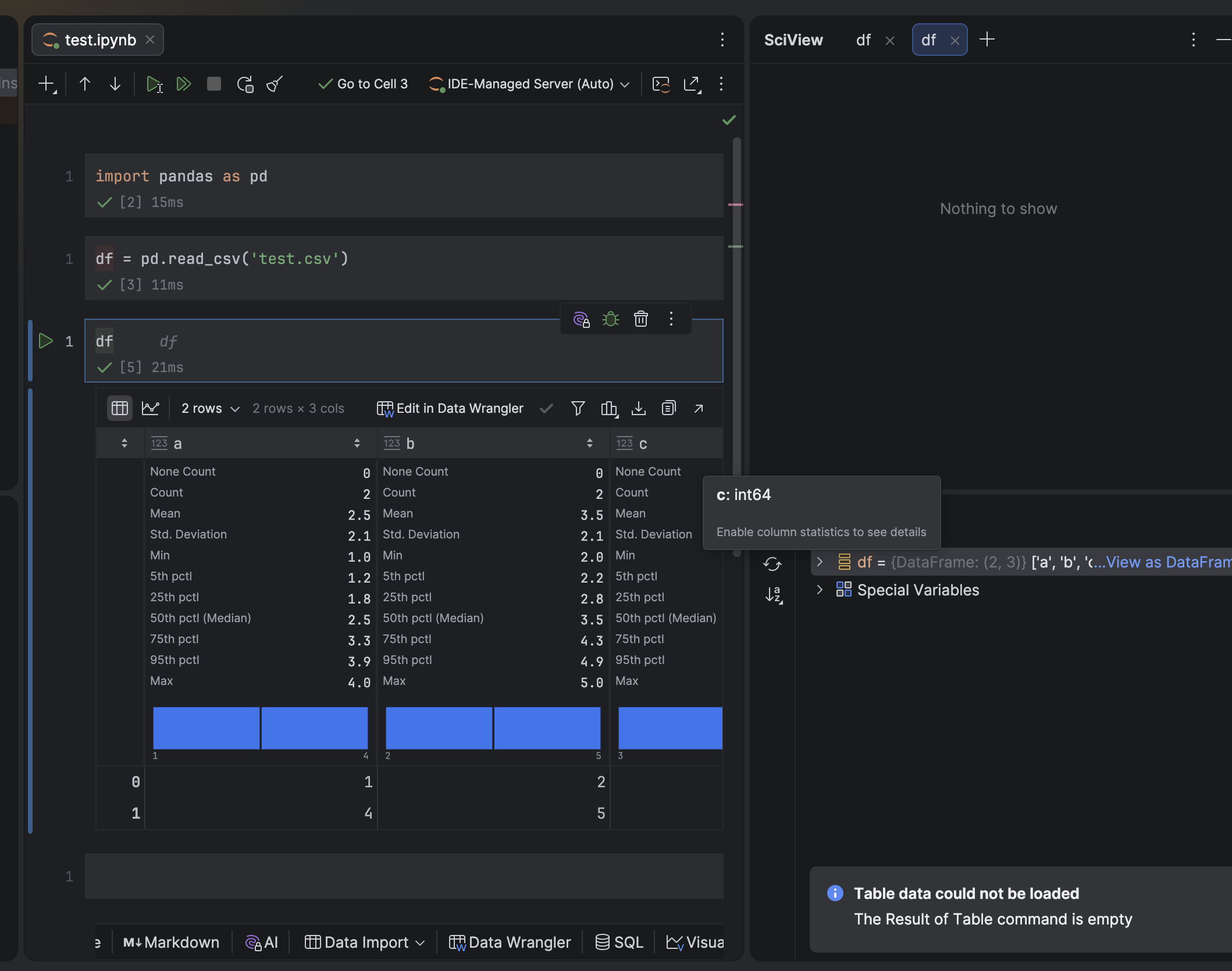
Table data could not be loaded in sciview

Hope this isn't a dumb question, but how do I get the error “Table data could not be loaded The result of table command is empty” to stop. I think it's affecting visualizations and data wrangler. I've tried with different versions of python and on multiple computers. It used to work in Pycharm too, but just tested it out and it did not work there either with the same error.
CSV file is literally:
a,b,c
1,2,3
4,5,6
Let me know if it's something simple to change.
请先登录再写评论。
Tengo el mismo problema, I have the same problem, doesn't show data, just the message
I resolved this issues by updating pycharm to the newest version
This error is usually not caused by the CSV itself. Since it happens across different Python versions and machines, it’s likely an issue with the environment, extension, or Data Wrangler rather than your data. Verify that the DataFrame loads correctly (
df.head()), isn’t empty, and that the file path is correct. Sharing the exact code and error location would help narrow it down.Not a dumb question. The CSV looks fine, so I’d check whether you’re loading the right file or whether the DataFrame is actually empty.
Try:
If you see
(2, 3), the CSV is fine and the issue is likely the IDE table viewer/Data Wrangler. If it shows(0, 0)or errors, check the file path — you may be opening a different/empty CSV with the same name.Hello, @yip-i,
I was not able to reproduce in PyCharm 2026.1.2:
Please, check if the issue is observed in the latest PyCharm version. If yes, to check the issue, create YouTrack ticket and attach a log archive, which can be found under Help | Collect Logs and Diagnostic Data.