Tool windows

Hi
I have somehow got a tool window in Floating mode and I cannot seem to get it back to docked/pinned mode.

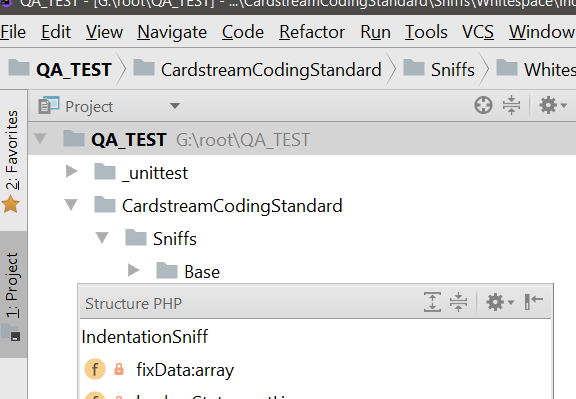
Clicking on the settings icon gives these options
Floating
Windowed
How do I get this tool window pinned to left of the ide?
请先登录再写评论。
Hi there,
Ensure that "Floating" and "Windowed" are unchecked for that problematic tool window.
Here how it looks for pinned one (you can see the same by right clicking on title on your "Project" or "Favorites" tool windows):
What's the IDE version BTW -- is that stable 2017.3.x or EAP 2018.1 ?
Thanks
PhpStorm 2018.1 EAP
Build #PS-181.3741.23, built on February 14, 2018
PhpStorm EAP User
Expiration date: March 16, 2018
JRE: 1.8.0_152-release-1136-b11 amd64
JVM: OpenJDK 64-Bit Server VM by JetBrains s.r.o
Windows 10 10.0
>Thanks
Does it mean that you have fixed your issue?
Yes thanks