WSL toolchain creation
已回答

Good morning. I was trying to set the WSL toolchain following the instructions in the blog and the video in the YouTube but I found an issue that honestly, I don't know how to solve.
- Specifications: Windows 10 with Ubuntu/Debian installed
- Clion 2018, 26 of March build.
- Custom Properties : idea.case.sensitive.fs=true
When I start clion, if I don't have Ubuntu running, I can see this picture
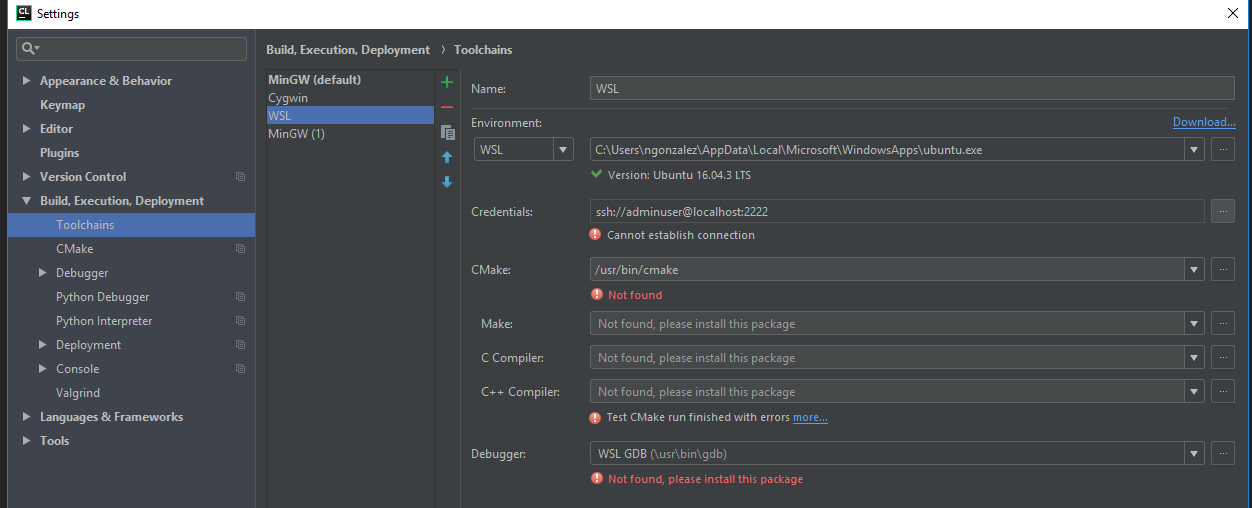
But as soon as I start the console the toolchain screen changes to
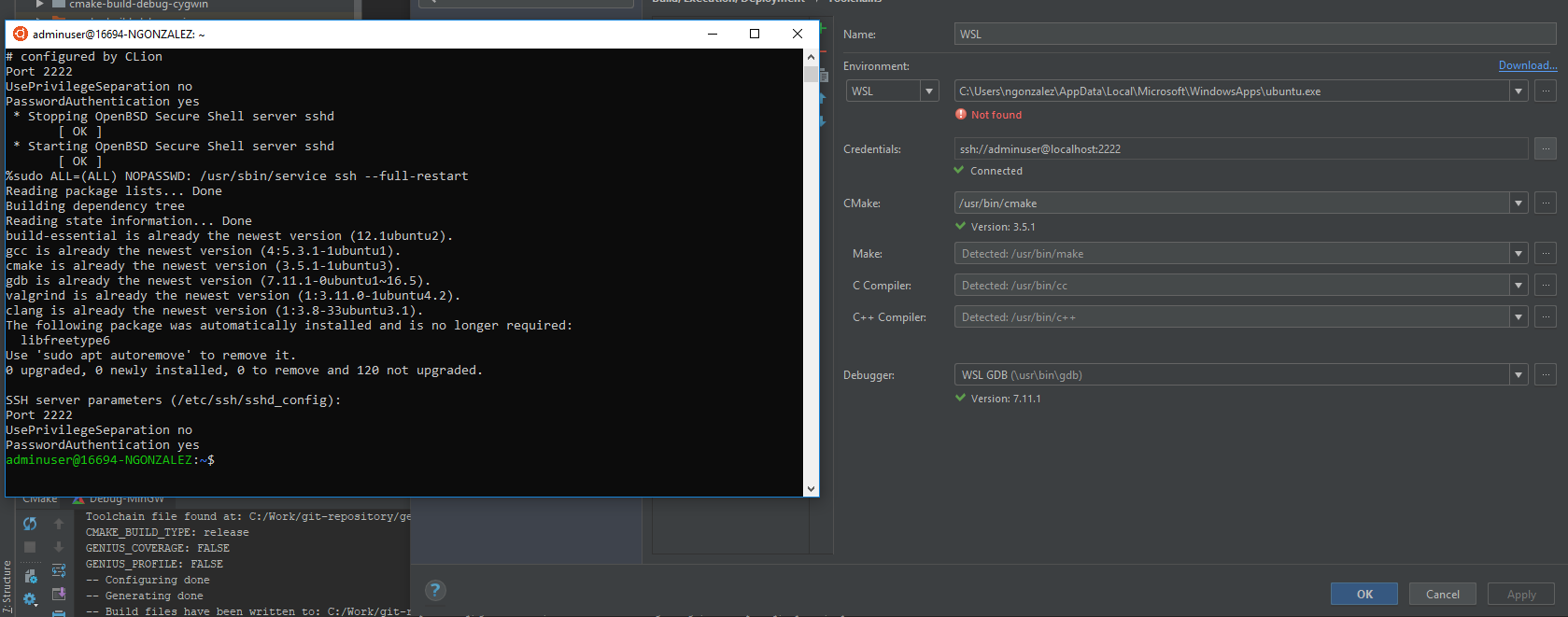
As you can see, in the first one it detects the executable and the version but as soon as I start Ubuntu, it changes to the second one.
Any help around this issue will be appreciated.
Thanks
请先登录再写评论。
Hi, here's the ticket for the problem (CPP-12568).
Please note the ticket was closed and the fix will be available in the nearest CLion 2018.1.1 version.
As temporary workaround I'd suggest open Ubuntu terminal (and don't close it), then open and configure CLion WSL toolchain.
Also if you meet "WSL not found at: ..." issue you can just call "Reload CMake Project" (Tools | CMake | Reload CMake Project), it should help.
I think, despite the ticket mentioned earlier, it might be a by-design requirement to keep the WSL terminal open (such workflow seems assumed by https://github.com/JetBrains/clion-wsl/blob/master/ubuntu_setup_env.sh too).
However, I think you should be able to workaround it by creating a startup task to run OpenSSH as deamon.
https://blogs.msdn.microsoft.com/commandline/2017/12/04/background-task-support-in-wsl/