PyCharm remote interpreter package listing

Hello,
I am having a problem with package detection when using remote interpreter in PyCharm (2019.1.3). It works for some hosts, however when I attempt to connect into Docker container using ssh remote interpreter the package detection doesn't work. There are some interesting errors in the log when I attempt to reload the package list:

Manual running of "packaging_tool.py" with parameter "list" is working as expected and prints out all of the packages.
Remote Python console and code execution/synchronization also seems to work correctly, so it's just the package detection?
When I try to "Install packaging tools", this message pops up:

The host running PyCharm is Windows 10, Docker host is running ArchLinux and the container itself is built on Ubuntu.From the errors, I believe there is some kind of coding error, since the "[m" looks like carriage return?
I attempted to debug this problem, but PyCharm logs are not very helpful. Is there some way to enable debug outputs for "ckaging.InstalledPackagesPanel"?
Thank you,
Thomas
EDIT:
When I edit the "packaging_tool.py" to exit with non-zero exit code, the log contains this:
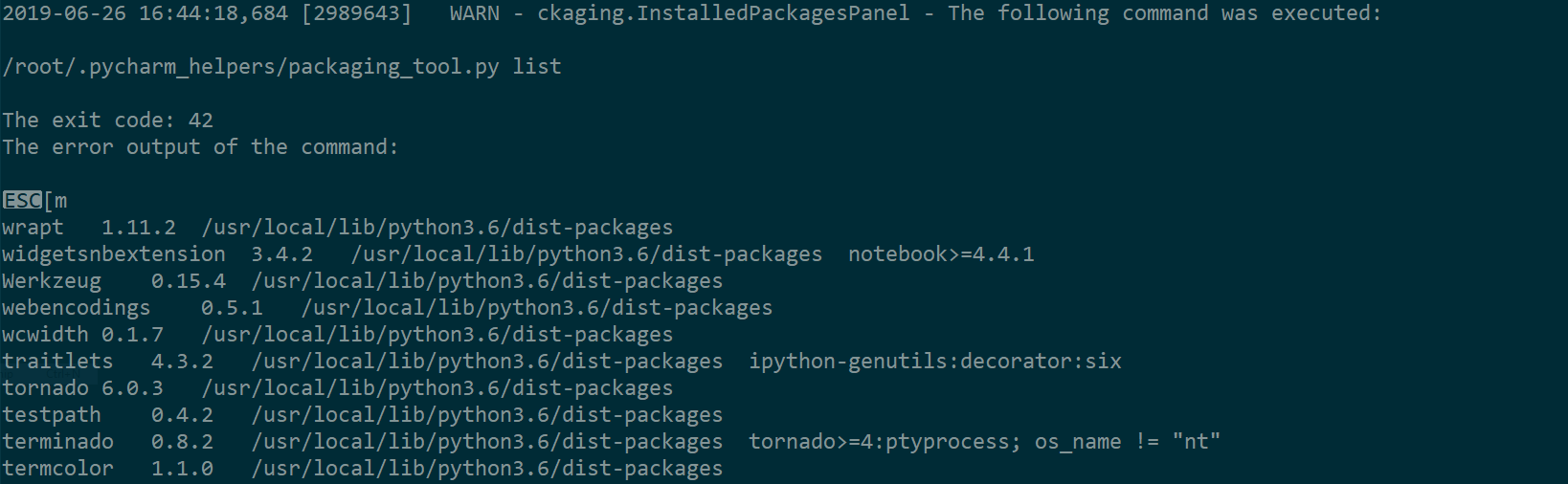
, so the package enumeration itself does work and the error is somewhere else...
请先登录再写评论。
Hi,
Could you please let me know which docker image you are using to start the container?
I'll try to reproduce it on my end.
Hello,
Actually I found out, that the problem is only present in the container I am currently working on and it is not public yet. I think I found the reason for the error, this is the response from the container:
and this is the response from working container:
It seems, that the broken container is appending some additional characters "ESC[m" to the result.
EDIT:
In the end, the problem was definitely on my side. Once I removed my ~/.bashrc and /etc/bash/bashrc from the broken container, the problem went away. Thank you for your time!
Thank you for letting me know!
Glad that it works now.