(Potential Bug) Auto Completion in HTML tags

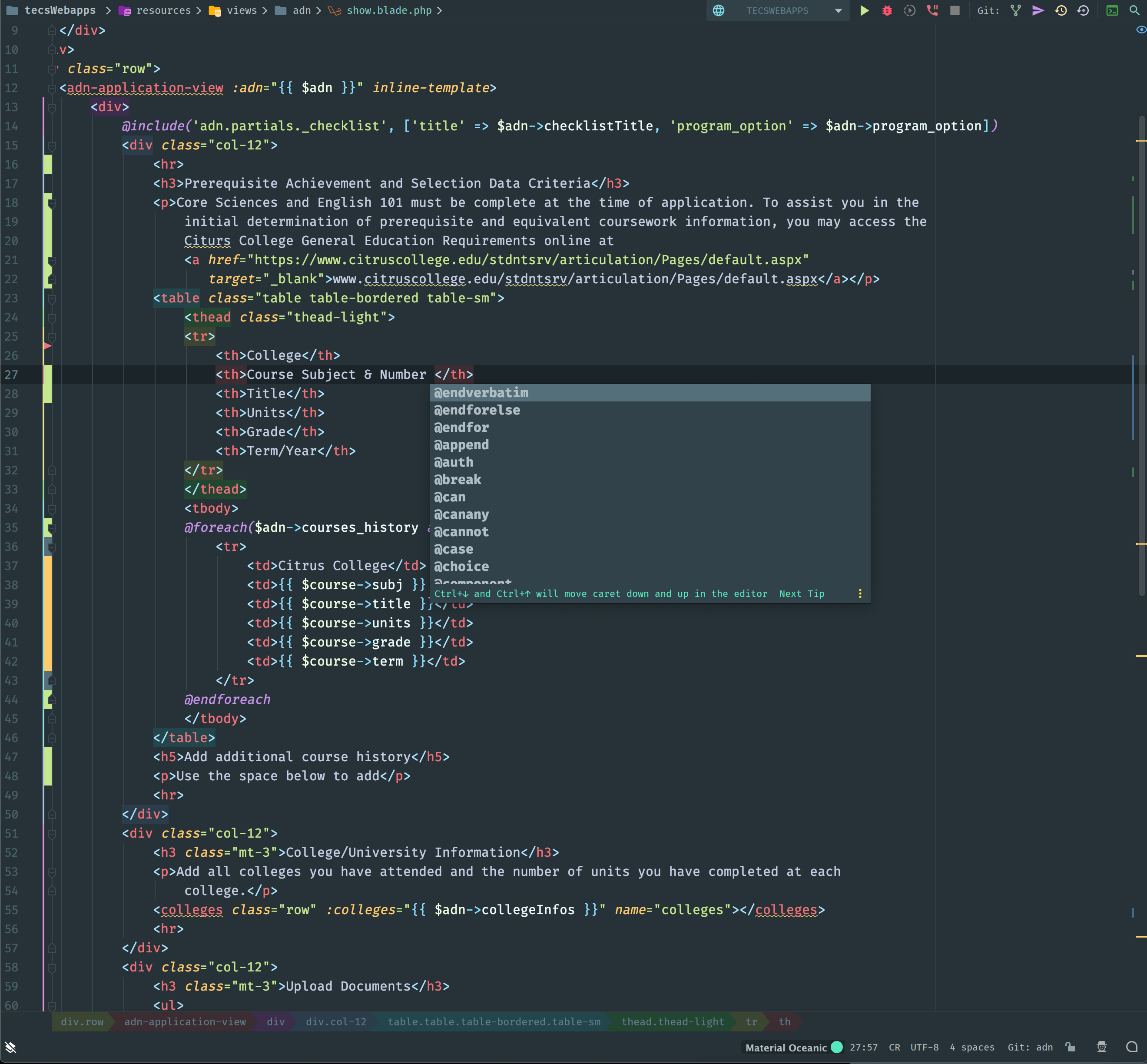
I am working on a Laravel project and noticed that recently when I'm typing inside any HTML tag like <p> or <h*> the auto completion window pops up after every "space" keydown. All the auto completion suggestions are blade directives. I do not recall this happening in the past. I attached a screenshot below showing what happens just after pressing the "space" key.
I tried looking for other settings outside of disabling Auto Completion and couldn't find anything that would fix the problem. Does anyone have any suggestions?
请先登录再写评论。
What IDE version are you running? Please run File > Invalidate Caches/Restart > Invalidate and Restart and check the issue after that.
Does it happen every time, are you able to reproduce this at any time?
Dmitry, I ran the Invalidate and Restart tool and the problem still exists. I am on version PhpStorm 2019.2.4 Build #PS-192.7142.41, built on October 30, 2019. I found that if I disable the Blade plugin the problem goes away so it seems to be something with that.
Doesn't happen for me on the same version: https://recordit.co/LFNURvTbll
Please inspect your Code Completion settings, if everything's similar there to what I have, please disable all custom plugins (Settings | Plugins | Installed | Downloaded), restart the IDE and check how it goes.
If you still experience this afterwards, please submit the logs bundle (Help | Compress Logs...) within a support ticket.