How to install CLI interpreter to open a php file?

I am trying to open a php file in chrome for a while now but I couldn't because it seems like it doesn't have interpreter . Whenever I tried, it keeps on showing Object not found!
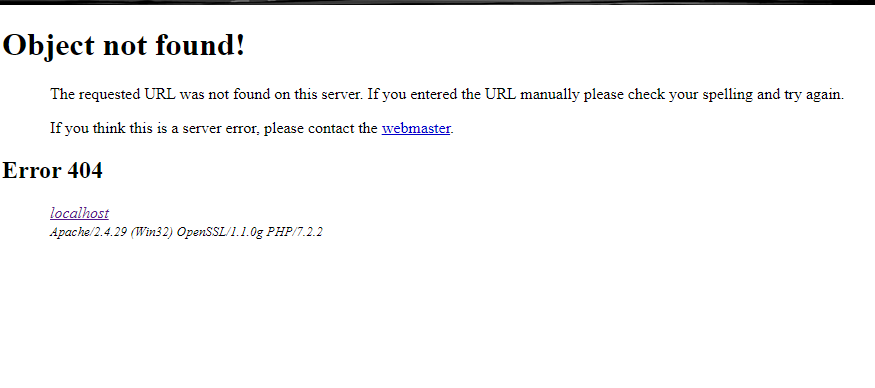 I have to say this, but im a noob in the programming world. Can someone help me?
请先登录再写评论。
Your screen-shot shows you do have a CLI interpreter (specifically 7.2.2). But the CLI interpreter is only needed for command-line scripts. If Chrome and Apache are involved I presume you are building a web site.
Does the web site run correctly when you launch it outside PhpStorm? if so, does the URL match with the one you have at "Settings/ Build, Execution, Deployment/ Deployment/ Web server URL"?
At first, it works. When I clicked the chrome button, it went to the page. But when I changed the text in my coding, just normal text, it's giving me 502 error. When I change it back to its previous text, still giving me 502 error. But when I refresh or close the tabs, It appears fine but WILL give me 502 error if I change anything So, I have no idea whether it is a real problem or not.
502 Bad Gateway appears to be an intermittent well-known issue with PhpStorm's builtin server but your screenshot clearly states Apache/2.4.49. What are the answers to my two questions?
Please change the port in url. 63343 is a port for a built-in web server while xampp\s apache is most likely running on another port, e.g. 80.
Next:
1) please attach a screenshot of your "Mappings" tab of Deployment setting
2) attach a link address from a "Object not found!" screenshot
1)The mappings tab
2) I hope this is what you asked or you wanted the localhost id url?
For the second question, would it be possible to show the address bar from the web-browser with the used URL, like:
Also, sorry for the probably silly question but do you have anything deployed in "xampp\htdocs" directory?
1. When I open my code, Object not found shows up. This is the link, http://localhost/login_front.php
2.Do you mean this one?
In your deployment configuration,
Connection | FolderandMappings | Deployment pathare clashing, please setDeployment pathto be just/.okay. I have already changed the deployment path. Yet, having the same problem. Object not Found
I confess I'm no longer sure of what you're trying to do but I suspect you're somehow overcomplicating your set up and also trying to make everything work at the same time. Perhaps it's easier to start over and go step by step. Some random thoughts: