Win10 Local - Debian 9 Remote

I am evaluating CLion for a couple of scenarios... I managed to get CLion on Linux while coding locally on a Linux box working and am very happy in that scenario.
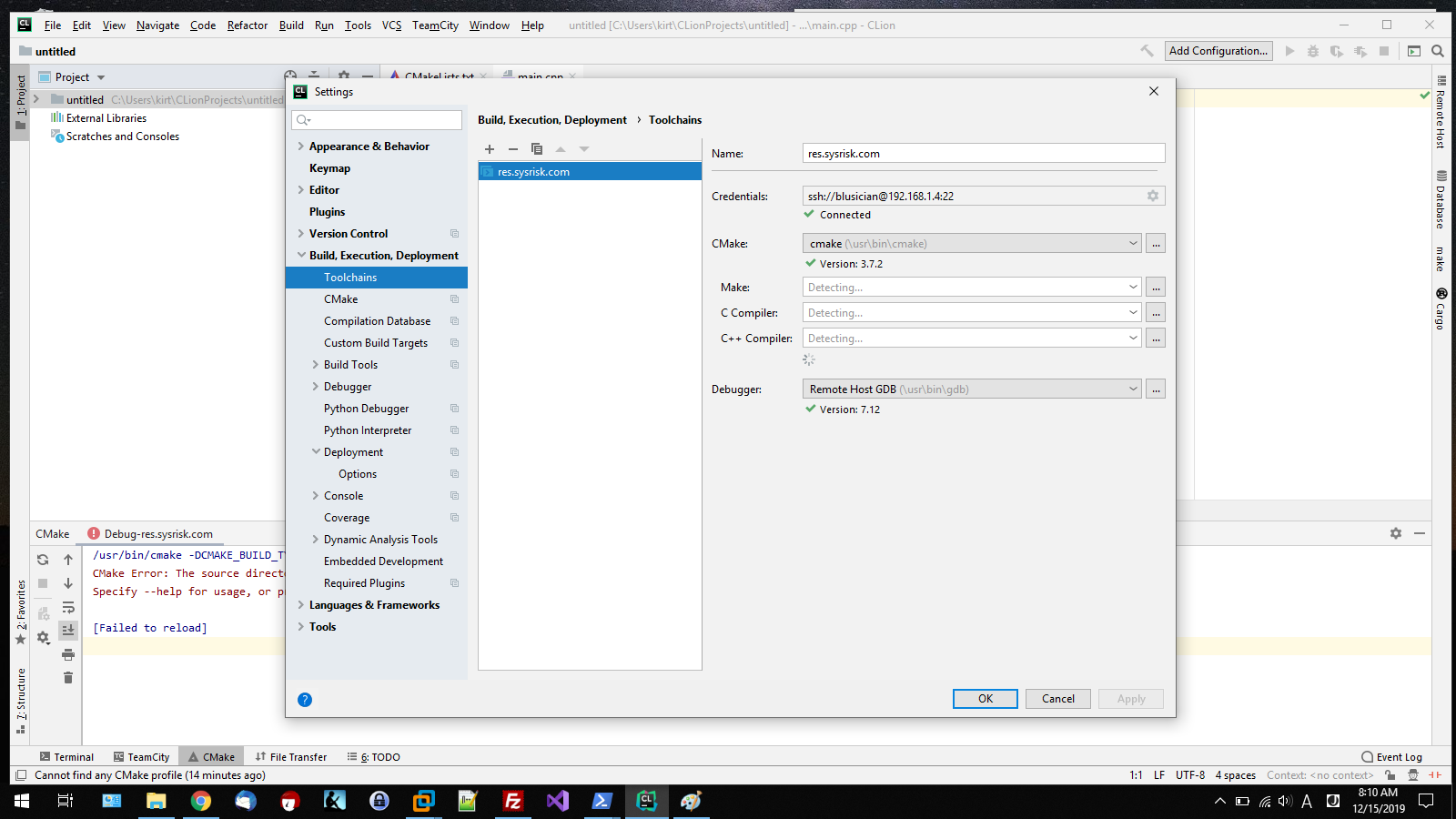
However, the reality of my projects is that I am usually working on Win10 and programming on remote systems. It would be nice to have an IDE that could connect and use the remote setup (tools - make, gcc, g++, and the frameworks that ARE LOADED ON THE REMOTE computer). I do not want to and cannot use WSL).
I have installed CLion latest version (evaluation copy) on Win 10 and have followed the instructions provided for remote operations (numerous times). I have setup new C++ executable Hello World projects (numerous times) in CLion with that remote tool chain being the only thing available. I have setup CMake profiles using the remote default setup.
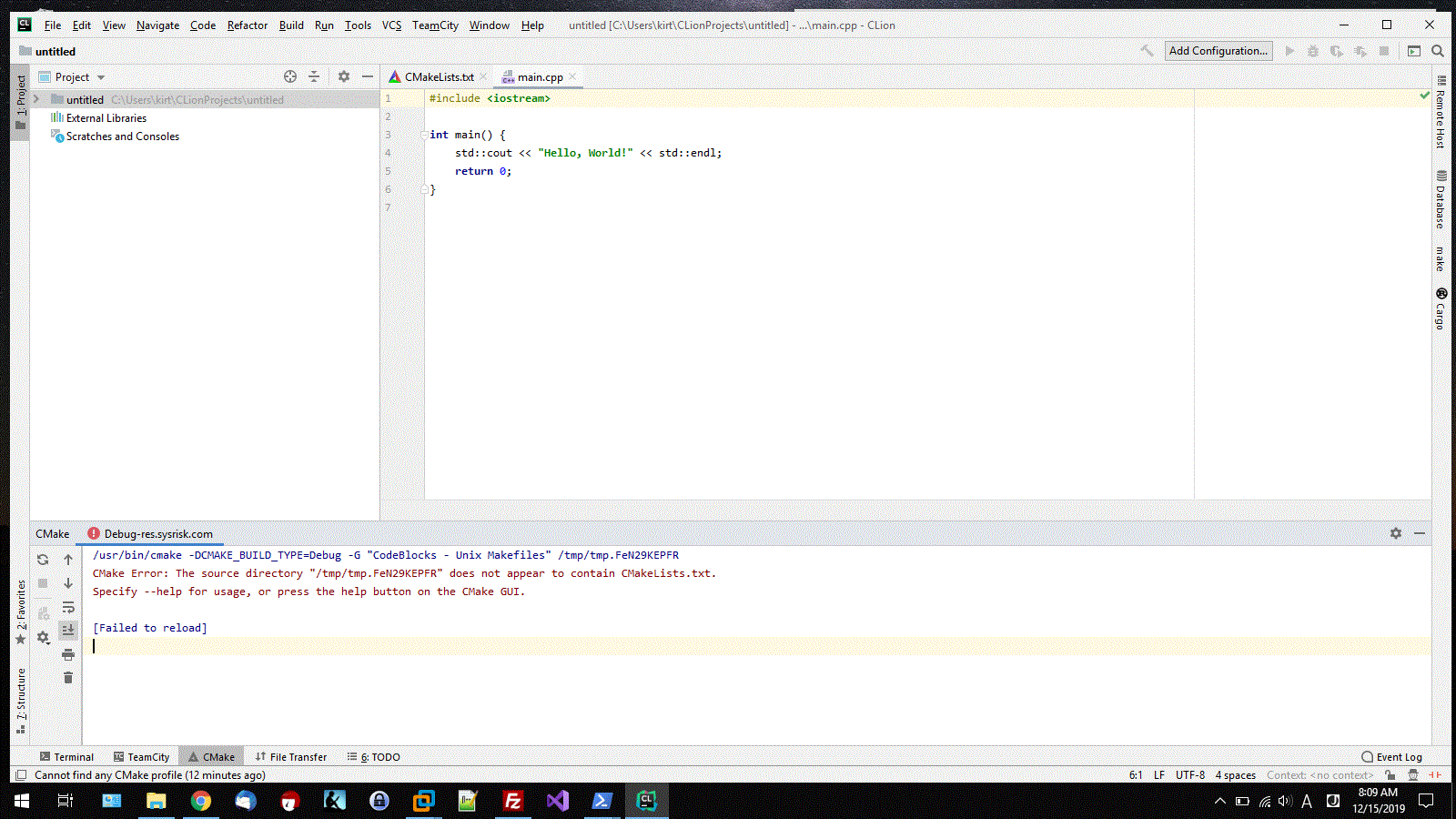
Every single time I go to rebuild and the response is nill, cannot write the file, or cannot read (A LOCAL!!) file. But the one that is most common is:
"Cannot find any CMake Profile"
Then when I look in the Cmake feedback window, I get:
/usr/bin/cmake -DCMAKE_BUILD_TYPE=Debug -G "CodeBlocks - Unix Makefiles" /tmp/tmp.FeN29KEPFR
CMake Error: The source directory "/tmp/tmp.FeN29KEPFR" does not appear to contain CMakeLists.txt.
Specify --help for usage, or press the help button on the CMake GUI.
[Failed to reload]
Of course, /tmp/tmp.XXXX changes each time I create a new project. I do not want to write files into the root directory of my linux box, but when I do go look at the remote box, I see that the folders have been created and there is no CMakeLists.txt file. THEN, I go into /home/[user]/tmp/tmp.FeN29KEPFR folder (to see that CLion created it) and there is a CMakeLists.txt file.
I have searched and searched... every search comes back to how to setup remote coding on CLion, or some support ticket that shows others are having the same issue, the support ticket is listed as fixed, but no solution is listed in RESPONSE so that others do not have to write support tickets like this.
Any help would be appreciated. If it's a bug, then please prominently say that it is a bug and provide a work-around. I feel like I have wasted a lot of time. I like the look and feel better than Eclipse or CodeBlocks (which crashes all the time), so I want to use the product. But am really weary of support for a PAID product at this point.
Regards,
Kirt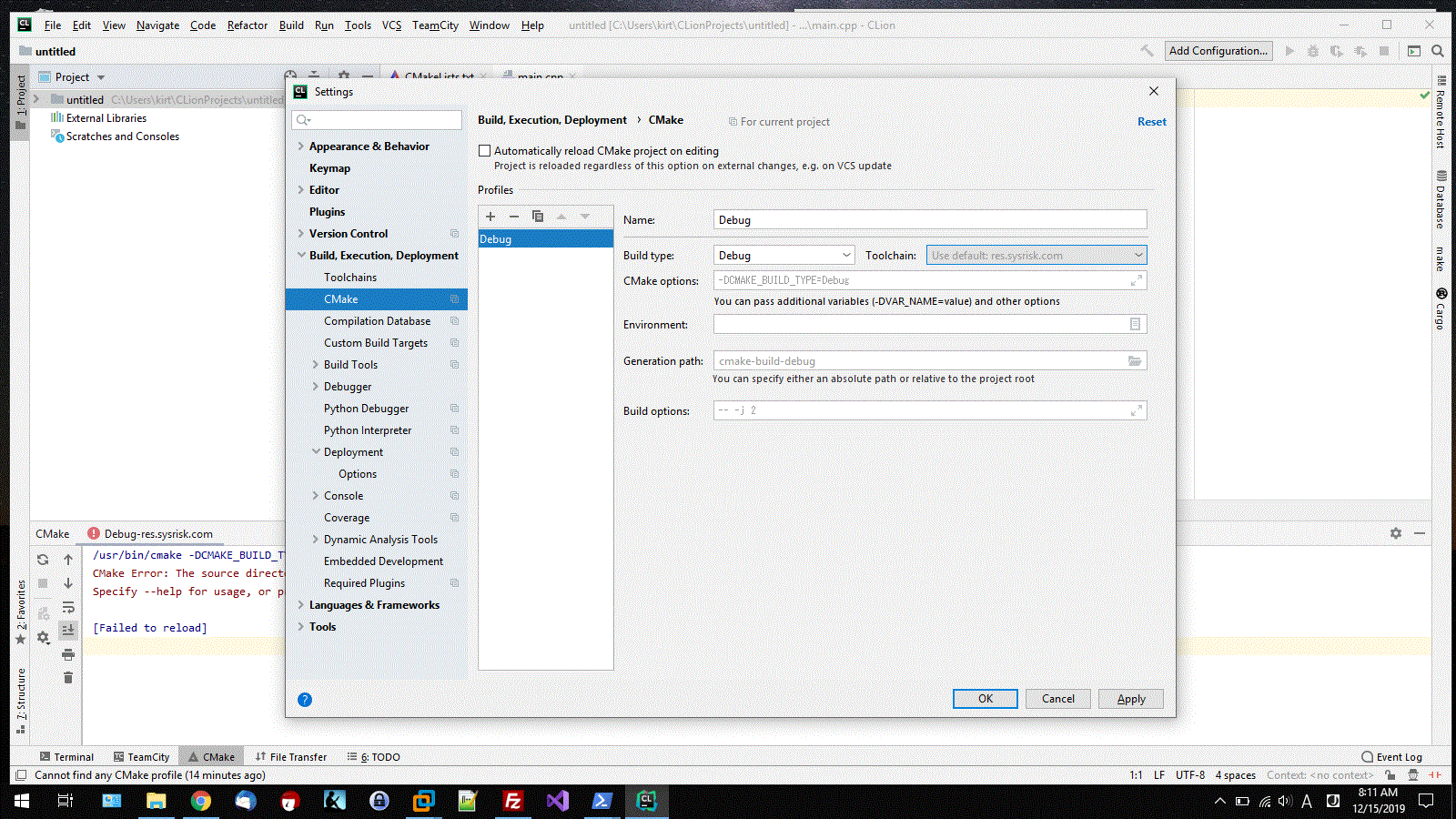
Would also like to point out that support tickets searchable on the web like this one are rather useless... nothing from it. Delete it if there is not a resolution.
https://intellij-support.jetbrains.com/hc/en-us/community/posts/360004359599-Cmake-profile-not-found
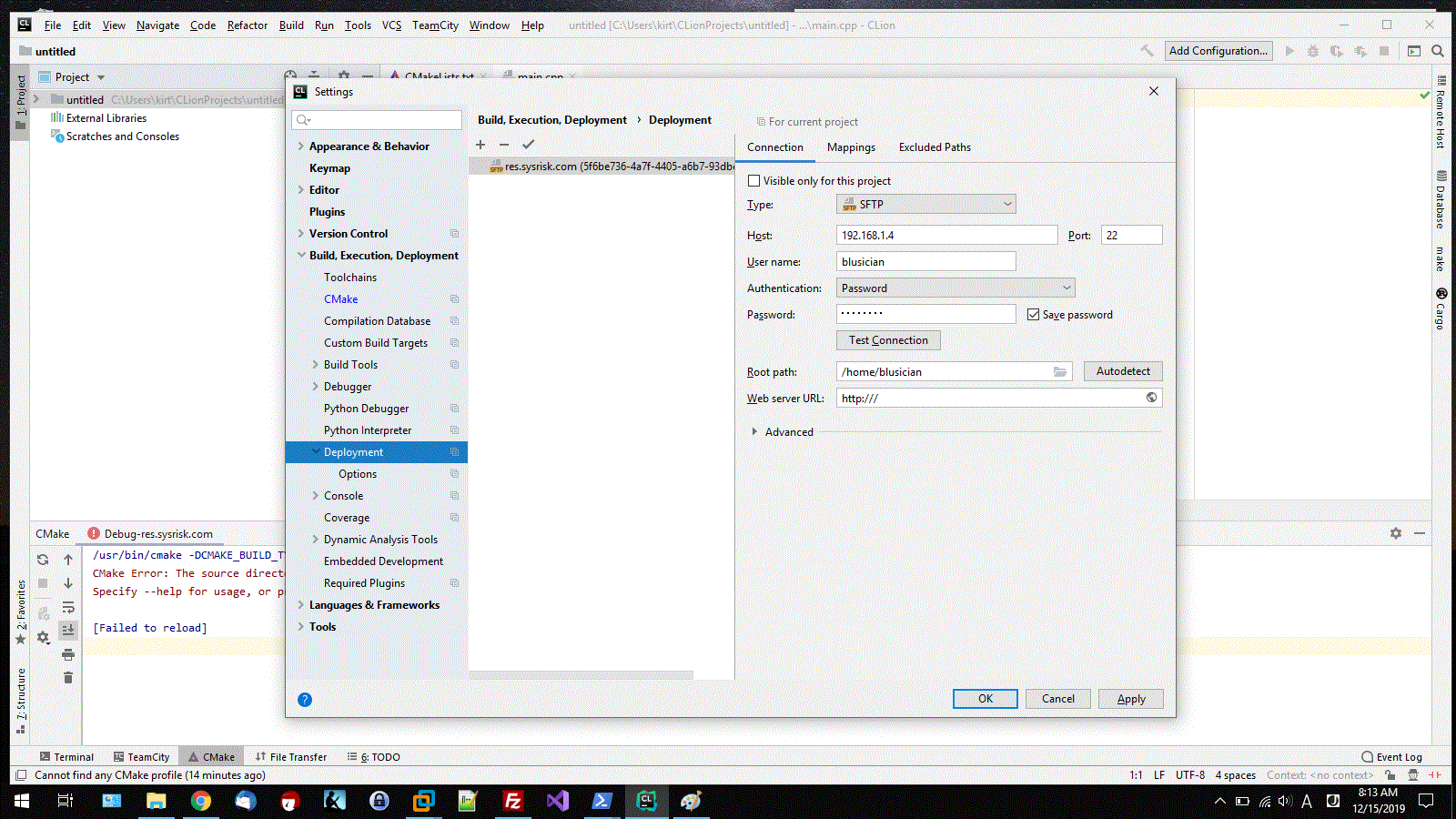
I also go back into deployment and change the path from /tmp/tmp.XXXXXX to /home/user/tmp/tmp.XXXXXX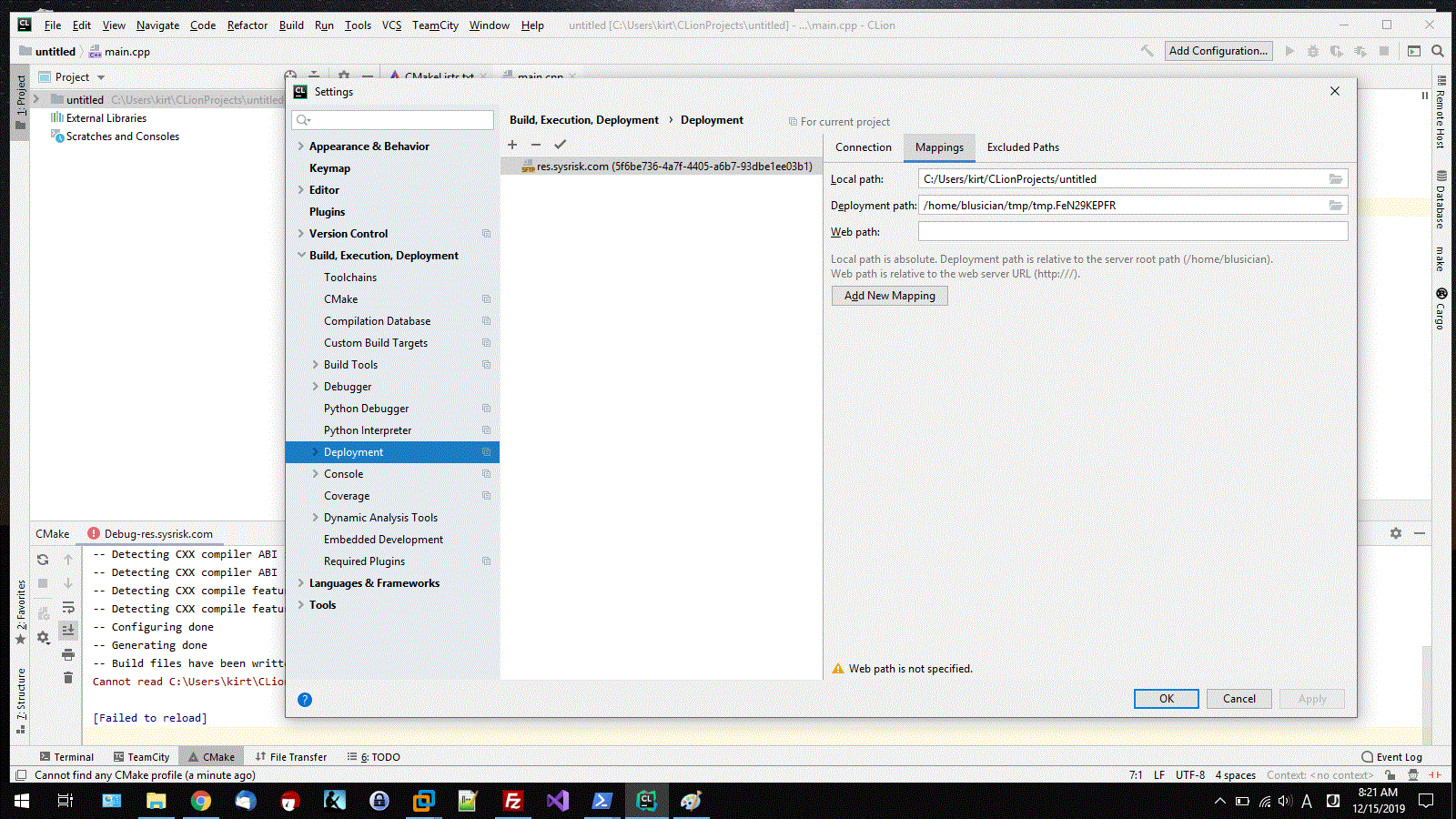
Then subsequently hit the refresh button in the CMake status window and all seems to work fine. But when I hit the Build button (NO CLEAN because it never built in the first place.) I get the same old error as below: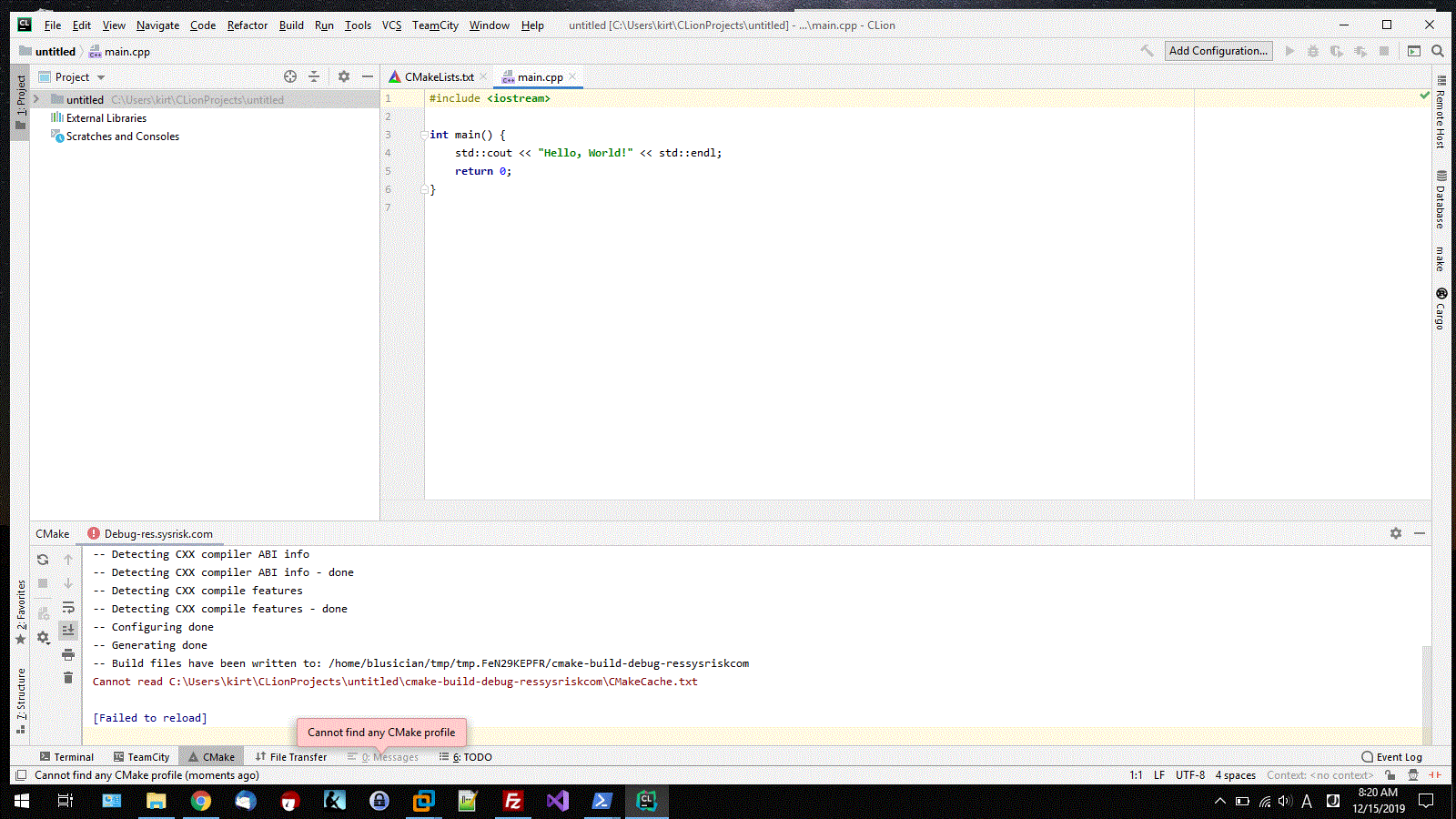
请先登录再写评论。
Hello!
If I understand you correctly, your Root path is different from '/' and you've changed deployment path (
File | Settings | Build, Execution, Deployment | Deployment | Mapping). Then it's a known bug - https://youtrack.jetbrains.com/issue/CPP-14185. Sorry for the inconvenience.If you don't change root path, you should be able to change deployment path.