Odd error on new project of existing files

I'm having a hard time understanding this:
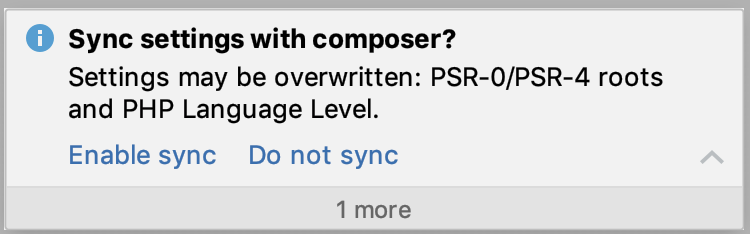
I tried to understand from here - https://blog.jetbrains.com/phpstorm/2014/04/psr-0-psr-4-and-sourcetest-root-support-in-phpstorm-8-eap/ - but I'm not sure it's the same thing... should I sync or not sync?
请先登录再写评论。
It depends on whether you have custom configuration (in terms of source and test roots) at Settings/Preferences | Directories.
If you have them, and they are also defined in composer.json, your configuration will be overwritten with what you have in composer.json.
If you don't have anything custom there - sync without hesitation, if you do - update composer.json accordingly and then also sync.
Not syncing is also an option, of course.
I haven't configured Source and Test roots in my projects... I think I tried that a long time ago on a previous Mac and it didn't work the way I expected or wanted.
I've only used composer.json in our projects when I've needed to install something new so I'm not familiar with what to look for there with PSR settings. I'm new to this PSR/composer thing obviously.
Does the pop-up indicate I do have PSR settings in the composer?
Not necessarily. If you have just a PHP version constraint in composer.json, this popup will still be shown.
If you share a sample composer.json, I will be able to tell for sure.